Microsoft appears to be dumping native Copilot for Windows 11 in favour of web wrapper yet again
Microsoft appears to be dumping native WinUI-based Copilot for Windows 11 in favour of web wrapper yet again. The post Microsoft appears to be dumping native Copilot for Windows 11 in favour of web wrapper yet again appeared first on Windows Latest
 admin
admin
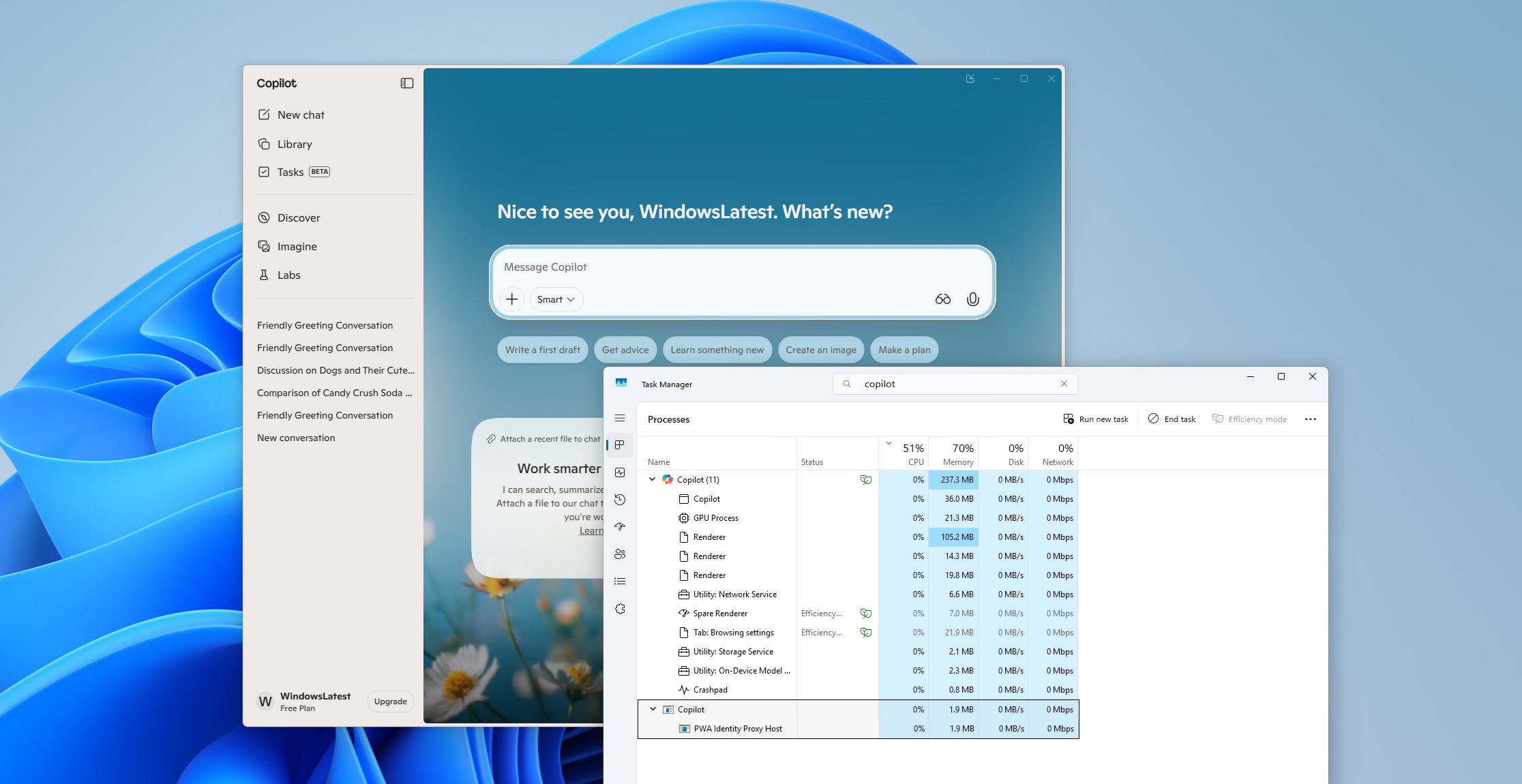
You’ve gotta be kidding me was honestly my first reaction when I downloaded an update for Copilot from the Store, expecting something interesting, and it “upgraded” the app to a full-blown WebView-based app yet again. Yet again, yes, and at this point, I’ve lost count of how many times Microsoft has tried to redefine Copilot on Windows.
Before I talk about how much I hate web apps, the million-dollar question is… what exactly is a ‘native’ app? Well, one that does not call Microsoft Edge-based WebView, JavaScript, or Electron for everything.
Native Windows apps are supposed to be built with WinUI or even the older Win32 framework. To put it simply, anything that is not web-based and is modern-looking is native in 2026.
Copilot for Windows 11 now appears to be a hybrid app, not fully native.
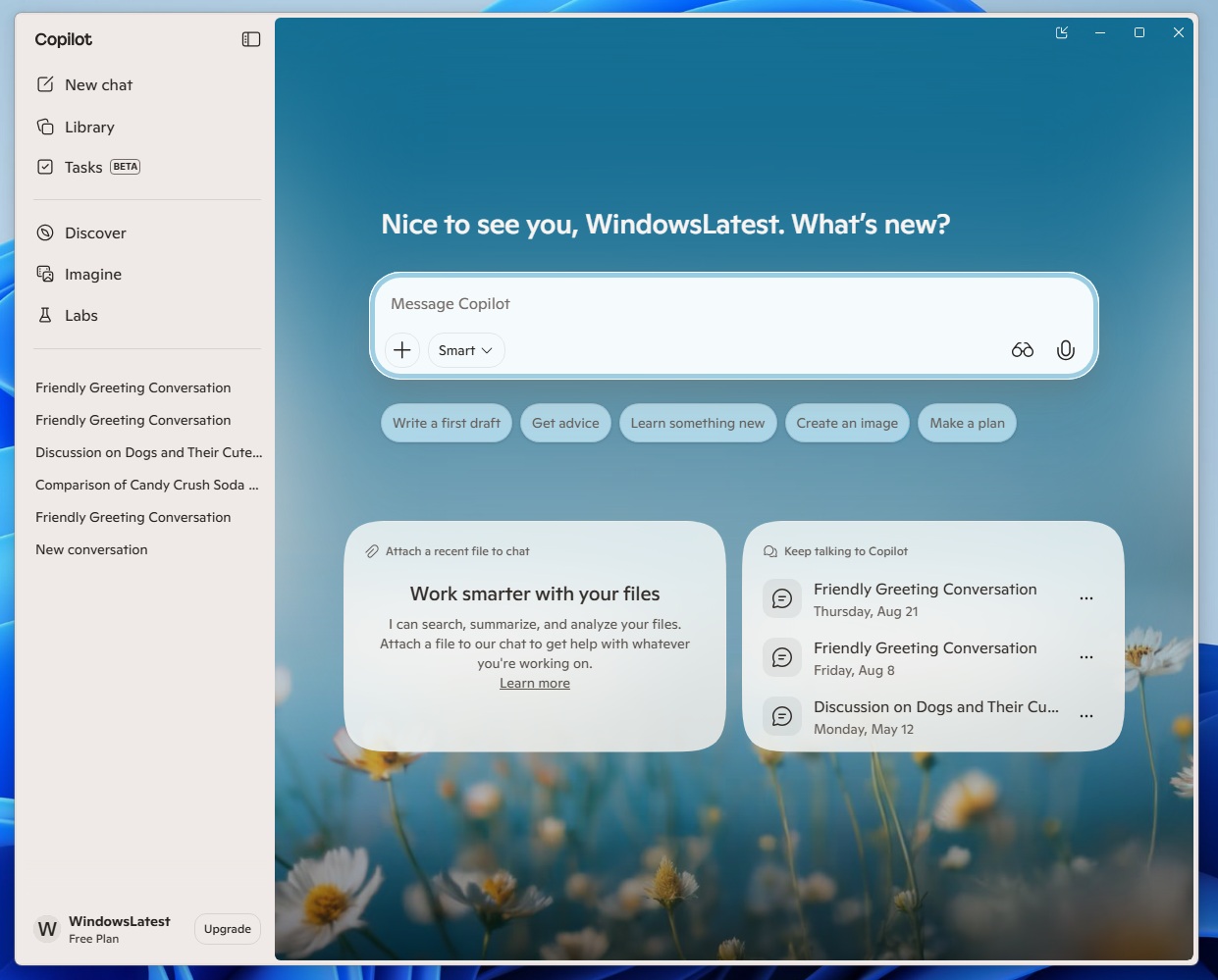
I installed the new Copilot update rolling out in the Insider Program, tested it, and found that it’s indeed a web crap. If you look at the screenshot below, Task Manager proves my thesis.
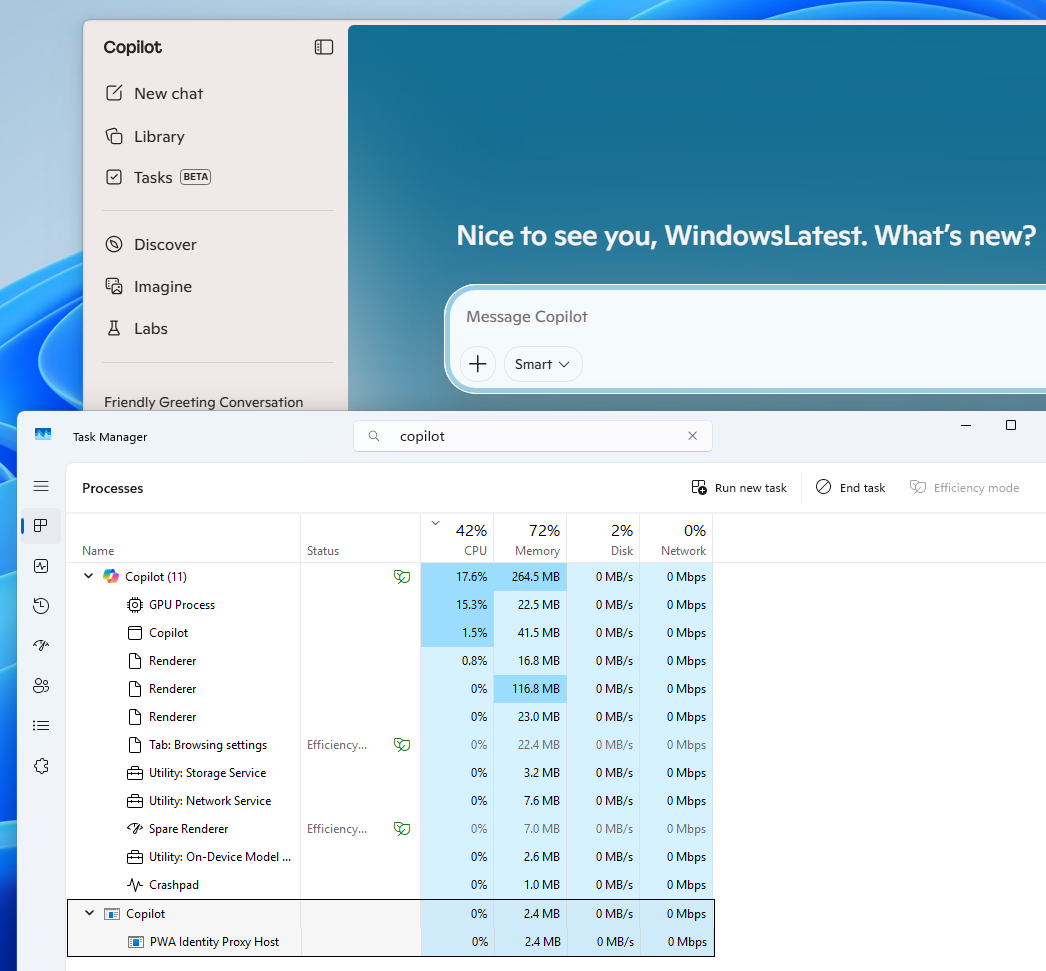
Copilot has several sub-processes running in the background, including Renderer, GPU Process, Utility: Network Service, Crashpad, and PWA Identity Proxy Host.
Those are part of Microsoft Edge, and you’d come across this kind of structure if you expand WhatsApp in Task Manager.
In fact, if you have access to the new Copilot and open its settings, you’ll notice that the version number literally matches Microsoft Edge.
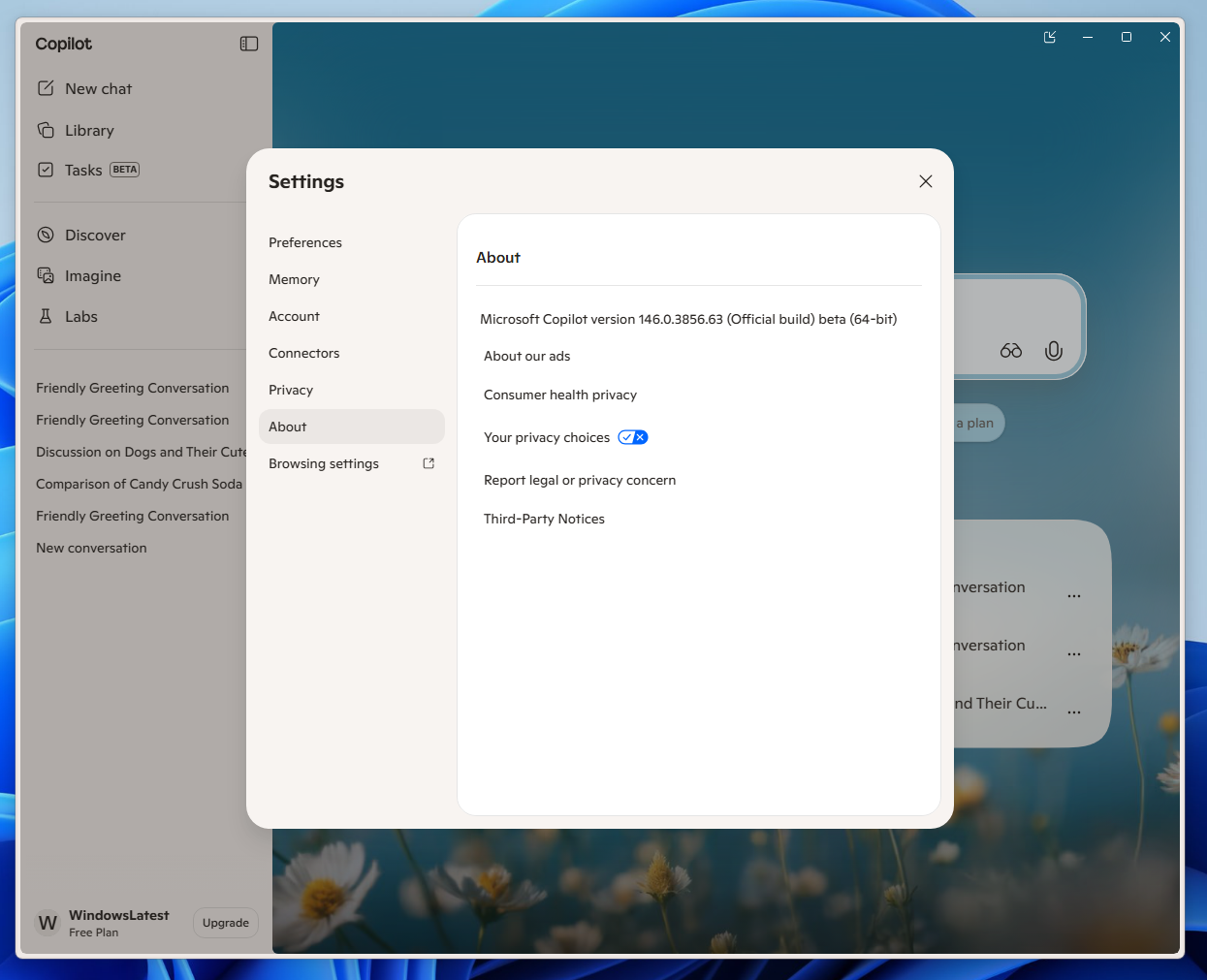
Windows Latest understands that the new Copilot isn’t exactly the old-school web crap, as it appears to be a web app running inside a desktop shell through Edge/WebView-style components.
That means the web experience is wrapped around a Windows app shell, and you’re also going to spot “Utility: On-Device Model …” in Task Manager.
Copilot is able to hook into some Windows AI features or on-device AI, and the shell is indeed native, but it’s still loading copilot.microsoft.com inside.
New Copilot is as fast as the native version. In fact, it actually opens faster than the native Copilot app, which tells us a lot about the current state of WinUI. Although the new Copilot is faster, it’s still a web app, and Windows does not need web apps anymore. Really.
Copilot is ditching the native framework (WinUI) in favour of web-based tech again, as Microsoft just can’t decide
Copilot on Windows has had a tough past. Well, not emotionally, as AI has not reached consciousness yet, but it’s more to do with how Copilot is integrated into Windows 11 or even Windows 10.
Microsoft announced Copilot as a sidebar on Windows on May 23, 2023, which can also be launched from the taskbar or Win + C. We later found that Copilot’s sidebar experience wasn’t exactly native, as it was just Bing Chat delivered through Edge/WebView2, not a truly native Windows UI.
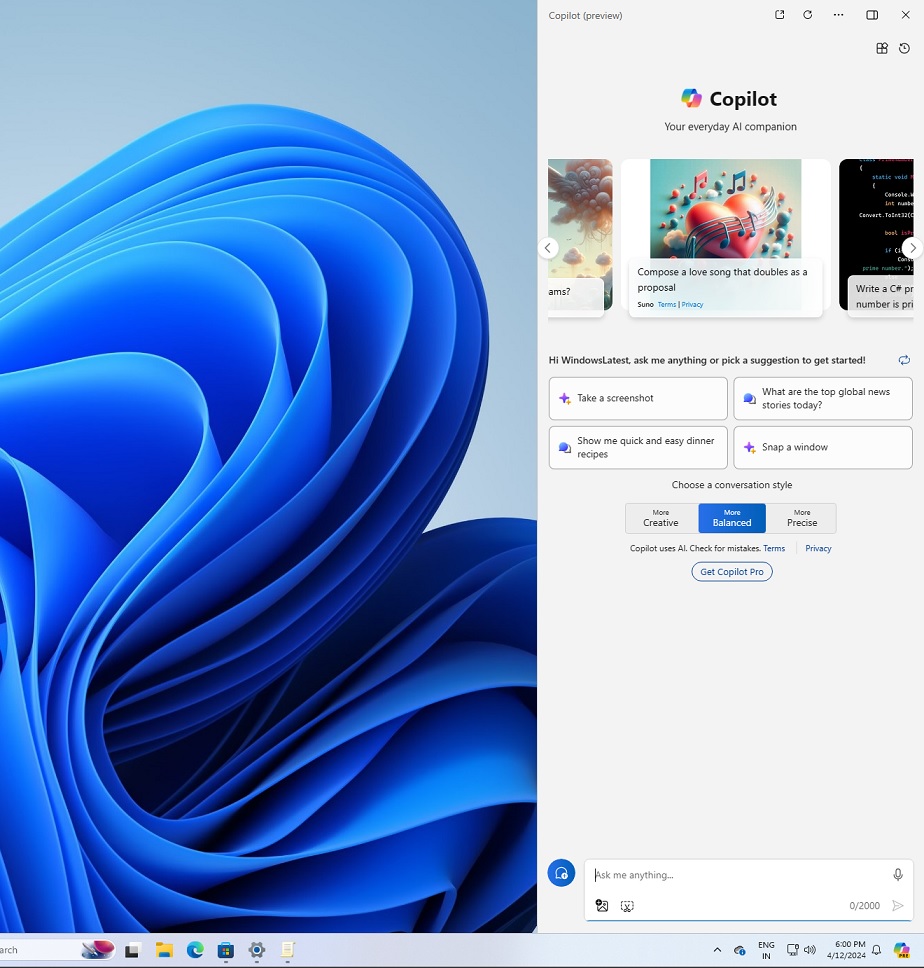
In March 2024, Microsoft began rolling out an updated Copilot that could switch between the old docked mode and a movable, resizable normal app window.
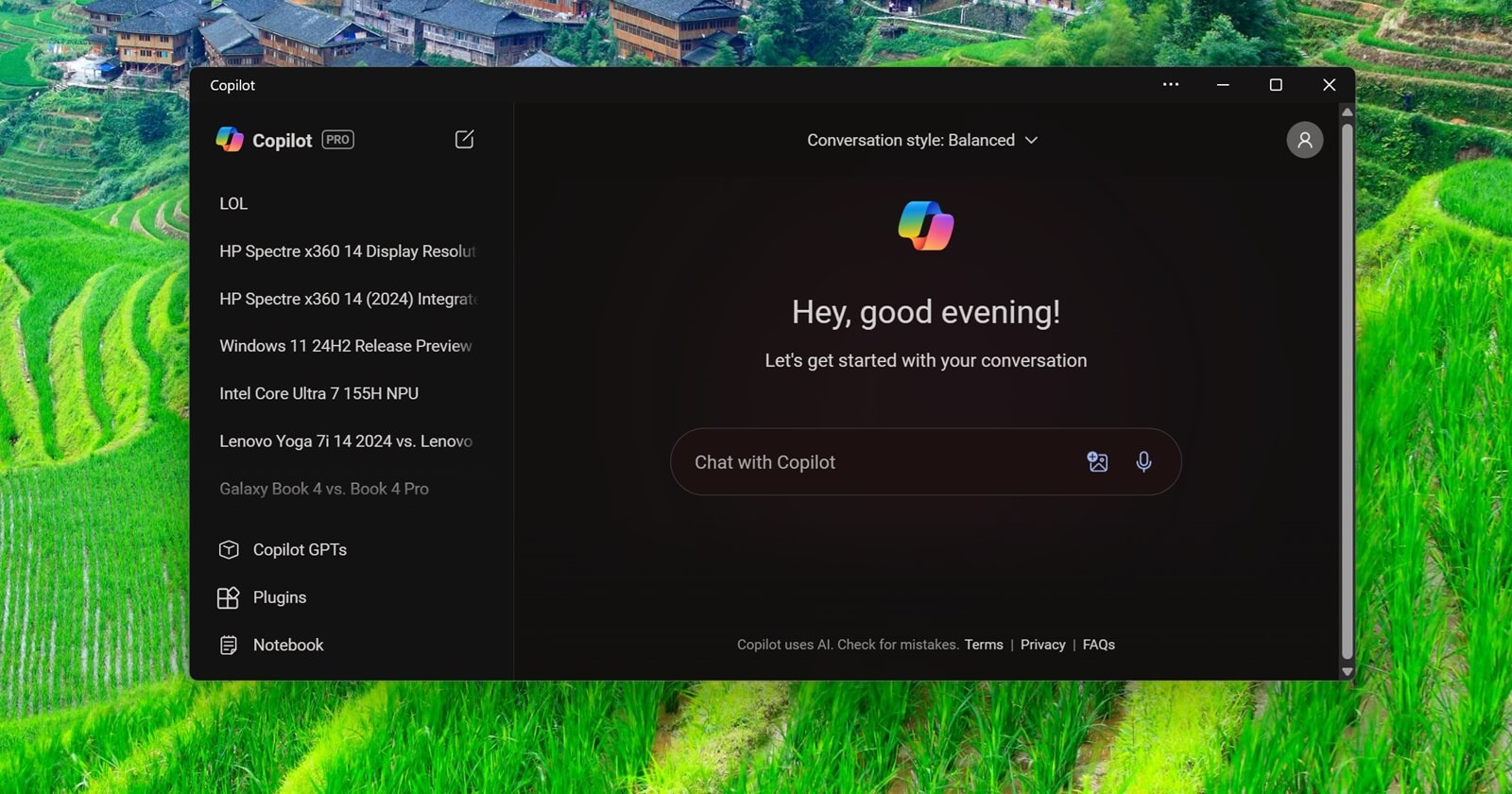
Microsoft finally killed the classic sidebar-style Copilot and turned it into a full-blown PWA-style app.
Later in the same year, Microsoft claimed it began rolling out a “native” version of Copilot, which was not exactly native, as it loaded copilot.microsoft.com in a shell (frame) that was native, and used more RAM than ever. Outrage from users pushed Microsoft to do better, and a native app finally shipped.
Microsoft decided to build a native Copilot app in 2025
In 2025, several months after Mustafa Suleyman took over from Mikhail Parakhin, who was responsible for Copilot and Windows, Microsoft finally began using Windows 11’s native app UI framework (WinUI) for Copilot.
In fact, Windows Latest tests found that it is the first native Copilot app that no longer loads web components.
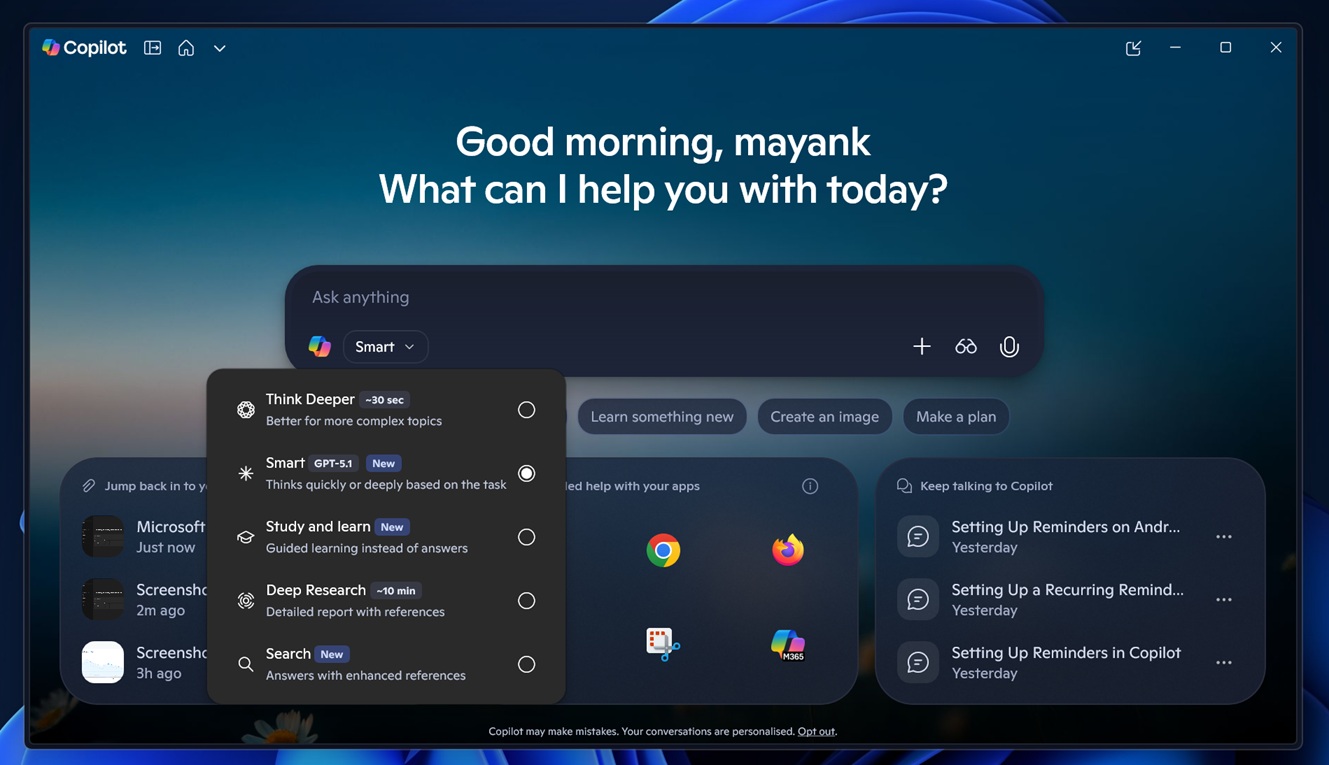
This new, truly native Copilot app began shipping to everyone in March 2025. It’s true that Microsoft later began loading some parts of Copilot, such as the ‘Pages’ or canvas, in a web shell, but the rest of Copilot remained native, so nobody really complained.
It seemed like a happy ending, but that changes today, at least for those in the Windows Insider Program.
As noted at the outset, Windows Latest observed that Copilot for Windows 11 is now a full-blown web experience, and the native app has been completely replaced.
This change should begin rolling out to non-Insiders in the coming weeks, and there’s no going back, unfortunately.
The post Microsoft appears to be dumping native Copilot for Windows 11 in favour of web wrapper yet again appeared first on Windows Latest