Microsoft reveals Windows 11 taskbar feature that Windows 10 never had, two ways to shrink in testing
Microsoft's efforts to bring back Windows 10 features might actually end up making Windows 11 a far better OS than its predecessor. The post Microsoft reveals Windows 11 taskbar feature that Windows 10 never had, two ways to shrink in testing appeared first on Windows Latest
 admin
admin

Microsoft’s efforts to bring back Windows 10 features might actually end up making Windows 11 a far better OS than its predecessor. While Windows 11’s taskbar still isn’t as good as the Windows 10 version, it’s gaining a new feature that lets you restore a smaller taskbar. At the same time, it’ll still give you separate control over just the icons.
Windows 10 had a toggle to change the size of the taskbar, and it worked very well. But in Windows 11, Microsoft removed that feature entirely, saying the taskbar had been written from scratch and would not have everything from Windows 10 on day one. That did not change until last year, when Microsoft added a feature to make taskbar icons smaller.
To our surprise, the “show smaller taskbar buttons” option wasn’t anything like the Windows 10 version. While it works as expected, it doesn’t make the taskbar itself smaller, which is what users wanted. Instead, “show smaller taskbar buttons” only makes the icons smaller.
This toggle feature gives you three options: never, always, and when the taskbar is full:
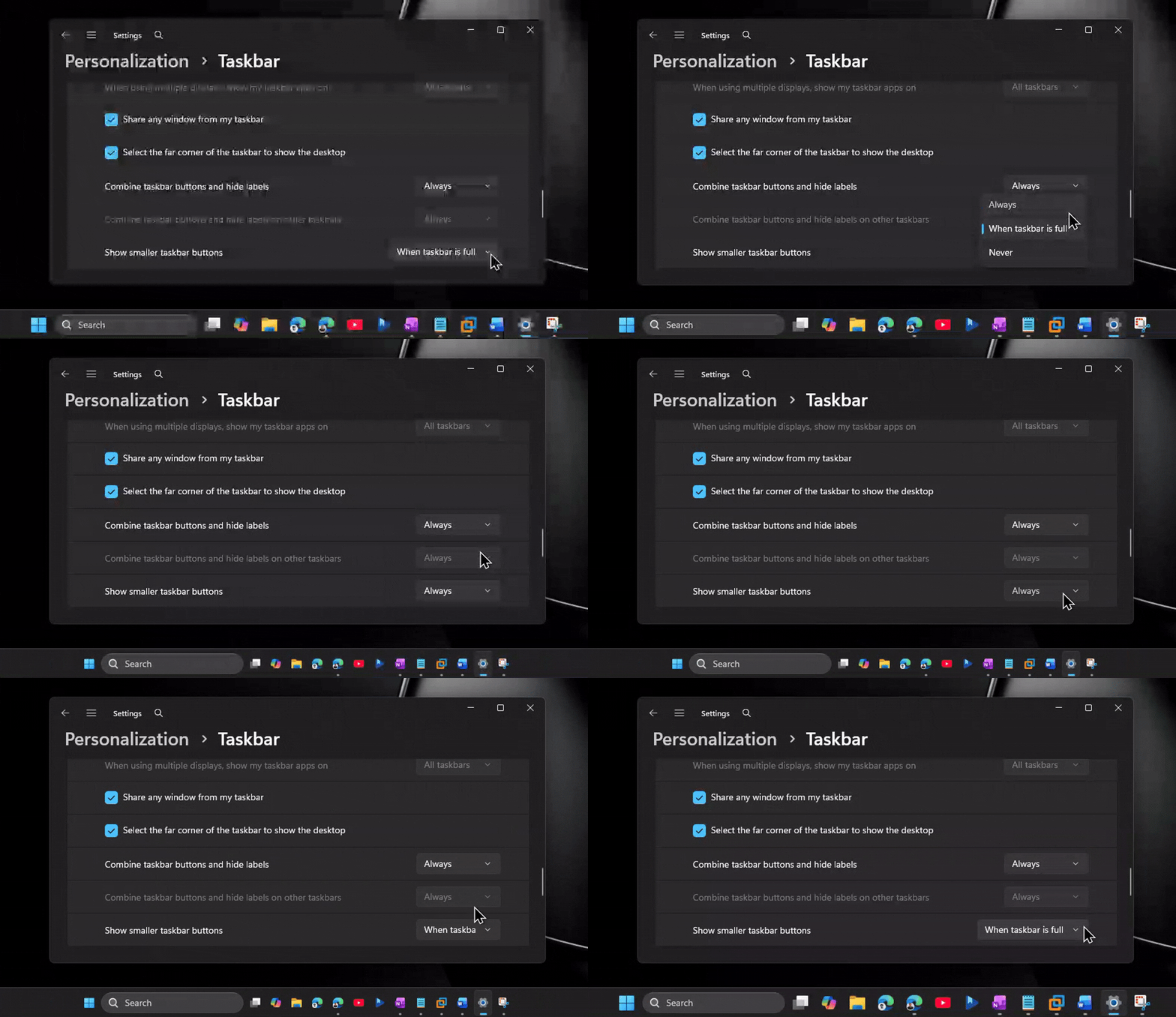
As you can see, the existing “show smaller taskbar buttons” option isn’t a true replacement for “show smaller taskbar.” It does what it literally says: it makes the icons smaller, and that might be useful for some use cases, as it lets you fit more icons in the taskbar.
However, if you aren’t a fan of the taskbar itself taking up screen space, Microsoft has heard your feedback.
A recent Windows update, which is only available to testers, added a new Taskbar size setting that changes the size of the taskbar itself. For example, if you select “Small” in the new Taskbar personalization settings, Windows makes the taskbar thinner. And when the taskbar itself is thinner or “smaller,” the icons become smaller as well.
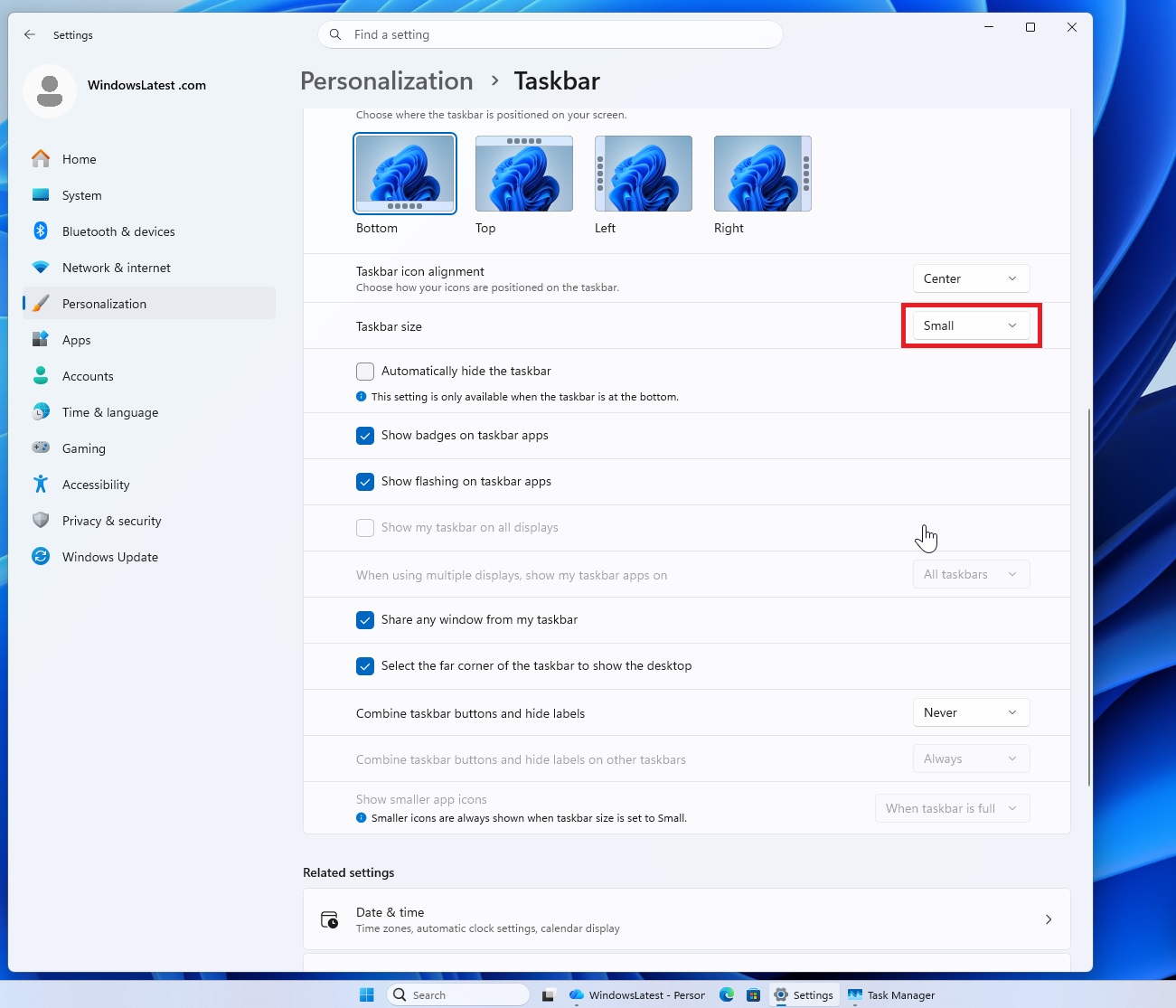
On the other hand, the older “Show smaller app icons” option is specifically about buttons/icons, not the full taskbar. For example, you could keep the normal taskbar height but make the app icons smaller when the taskbar is getting crowded, so more apps fit without changing the entire taskbar size.
In an interesting move, Microsoft will let you use both options, and that means Windows 11 now gives you more control than Windows 10 in this area. For comparison, Windows 10 had a simpler “use small taskbar buttons” toggle.
If Microsoft keeps listening to feedback, it could end up making Windows 11 the best version of Windows.
More taskbar features are coming to Windows 11
Windows 11’s taskbar and Start menu are getting at least 10 new features, and that includes the highly anticipated “movable taskbar.” This feature is already in preview, and I was able to test it.
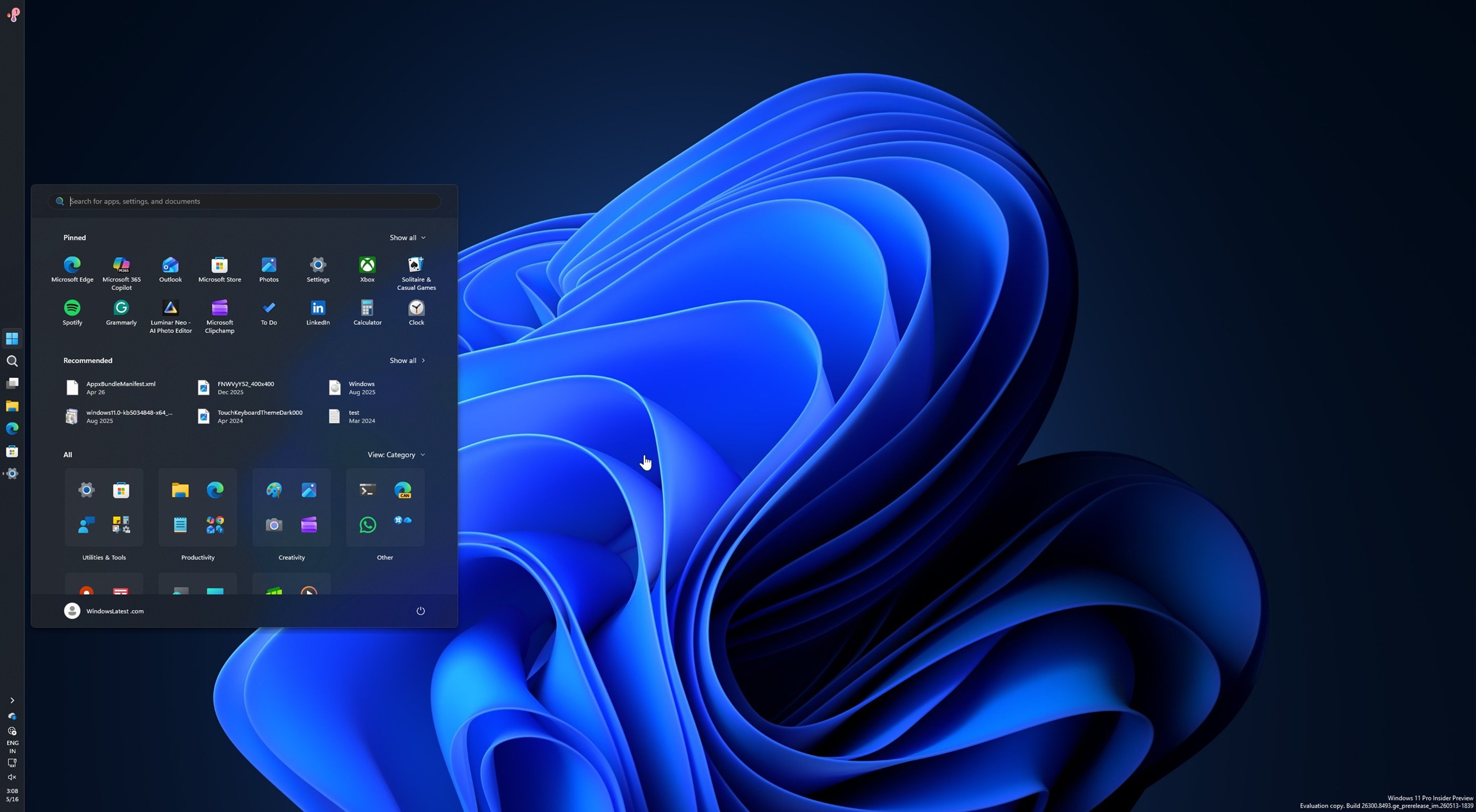
Just like Windows 10, you can move the taskbar in Windows 11 to any side of the screen, including the bottom, which is a favourite for those who want to switch between apps and tabs instantly.
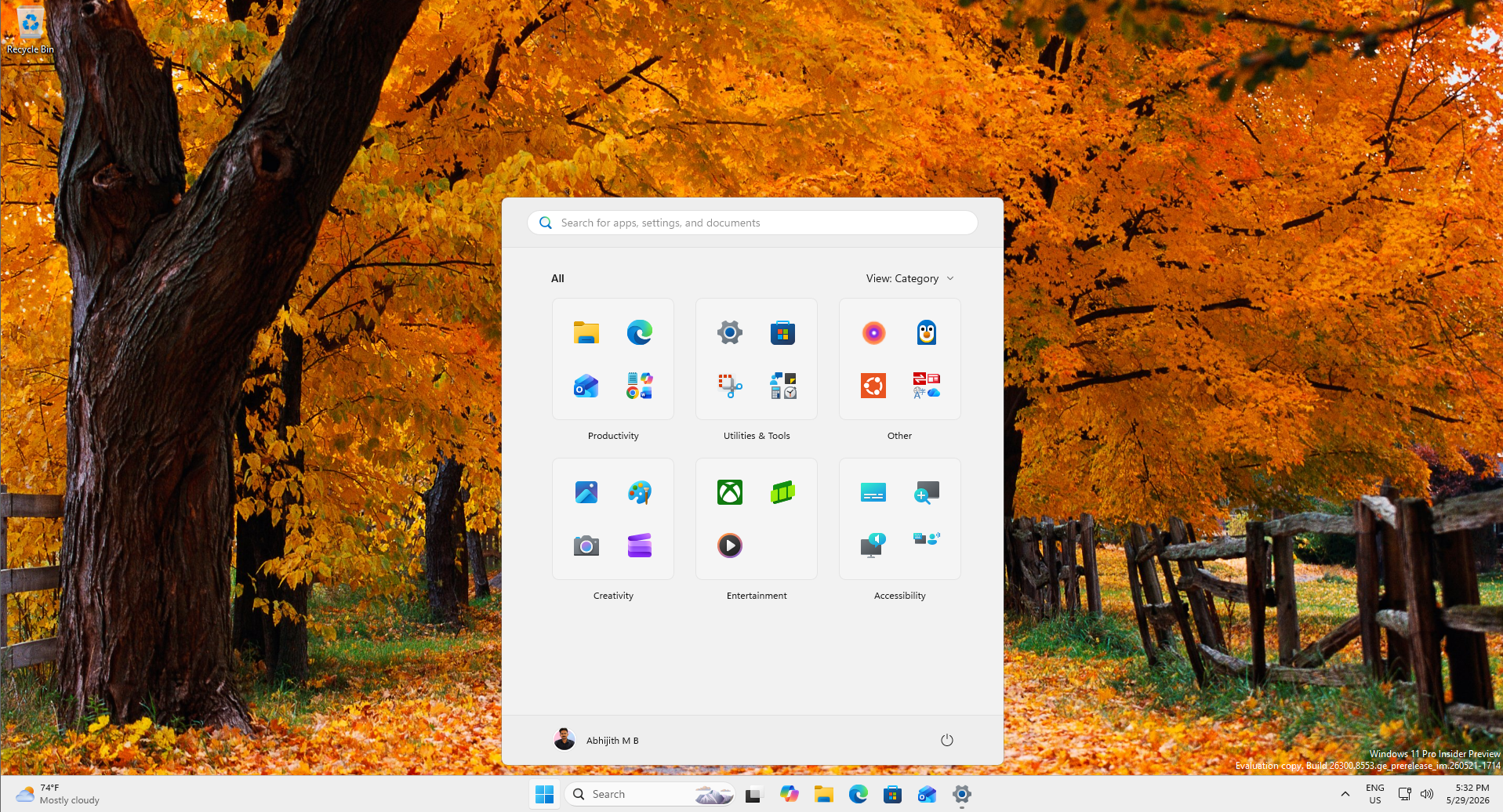
Not just the taskbar, but the Start menu is also rolling out greater control, including the ability to change the size of Start from “Dynamic” to smaller.
Microsoft also has plans to remove ads from the Start menu. We’re already seeing efforts in that area in recent builds where the company renamed Recommended to Recent, and removed ads/Store integration to focus on local files.
The post Microsoft reveals Windows 11 taskbar feature that Windows 10 never had, two ways to shrink in testing appeared first on Windows Latest