Microsoft Teams will auto-detect when you’re at the office via Wi-Fi, roll out confirmed, but you can opt-out
Microsoft Teams is moving ahead with the rollout of a controversial feature that lets organizations track when you're at the office via Wi-Fi. The post Microsoft Teams will auto-detect when you’re at the office via Wi-Fi, roll out confirmed, but you can opt-out appeared first on Windows Latest
 admin
admin
Microsoft says it’s moving ahead with the rollout of a controversial feature that lets organizations track when you’re at the office via Wi-Fi. This feature works when your organization uses Microsoft Teams and has configured Microsoft Places. In a document, Microsoft says that Teams location tracking won’t be enabled by default, at least for now.
Teams’ location-tracking feature is officially called “Workplace check-in,” and it first appeared on the company’s roadmap in September 2025.
At that point, Microsoft vaguely described the idea as a way to increase “flexibility,” so organizations can coordinate with co-workers more easily.
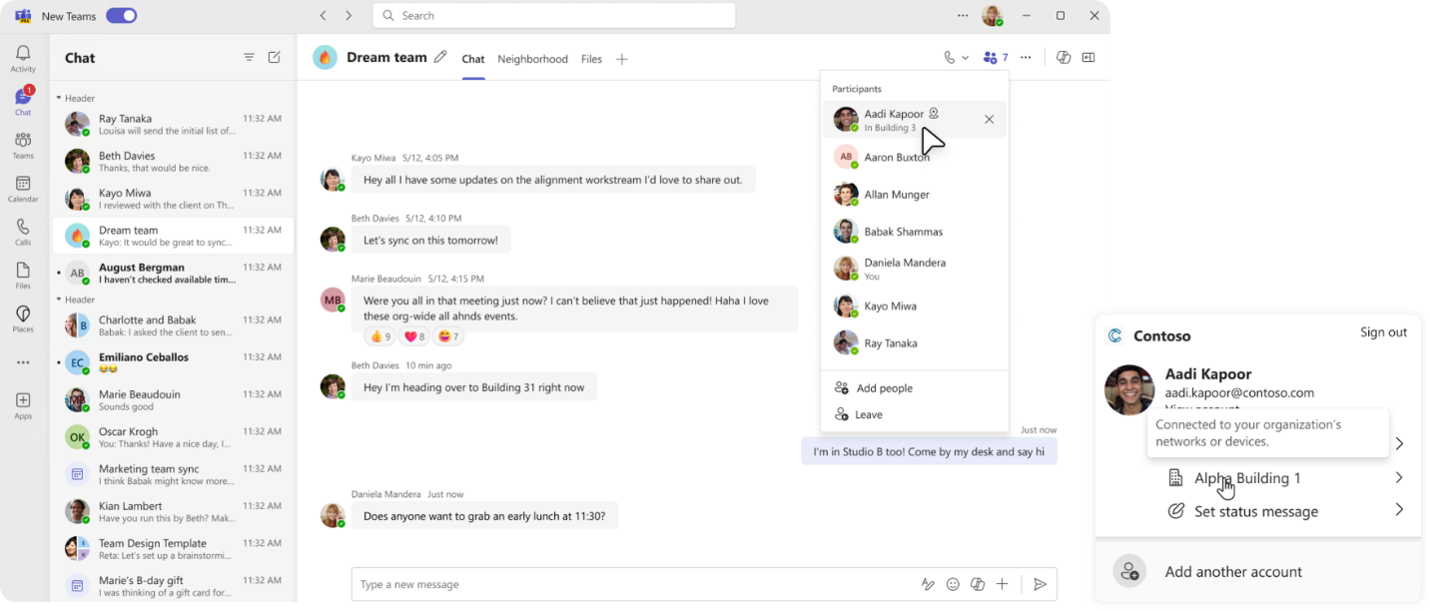
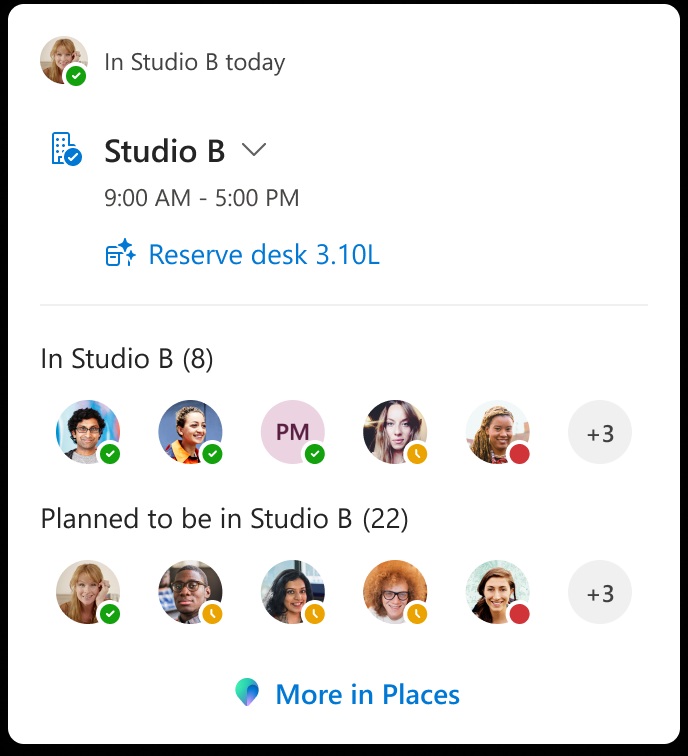
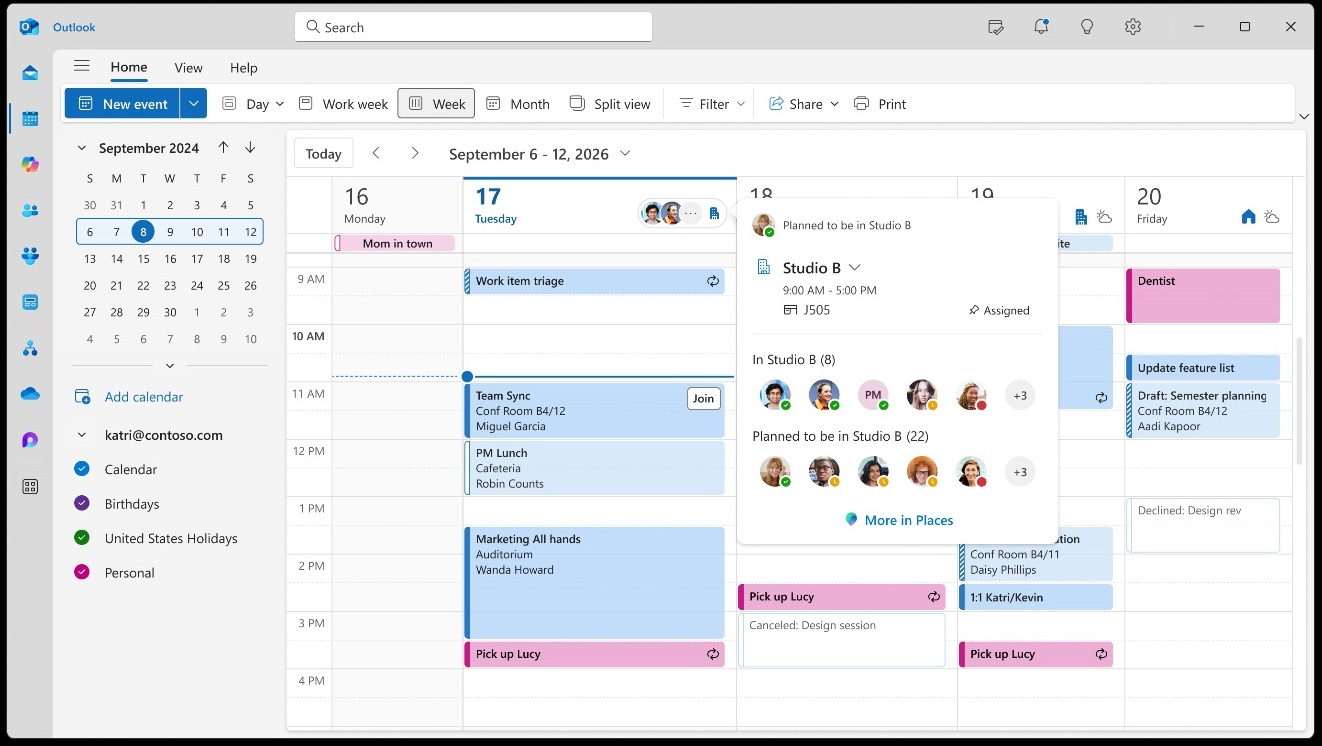
Microsoft said you will be able to connect to your company’s Wi-Fi, and Teams will automatically flag the location. For example, if you travel to your company’s Building C from your home and connect to the Wi-Fi, Microsoft Teams will flag that you’re working at Building C.
Microsoft later delayed the rollout, citing “design” changes, but it was a classic case of the company walking back a technical rollout due to massive privacy pushback.
As the backlash has settled down, Microsoft is moving ahead with the rollout of Workplace location tracking via Teams, but insists you’ll have full control over the integration.
In other words, if your organization rolls out Workplace check-in, aka location tracking via Microsoft Teams, you can choose to opt in or opt out. I do like the fact that Microsoft is giving “technical” control over the feature, but at the same time, it’s ignoring the fact that organizations can still make the feature mandatory outside the technical boundaries.
How Microsoft Teams’ new location tracking works
Microsoft Teams’ location tracking feature is not real-time location tracking like Google or Apple Maps. Instead, it detects if you were present at the office and what floor or building you were in based on the connected Wi-Fi. Also, in addition to control, you’ll be asked to share location access via the operating system’s API.
For example, if you use Windows 11, you’ll be prompted to share location permission, followed by a Teams app-level prompt. If you deny OS-level location access, the IT policy cannot override it to turn the feature on. However, my concern is that a company can always force a “rule” if it wants to.
I also found that Teams’ Workplace check-in is turned off by default at the tenant level, and when it’s turned on by an IT admin, they need to choose between two profiles:
- Inform: This will inform all users that the feature is turned on for their account and give them an option to opt out immediately.
- Ask mode: You’ll see a banner that asks your permission to share location via Teams.
It is worth noting that Microsoft is not trying to build a surveillance system for managers to track “time theft.” Instead, Microsoft stresses it does not monitor when a worker moves from one floor to another over time.
Teams’ Workplace check-in tracking is strictly an in-the-moment signal when they connect to Wi-Fi at their office, though it could theoretically still be used to penalize employees who are on a VPN rather than physically in the office.
“Sharing workplace presence and using workplace check-in are separate decisions, so employees can choose whether their workplace presence is visible to others when working from the office,” Microsoft noted in a new document spotted by Windows Latest.
Windows Latest found that the initial implementation of Teams workplace check-in is tied to organizations that also use the Microsoft Places directory, so it won’t immediately affect everyone.
I wouldn’t be surprised if most users do not see any changes this year, but as organizations find out about the feature and are willing to go through the extra steps, such as setting up specific BSSIDs (the unique identifier for a physical wireless access point), most of you could eventually be affected.
Workplace check-in isn’t the only feature coming to Teams. Microsoft said it’s making Teams run faster and testing a new, less crowded UI for meetings, including the ability to move around items/buttons, so it reduces misclicks.
The post Microsoft Teams will auto-detect when you’re at the office via Wi-Fi, roll out confirmed, but you can opt-out appeared first on Windows Latest