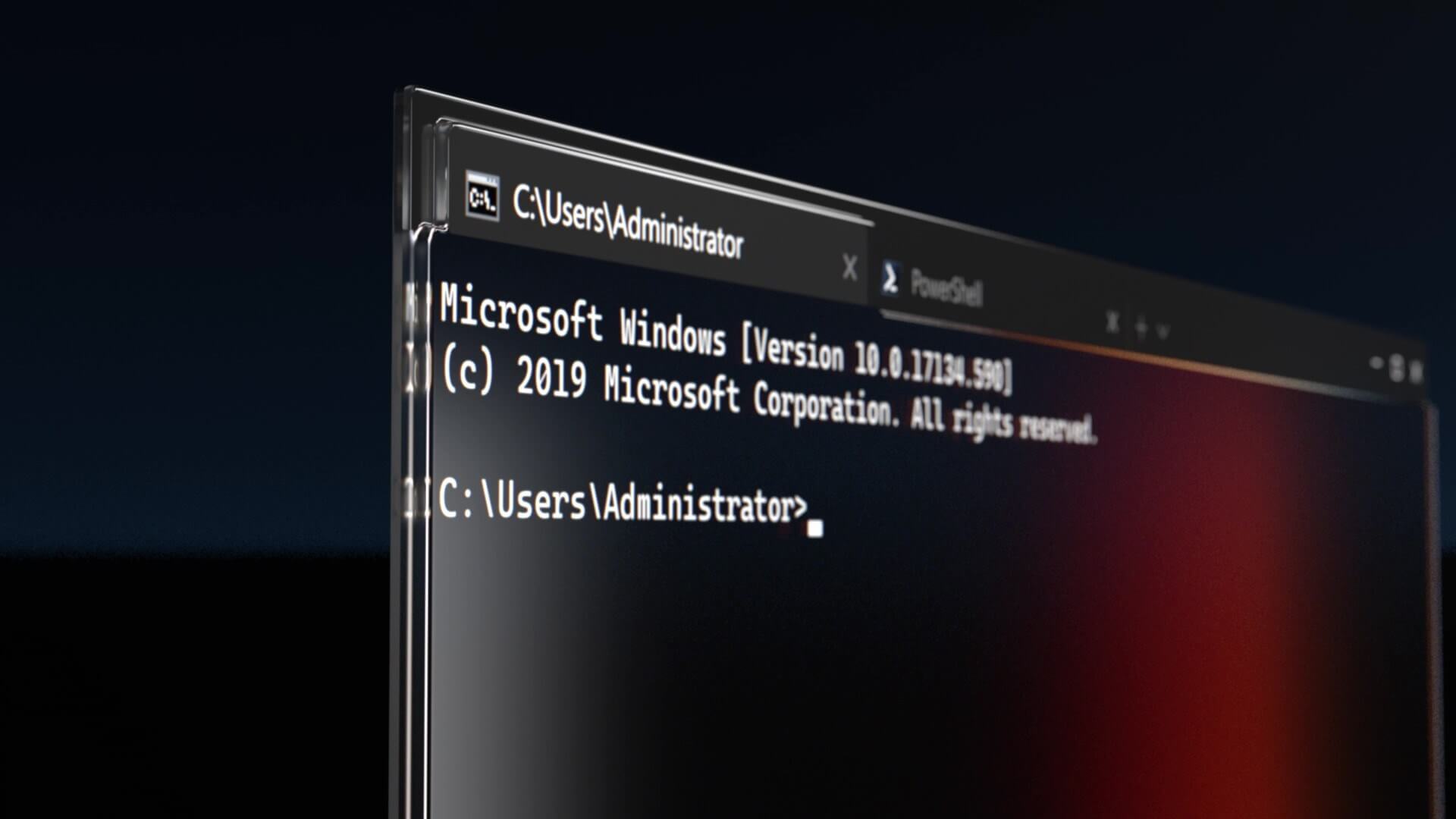
Watch: Leak from 2024 shows off Microsoft’s Copilot OS for AI PCs, and it’s nothing like Windows 11, as it drops the Start menu
In 2024 or earlier, Microsoft was working on a Copilot-focused operating system codenamed "Aion," which is web-based. The post Watch: Leak from 2024 shows off Microsoft’s Copilot OS for AI PCs, and it’s nothing like Windows 11, as it drops the Start menu appeared first on Windows Latest
 admin
admin

In 2024 or earlier, Microsoft was working on a Copilot-focused operating system codenamed “Project Aion.” The idea, which appears to have been canceled, envisioned a Microsoft Edge-based and AI-powered operating system that drops the traditional Start menu in favor of a Copilot launcher and looks nothing like Windows 11.
In a leaked video shared on a private BetaWiki forum and later posted by Microsoft watcher Gareth, you can clearly see that the Copilot OS drops the traditional Start menu in favor of AI. Microsoft internally describes it as an “agentic” operating system, and there were plans to enable Win32 app support via the cloud.
Closer look at Project Aion: Microsoft’s secret Copilot OS for PCs
When you boot Windows 11 for the first time, you have the Start menu, desktop, and taskbar icons. In the case of Copilot OS codenamed “Project Aion,” there are no desktop icons.
Project Aion shows off a taskbar, but it’s closer to ChromeOS than to Windows 11. For example, we don’t have a Start menu or Task View button. Instead, there’s a Copilot button, which is essentially a Copilot launcher.
Unlike the Start menu, the Copilot button in this AI OS greets the user with “Good afternoon, Nathan,” and there’s a dashboard with three dynamic widgets: “Stay on Top” (my M365 feed), “Create something new,” and “News of the day.”
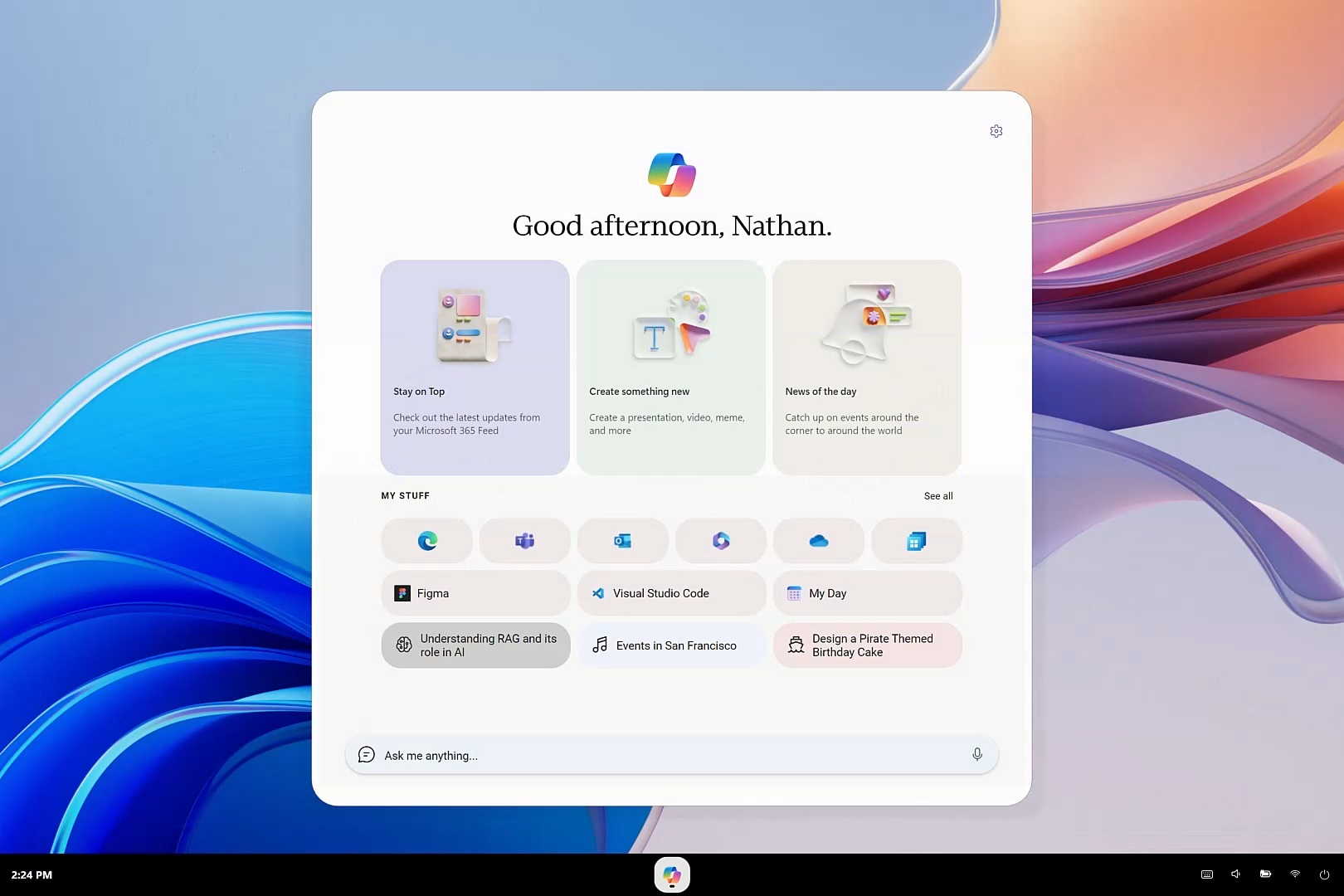
The “My Stuff” section is a bit similar to the Recommended feed/Apps list of the Start menu, but it mostly has standard web apps.
For example, we noticed icons for Microsoft Edge, Teams, Word, Excel, and Microsoft To Do. Right below these icons, you have chips for contextual tasks, such as “Understanding RAG” and “Design a Pirate Themed Birthday Cake.” These two tasks were given as examples by the team behind Project Aion.
You can use the “Ask me anything” text box to launch agentic tasks or browse the web using Microsoft Edge. For example, if you want to open TechCrunch or Microsoft To Do, you can start typing “techc” into Copilot’s Ask me anything box, and autocomplete instantly suggests the TechCrunch website.
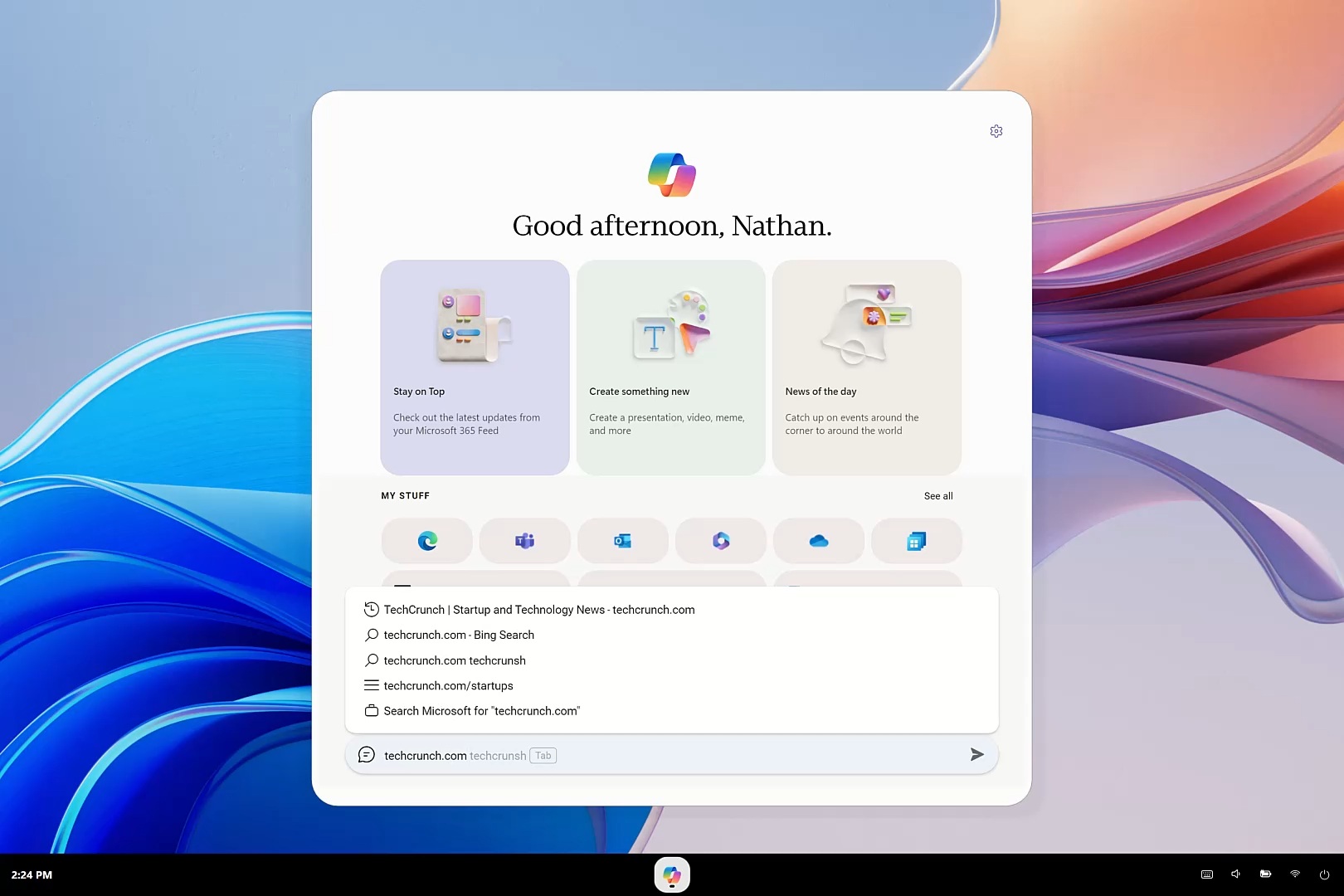
Since Copilot OS is based on Microsoft Edge, if you hit Enter for the suggested website, it’ll open a clean, traditional Edge browser window.
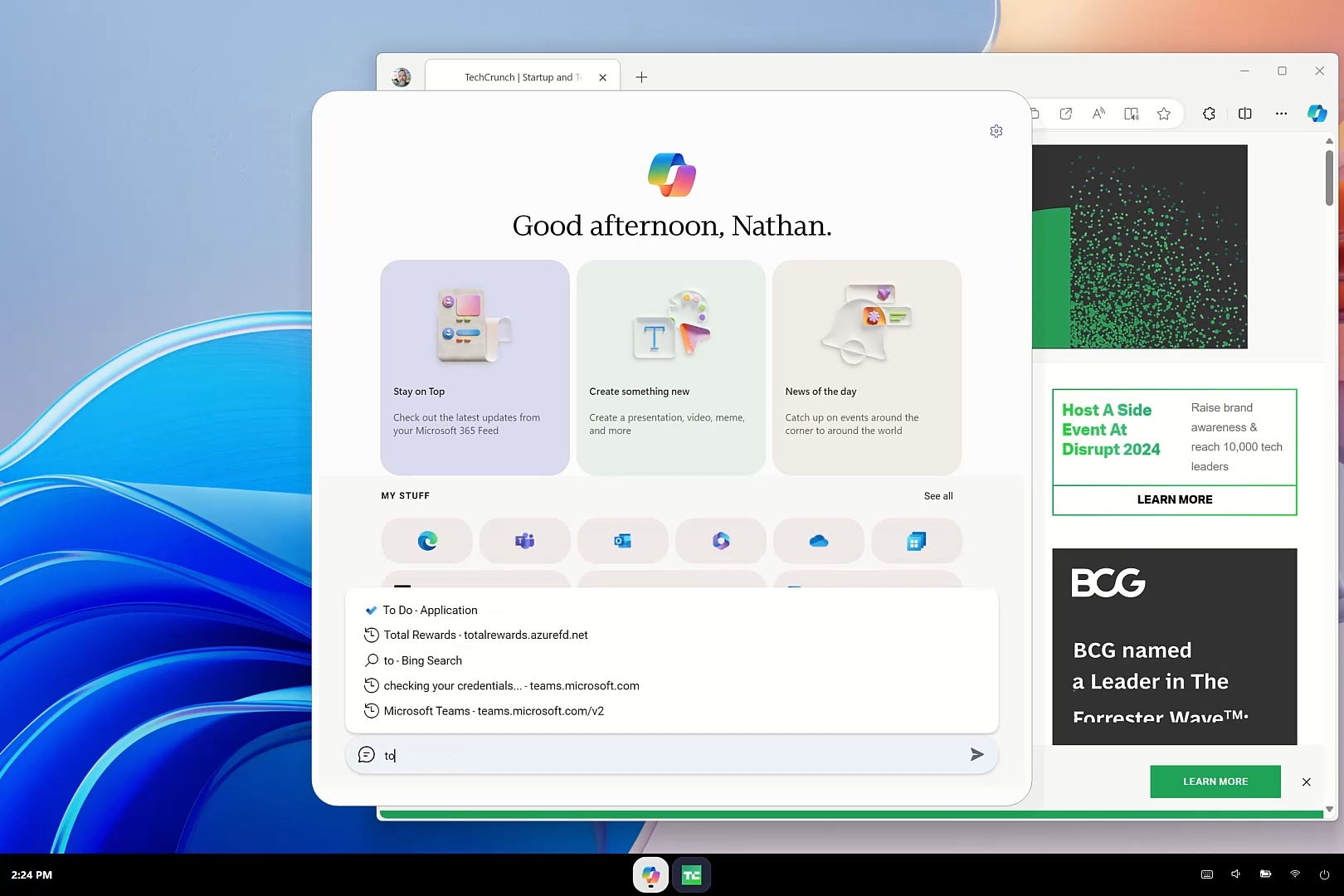
Similarly, if you want to open Microsoft To Do to check your tasks, you need to open the Copilot launcher and type “to do.” AI will automatically surface To Do.
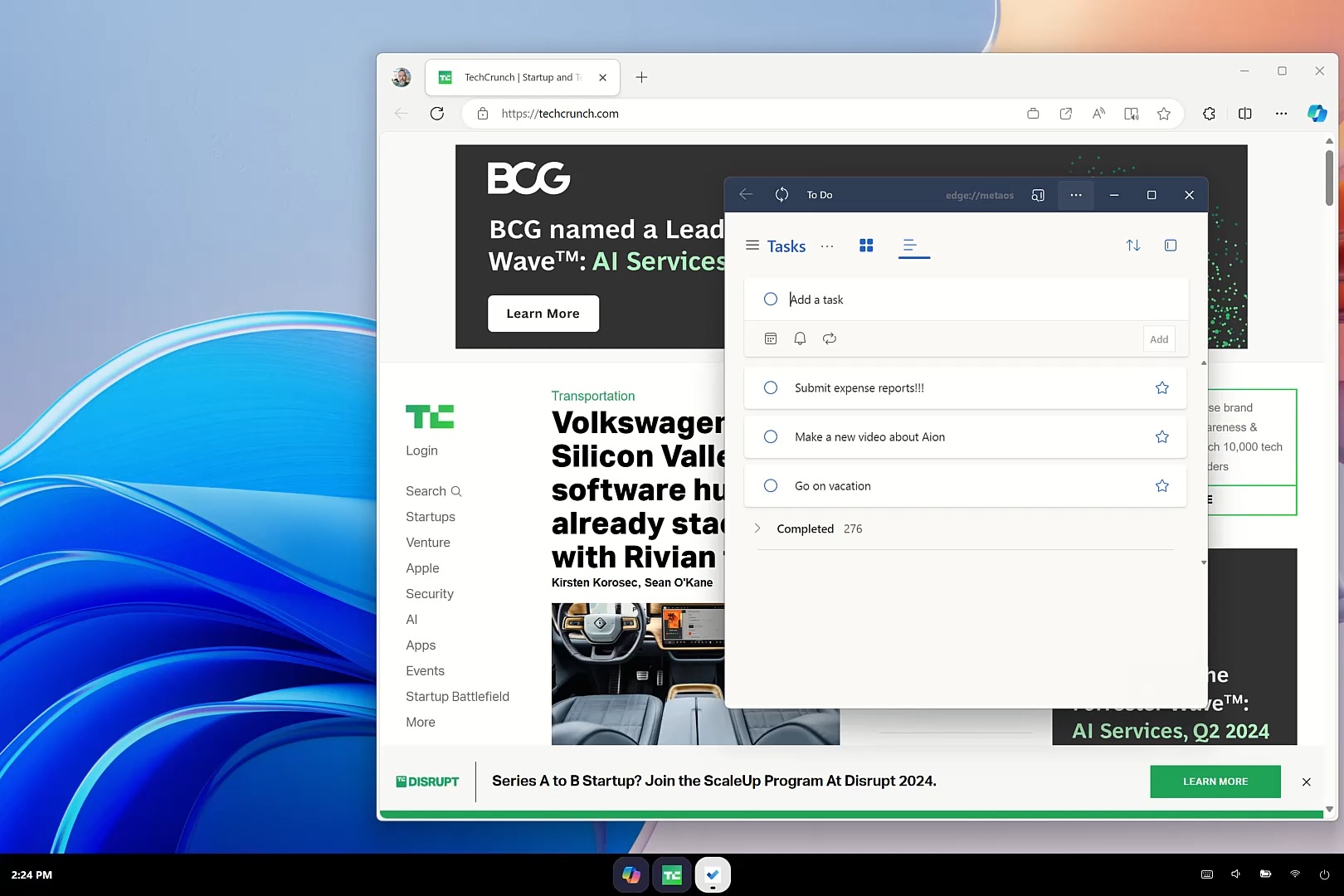
If you’ve ever used Microsoft To Do in Windows 11, you would realize that this is not the native Windows app. Instead, it’s the Microsoft To Do web app running via picture-in-picture mode of Microsoft Edge, so it’s lightweight and has a floating window.
Also, if you look closely at the taskbar, TechCrunch and Microsoft To Do, both running via Edge, have their own dedicated icons on the taskbar as apps.
It’s not entirely made up, as Microsoft recently explored a similar feature for Chromium where websites appear as separate apps on the taskbar. It’s also possible when you install a website as an app using Edge and pin it to the taskbar.
A new agentic multitasking experience, and AI-generated icons
In the video, Microsoft argues that Copilot OS is meant for multitasking and shares multiple examples.
Microsoft explained that Project AION breaks down the “traditional app-centric grouping approach.” Instead of grouping all your Word documents together and all your browser tabs together, Aion groups items by your goals. This feature is powered by an engine called Silverstone.
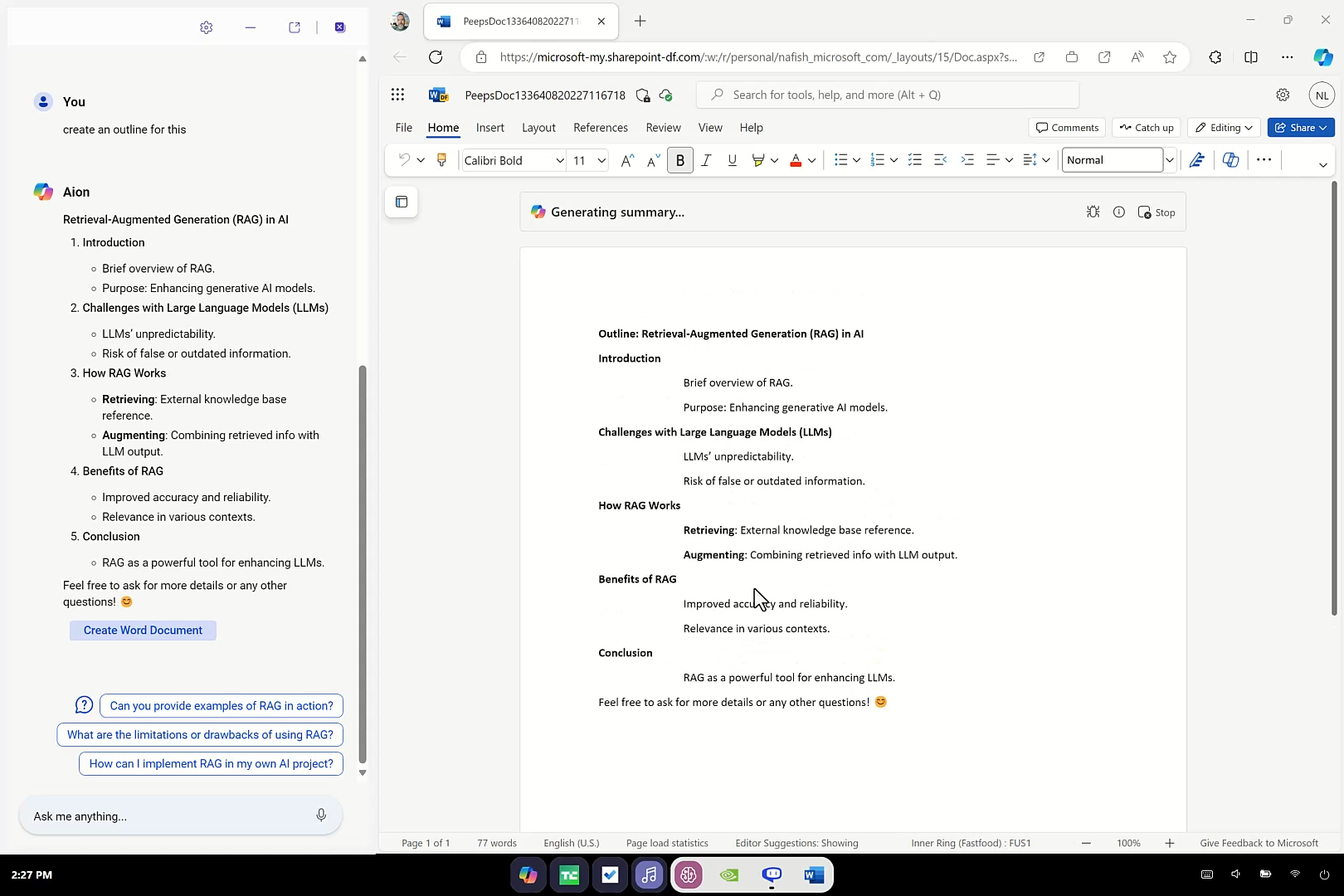
There’s another example where the narrator types “best dining options in Maui” into the Ask me anything box of Copilot, but instead of the usual AI experience or sending you to a web browser, the UI physically morphs. The Copilot launcher transforms into a floating chat window, and Aion starts listing restaurants like Mama’s Fish House and Flatbread Company.
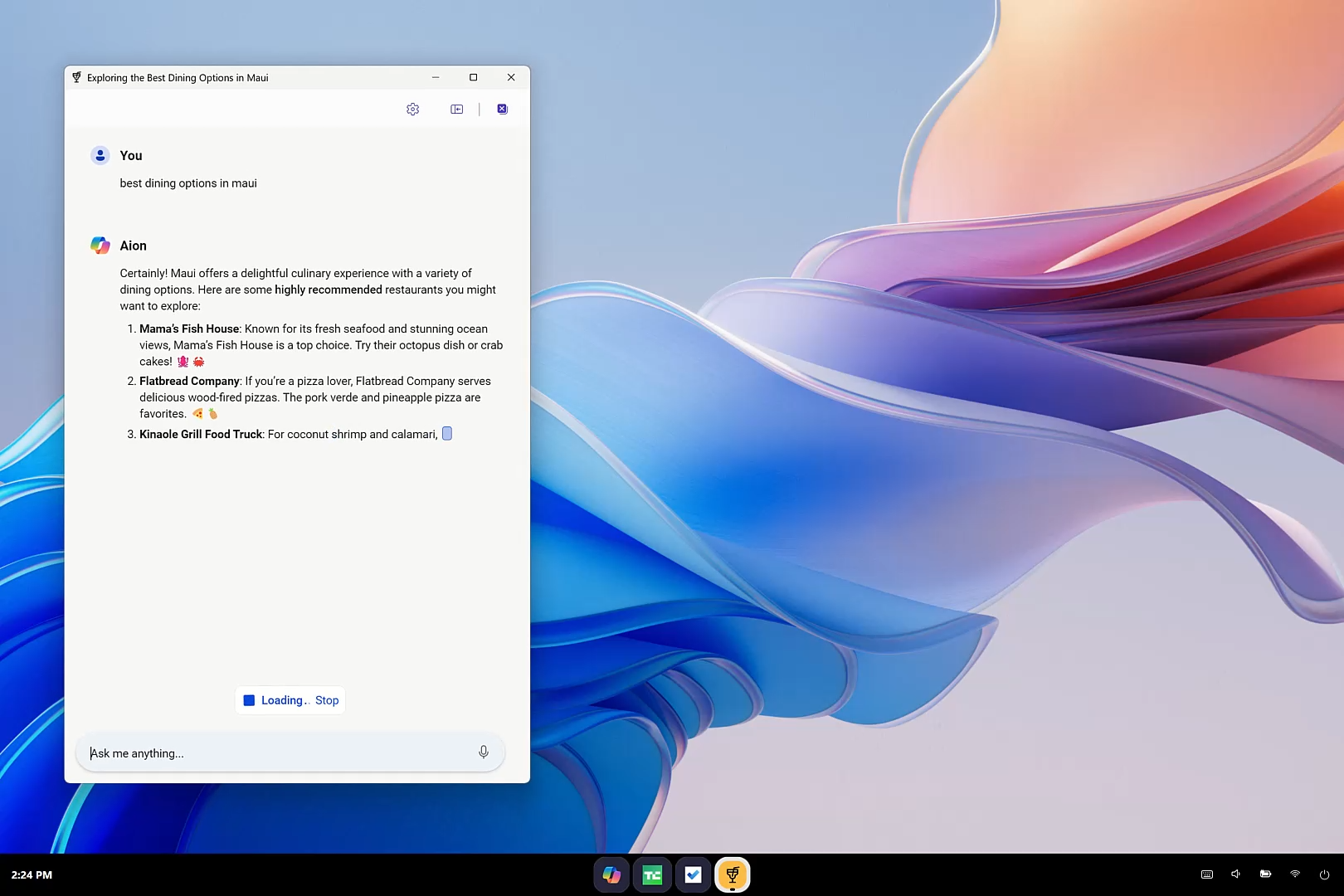
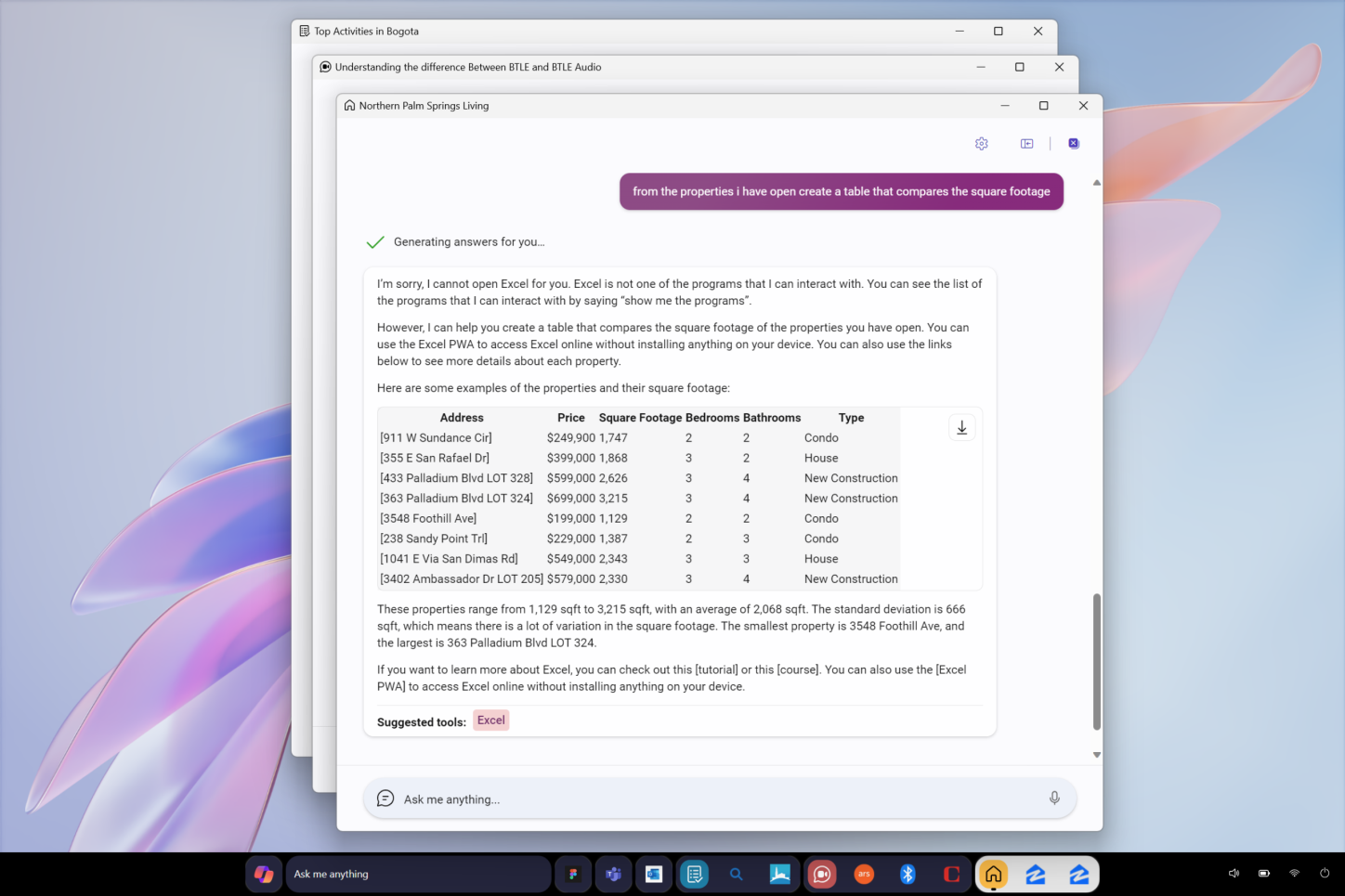
Likewise, if you want to check your work schedule, you can ask, “What meetings do I have next Monday?” When you run a second task, Copilot opens a separate chat window side by side. And at this point, look at the taskbar.
The taskbar doesn’t show two identical Copilot icons for two chats. Instead, the OS has dynamically generated custom icons based on the context of your chat.
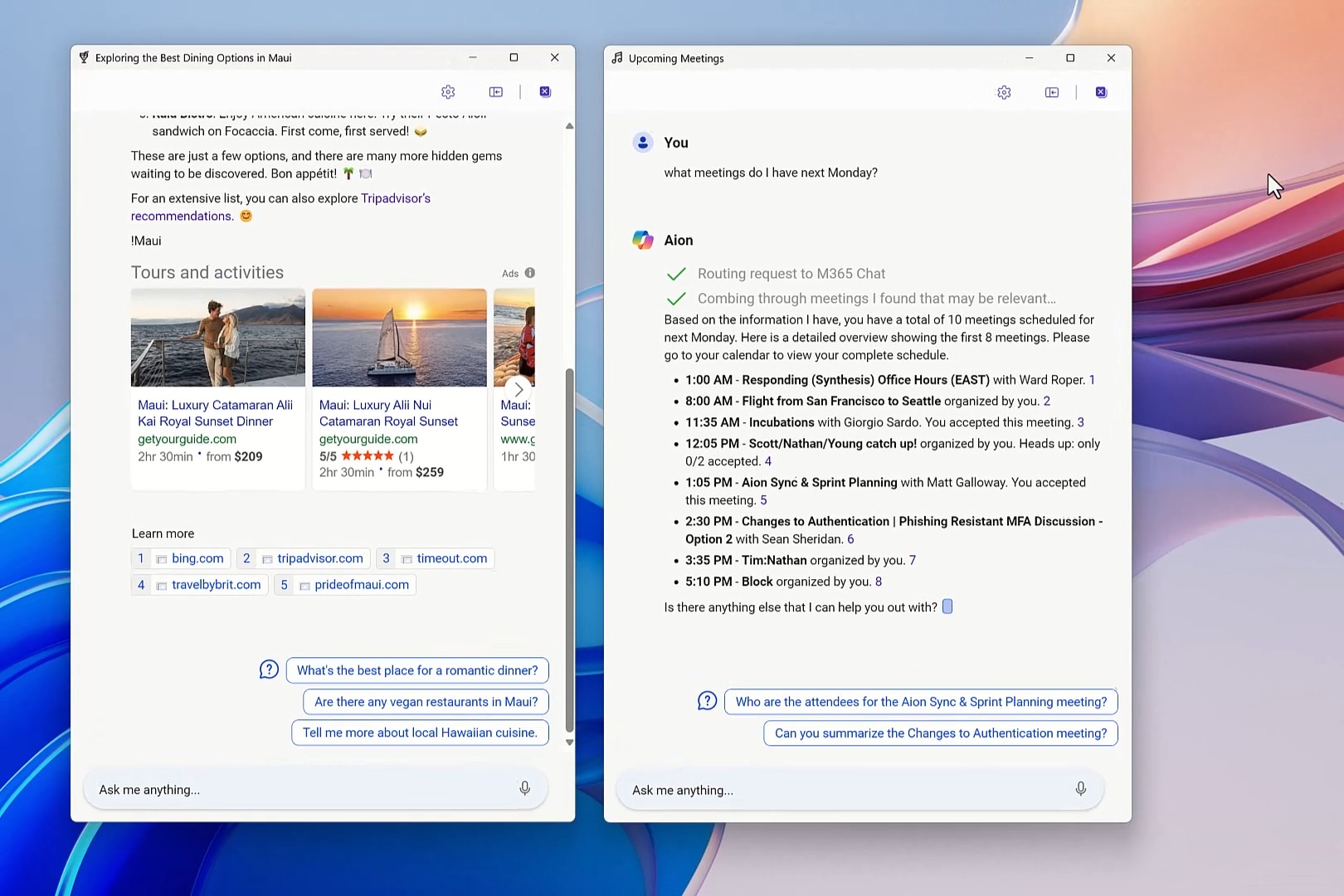
If you remember, Satya Nadella once said that Copilot would eventually become the Start button, and the leaked “Project Aion” appears to be built along those lines.
Depending on what you ask the “Omnibox,” it decides whether to securely route your query to the Enterprise version of Copilot for work data or the Consumer version for general web queries.
The interface is really smooth, and the UI is dynamically generated. Also, if you simply type a forward slash (/) in the search box, the system triggers Context IQ. This instantly taps into your Microsoft 365 data, allowing you to tag specific coworkers or files directly into the prompt.
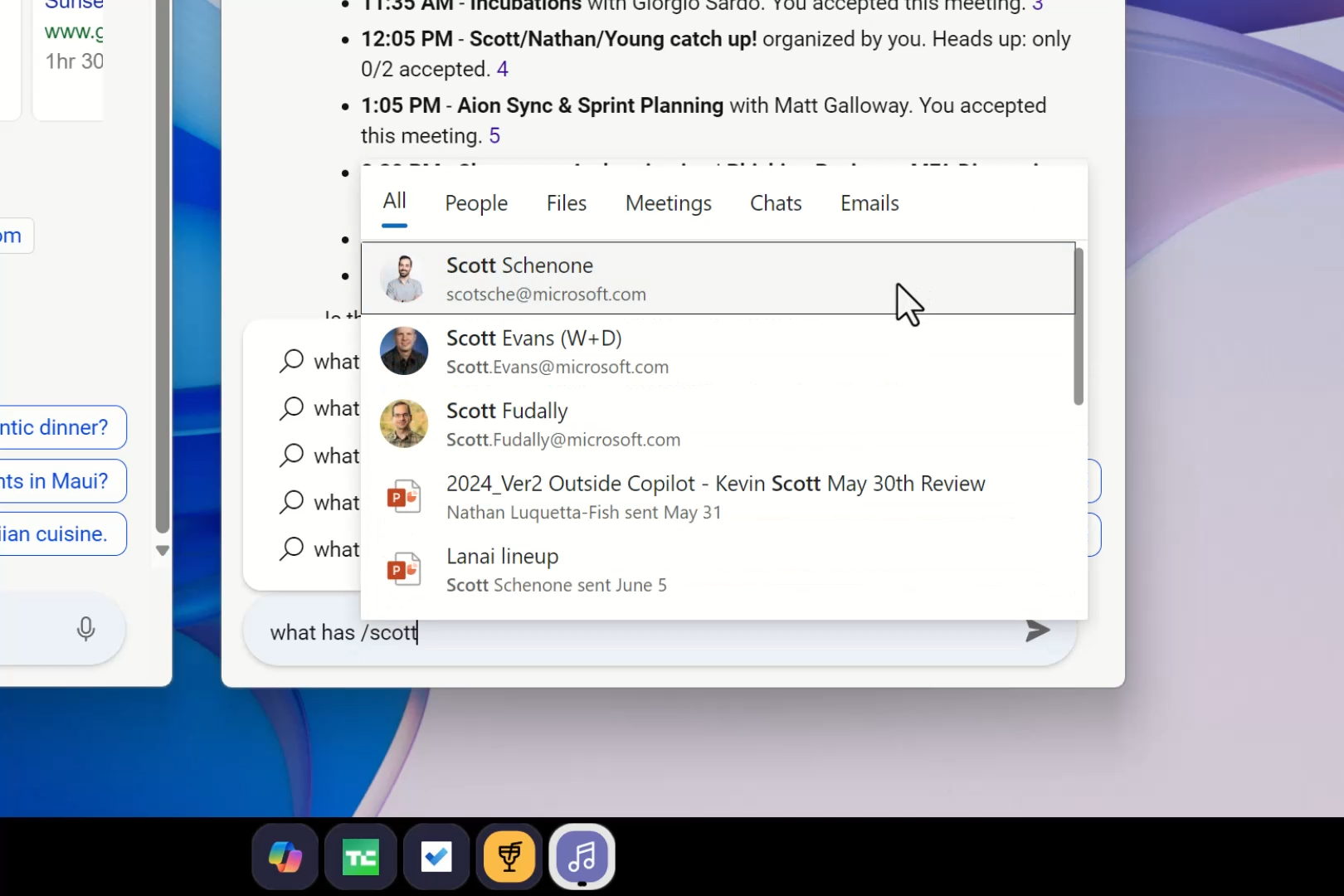
All of that suggests that Project Aion “Copilot OS” was optimized more for enterprise use cases.
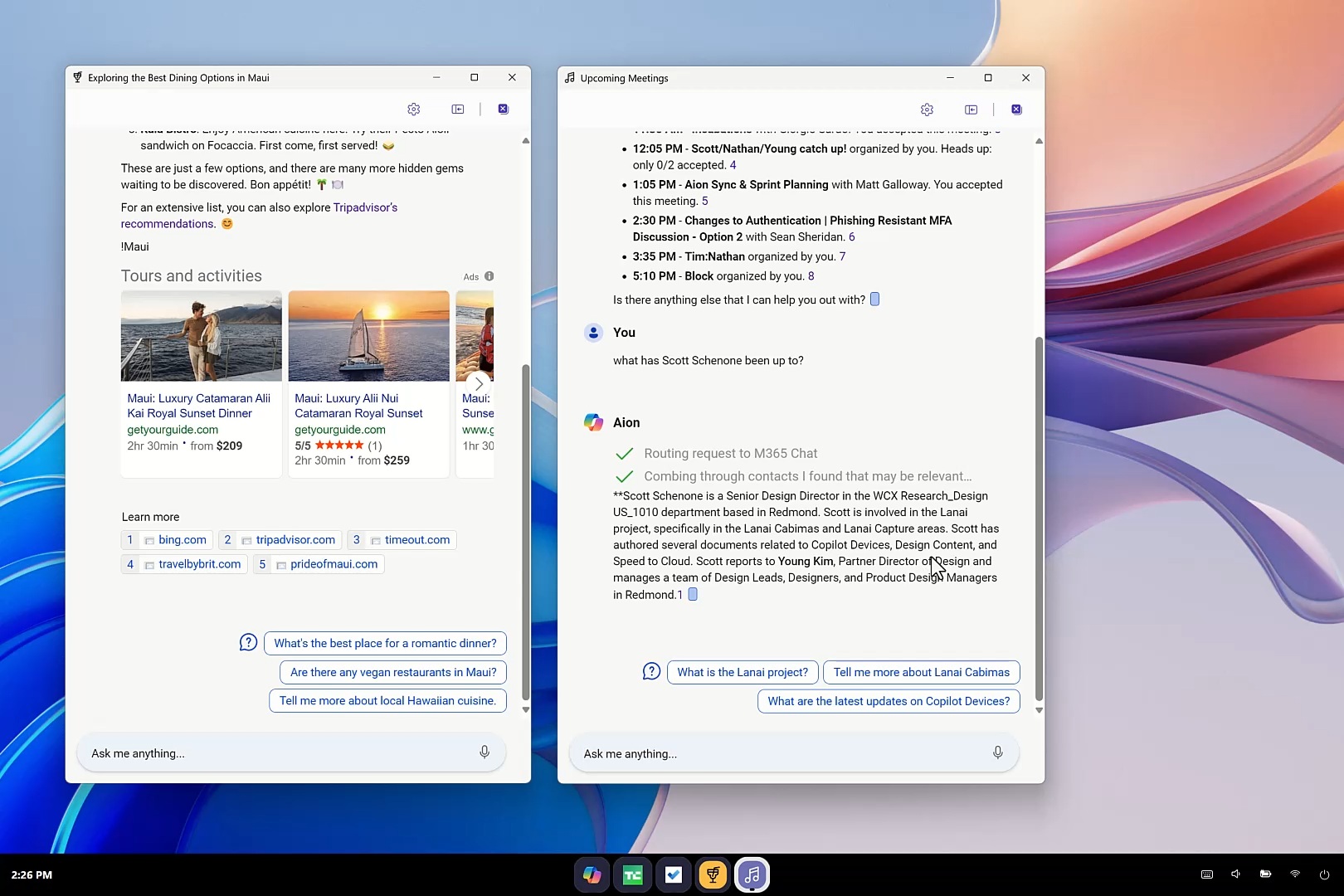
For example, if you click Scott’s name and finish the sentence, “What has [Scott] been up to?,” Copilot AI instantly combs through your shared SharePoint files and emails, summarizing recent work on the “Lanai project.”
“Spaces,” Silverstone, and DOM crawling
Microsoft explains that because everything runs in Edge, the AI “can crawl the DOM of each site to understand the full context of the content and not just the visible pixels.”
You can see the chat for Maui dining and links to various articles. Since Project Aion is built entirely on Edge, Copilot is doing DOM crawling, where it’s actually trying to read the HTML output of websites instead of capturing screenshots.
Right now, AI models like Copilot Vision rely on screenshots to understand the context. They don’t read the actual HTML code.
Finally, when you close these conversations and open the Copilot launcher or the Start menu, you have the chip for “Exploring the Best Dining Options in Maui.” The UI is being dynamically generated based on your interactions with the AI OS.
Windows 365 handoff, and Windows apps (Win32 support)
Because Aion is purely web-based, it cannot run legacy Windows apps (Win32). However, if you are viewing a file on the web that requires a heavy desktop app, Aion detects it. You tap a “handoff” button, and it seamlessly remotes into a Cloud PC with your content already loaded. This is again a use case for enterprises.
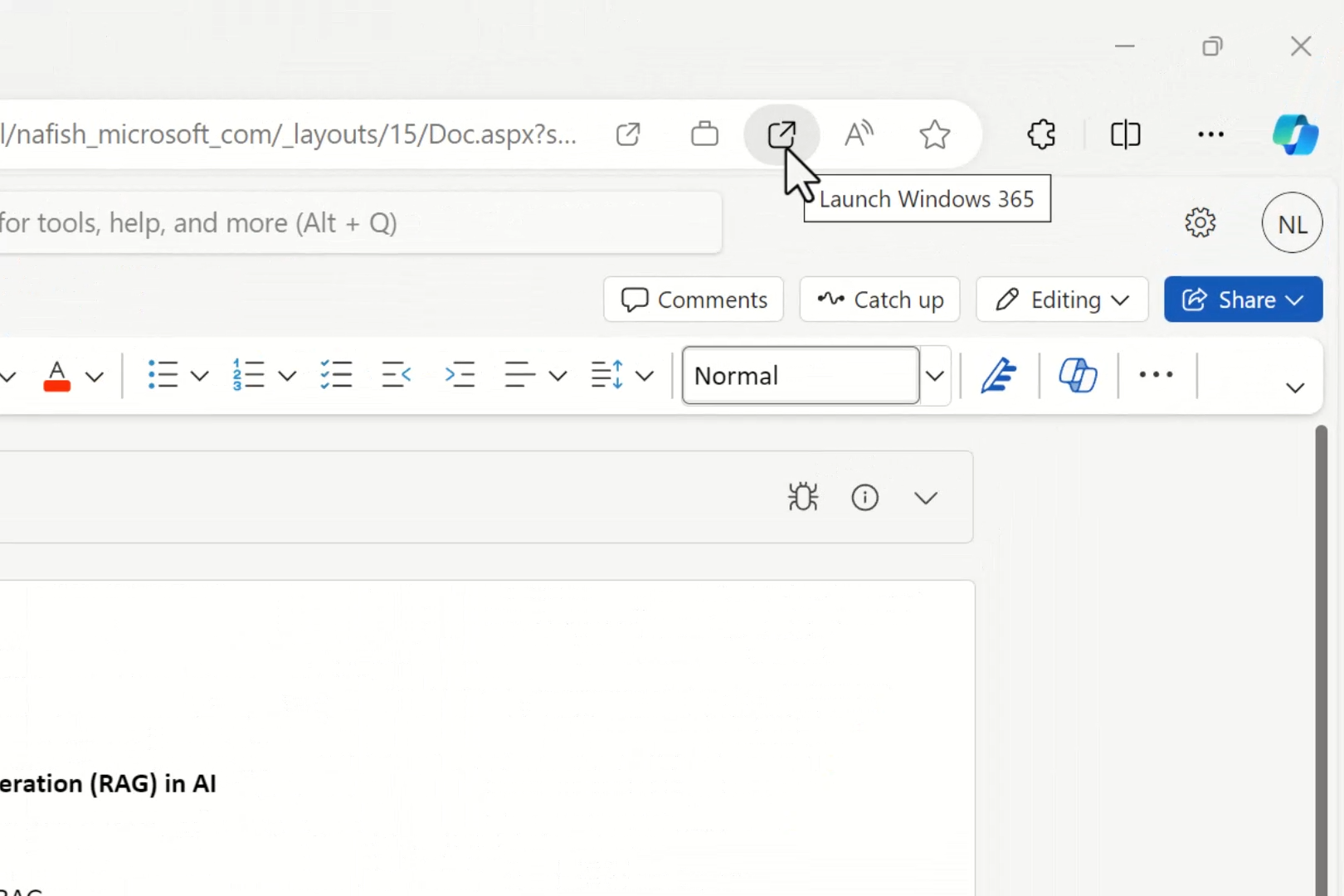
Finally, like Copilot, this Copilot OS also has support for interactive plugins. It generates interactive UI elements right inside the chat. When asking to send a summary, an “interactive email control” appears.
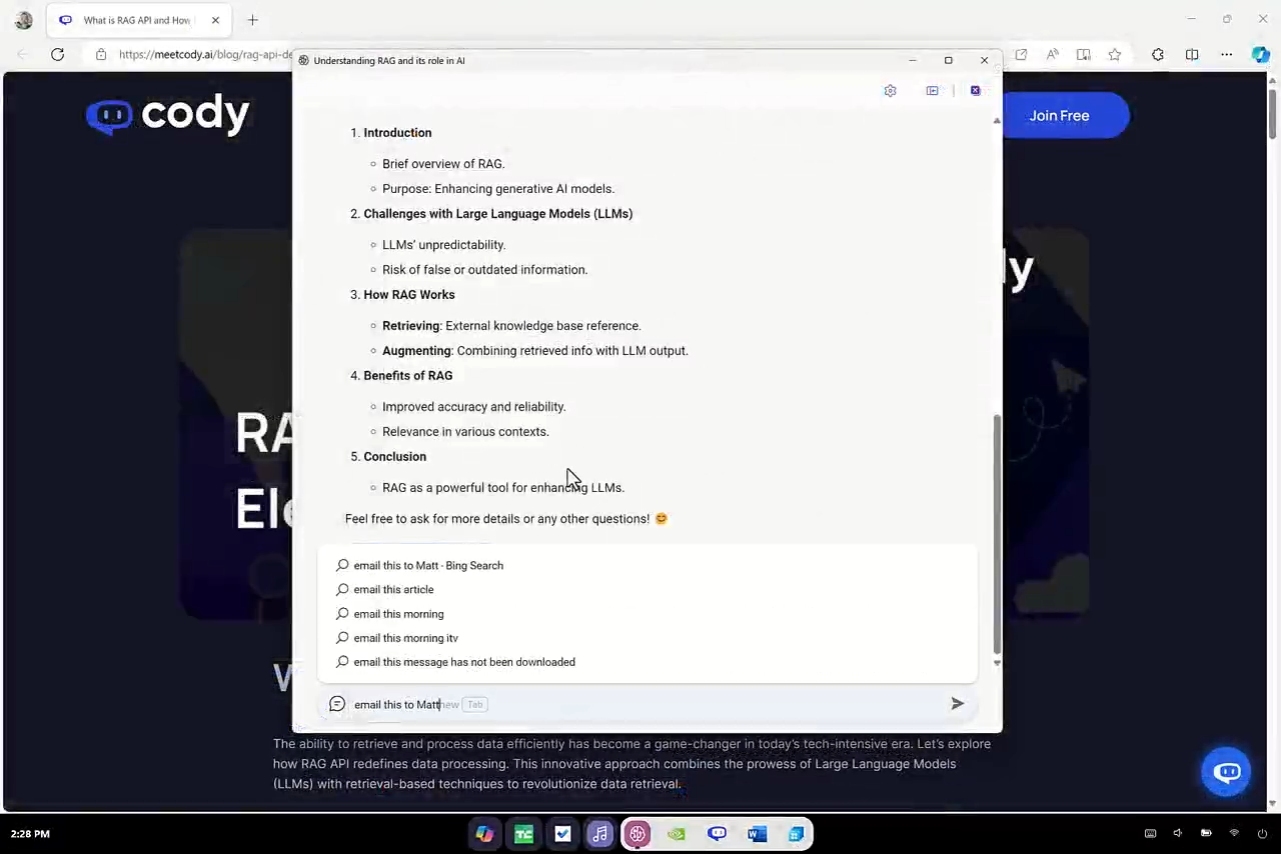
It drafts the email based on the context of the workspace, and you can send it without ever opening an actual email client.
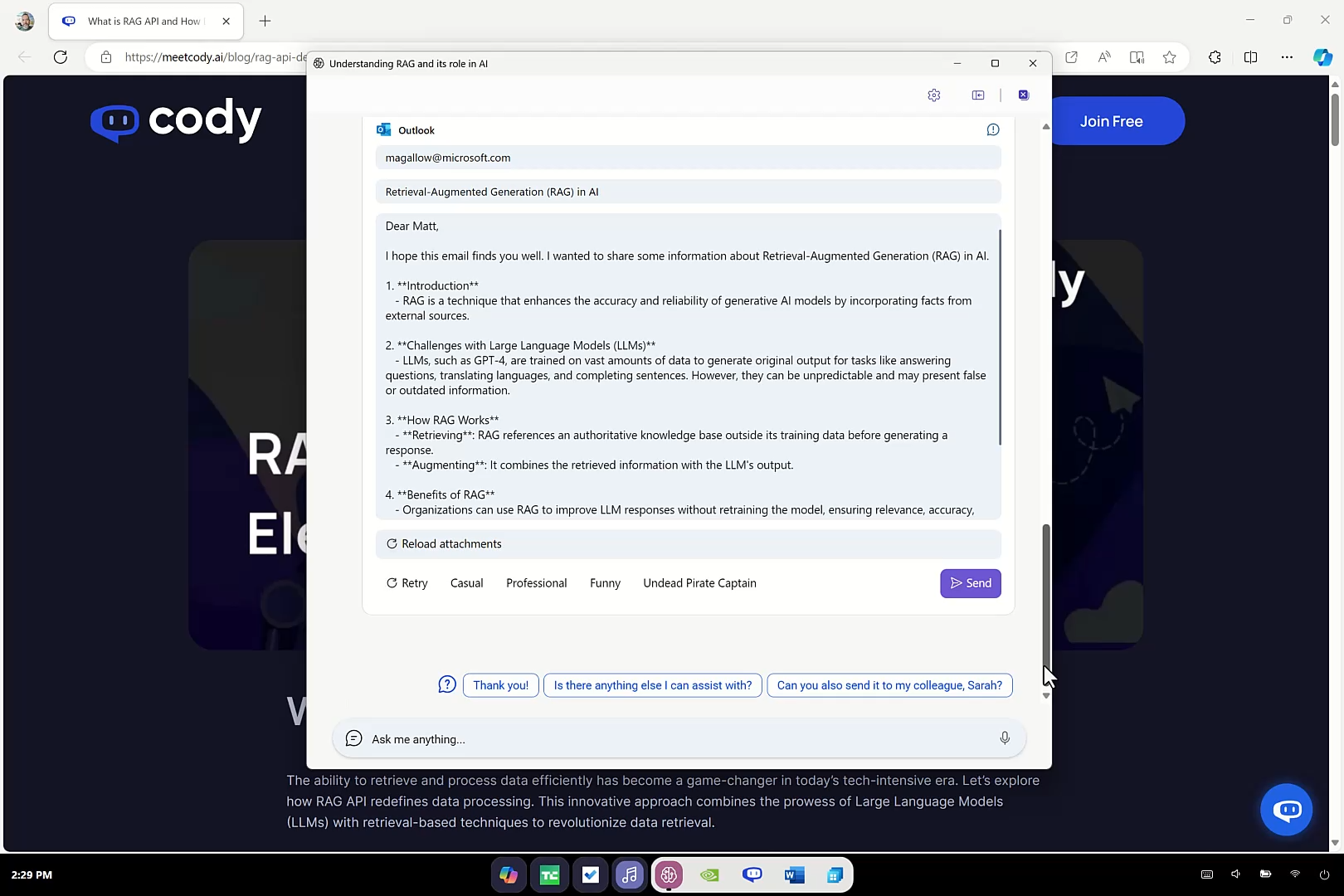
Copilot OS “Project Aion” is mostly an internal project that will never release
The Copilot OS idea is scary, but also interesting, and I have reasons to believe the feature will most likely never ship.
If you look at the video, it opens TechCrunch, and the articles are from 2024, which seems to suggest Microsoft worked on the project in 2024 or earlier, possibly 2022-24.
Copilot OS “Project Aion” is most likely canceled or on the back burner after recent Microsoft leadership changes, as the company plans to focus on Windows 11 fundamentals.
The post Watch: Leak from 2024 shows off Microsoft’s Copilot OS for AI PCs, and it’s nothing like Windows 11, as it drops the Start menu appeared first on Windows Latest