Windows 11 KB5065426 24H2 out with taskbar features, direct download links (.msu)
Windows 11 KB5065426 is now rolling out as part of August 2025 Patch Tuesday with a couple of new features, including new taskbar clock features, File Explorer UI improvements and more. Microsoft has also posted direct download links for KB5065426 offline installers (.msu). If Windows Update is not working, you can use Update Catalog. KB5065426 […] The post Windows 11 KB5065426 24H2 out with taskbar features, direct download links (.msu) appeared first on Windows Latest
 admin
admin
Windows 11 KB5065426 is now rolling out as part of August 2025 Patch Tuesday with a couple of new features, including new taskbar clock features, File Explorer UI improvements and more. Microsoft has also posted direct download links for KB5065426 offline installers (.msu). If Windows Update is not working, you can use Update Catalog.
KB5065426 is a mandatory update and it started to download automatically when I checked for updates, but remember that it’ll install automatically in the background. Unless you pause updates, you’ll automatically get today’s update. But you shouldn’t pause Windows Update because August 2025 Patch Tuesday contains critical security fixes.
This patch is called “2025-09 Cumulative Update for Windows 11 Version 24H2 for x64-based Systems (KB5065426),” and it advances PCs to Windows 11 Build 26100.6584. In our tests, Windows Latest found that the patch also shows up on PCs already running Windows 11 25H2 (enrolled into WIP), but the changes are identical.
Download Links for Windows 11 KB5065426
Windows 11 KB5065426 Direct Download Links: 64-bit and ARM-64 | Microsoft Update Catalog.
| Architecture | Size | Build |
|---|---|---|
| ARM64 | 3685.4 MB | 26100.6584 |
| x64 | 3811.1 MB | 26100.6584 |
| x64 (Server 24H2) | 3811.1 MB | 26100.6584 |
Do you see the size? It’s almost as big as the .ISO files of Windows 11. I’ve been complaining about it for six months now. I’m going to call out Microsoft again, and note that Windows 11 September 2025 Update is about 4GB in size because it contains the AI models.
These AI models are exclusive to Copilot+ PCs, but they’re still included in these offline installers for everyone, which leads to a large package size.
What’s new in Windows 11 Build 26100.6584?
1. Recall gets a new homepage (Copilot+ PC)
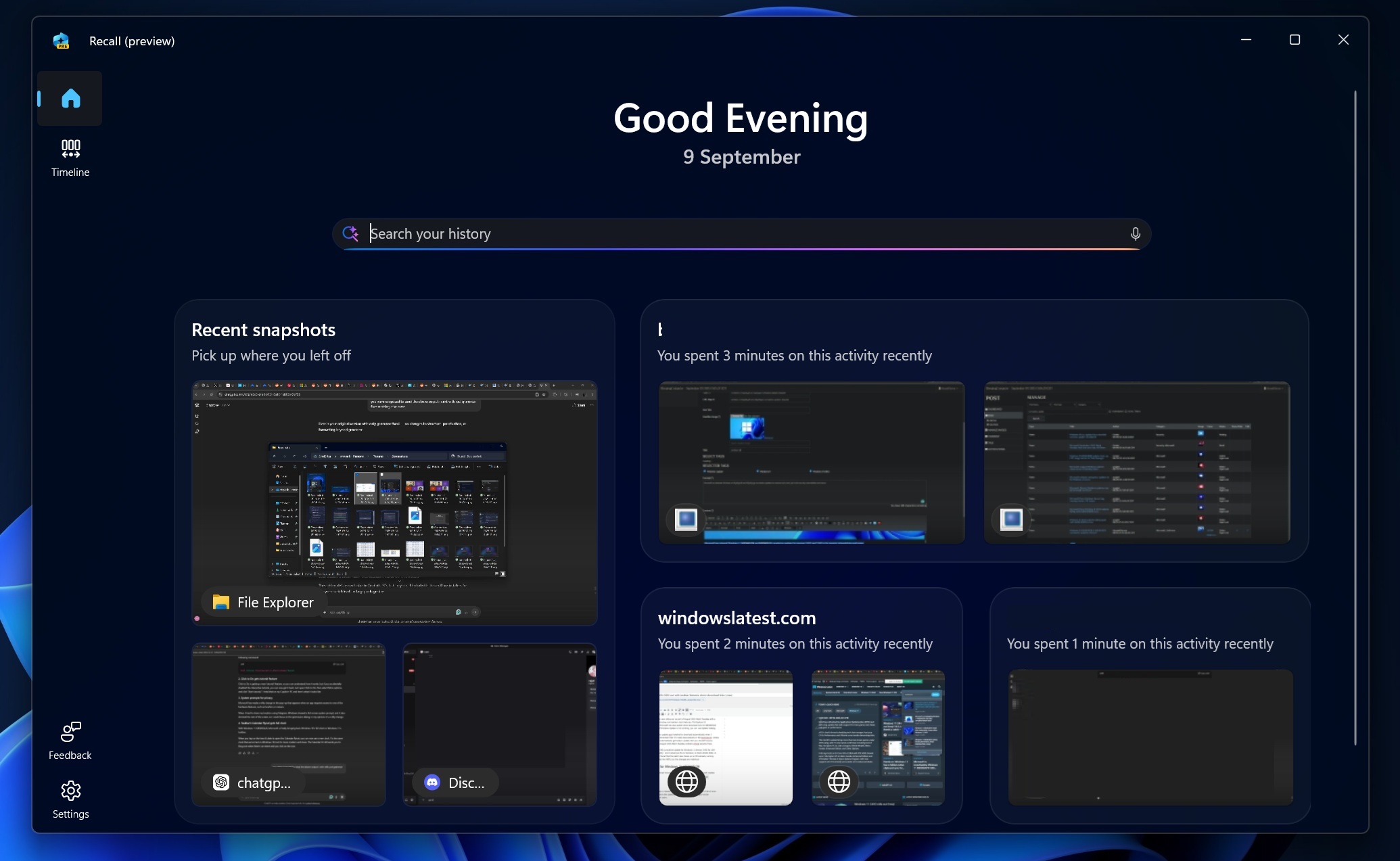
Recall, which works on PCs with an NPU only, is now getting a new homepage.
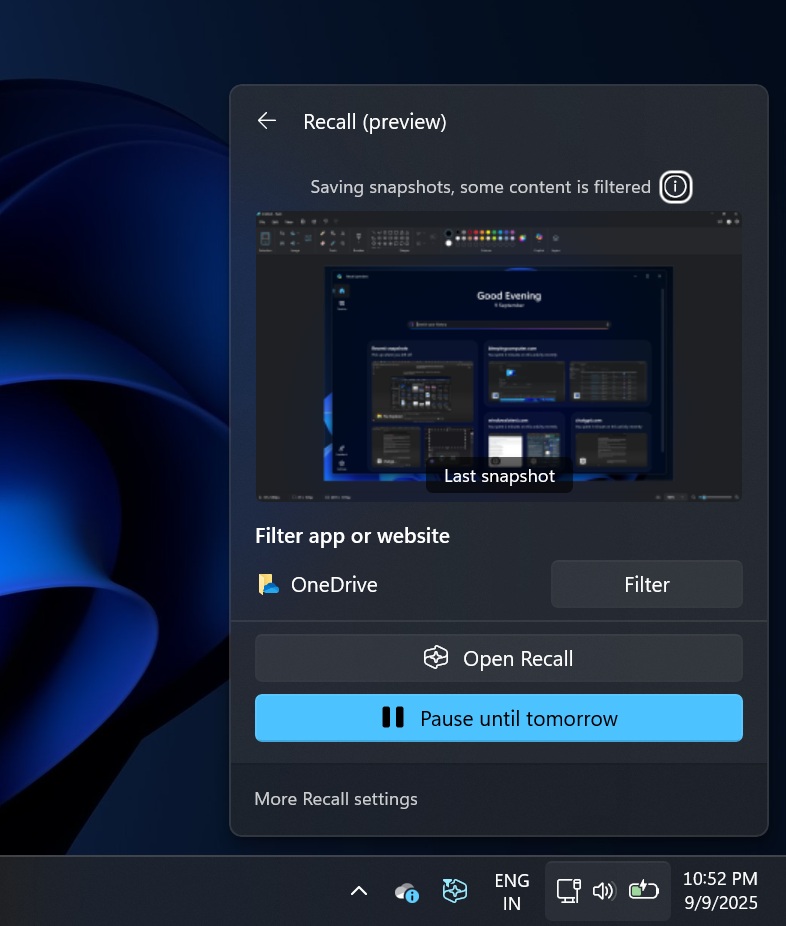
The homepage has all your recent activities, so even if you don’t know what you were working on an hour ago, you can now visit the ‘Home’ and find out. You’ll need to turn on Recall (of course) and snapshot collections feature to use the homepage. Once turned on, you can easily find out most used app, your recently visited websites, and more.
Recall knows everything about you because it watches your screen, but it’s an optional feature and can be turned off any time. If you want to turn off Recall AI, just open Command Prompt (elevated), and run the following command:
DISM /Online /Disable-Feature /FeatureName:"Recall
2. Click to Do gets tutorial feature
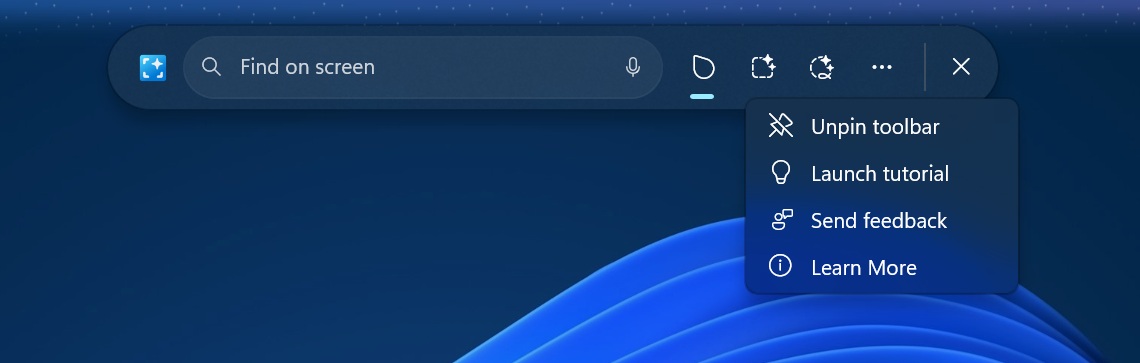
Click to Do is getting a new ‘tutorial’ feature in Windows 11 KB5065426, so you can understand how it works, but if you accidentally disabled the interactive tutorial, you can now get it back.
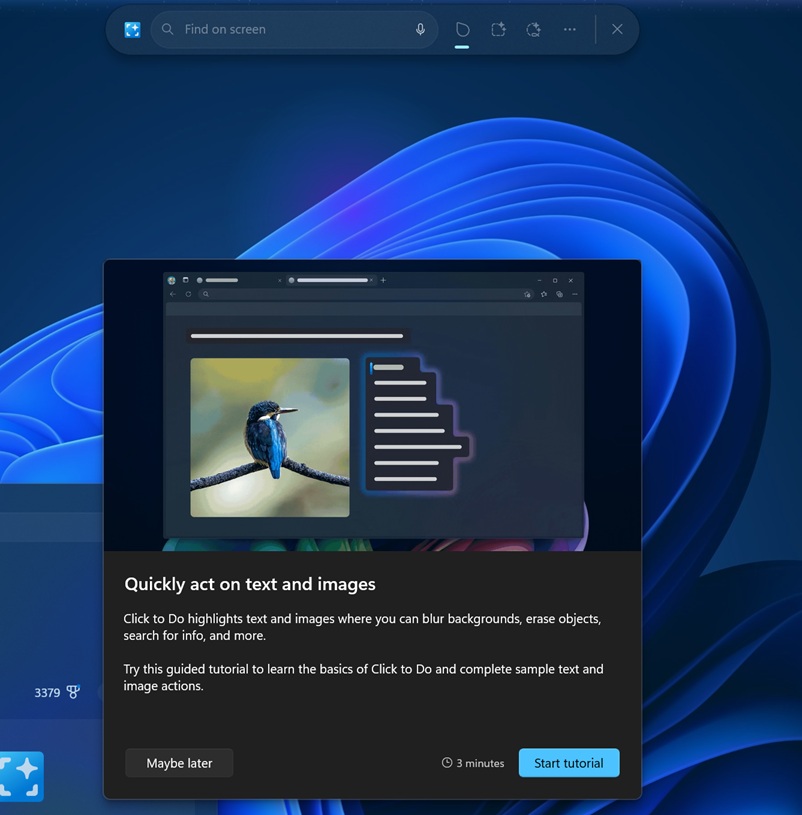
Just open Click to Do, then select More options, and click “Start tutorial.” I tried that on my Copilot+ PC and here’s what it looks like:
3. System prompts for privacy
Microsoft has made a nifty change to the pop-up that appears when an app requests access to one of the hardware features, such as location or camera.
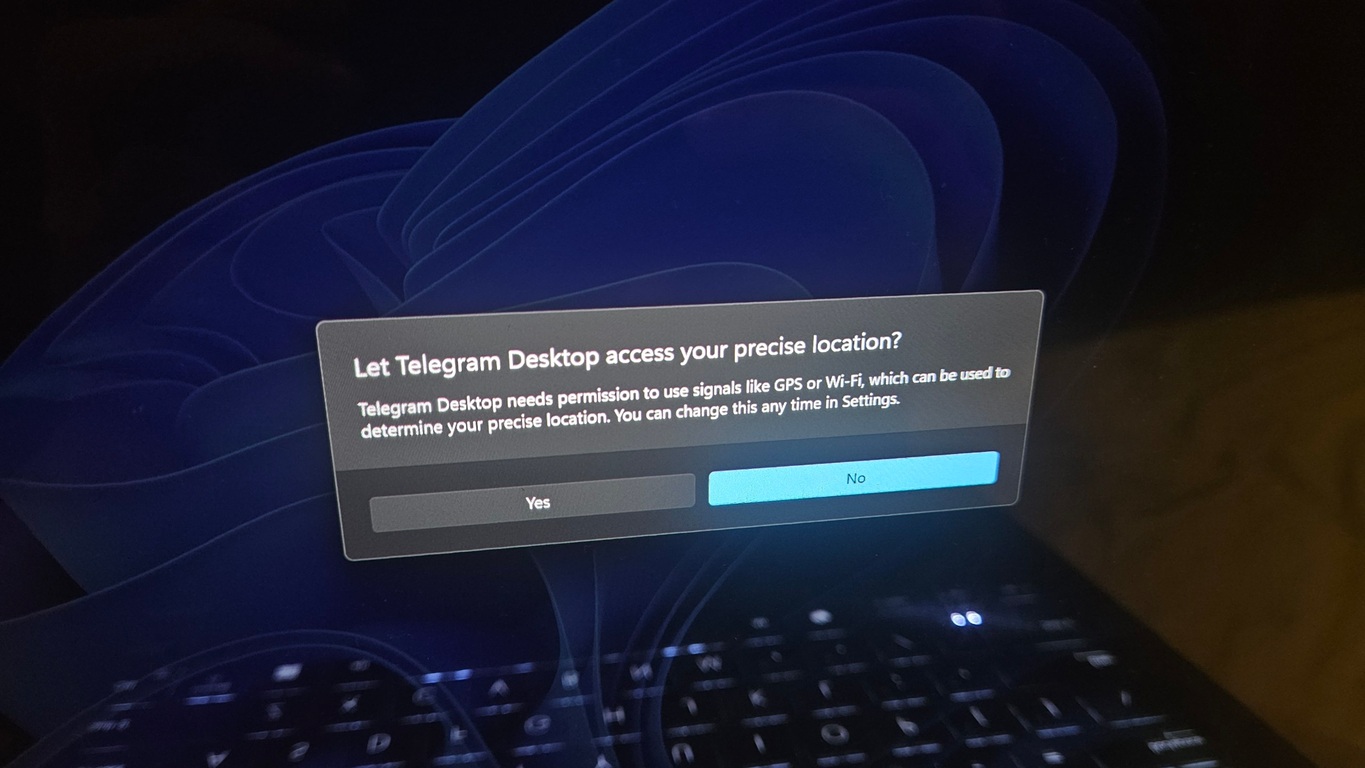
When I tried to share my location using Telegram, Windows showed a full-screen system prompt, and it also dimmed the rest of the screen, so I could focus on the permission dialog. In my opinion, it’s a nifty change.
4. Taskbar’s Calendar flyout gets full clock
With Windows 11 KB5065426, Microsoft is finally bringing back Windows 10’s full clock to Windows 11’s taskbar.
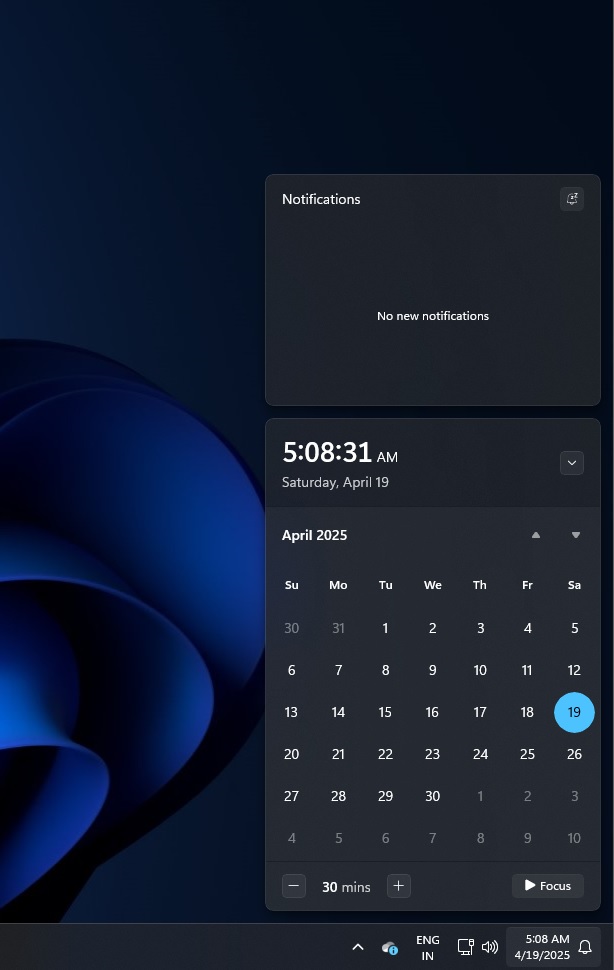
When you tap on the time & date to open Calendar flyout, you can now see a new clock. It’s the same clock that we’ve on Windows 10, but it’s more modern and clean.
Calendar UI still sends you to Bing.com when there’s an event and you click on the icon.
Important note about SSD corruption in Windows 11
These are most of the significant changes and Microsoft is currently not aware of major issues in Windows 11 September 2025 Update.
This patch does not corrupt or break your SSD, and we have reasons to believe that the SSD corruption were caused by PCs using an outdated firmware not intended for public use.
The post Windows 11 KB5065426 24H2 out with taskbar features, direct download links (.msu) appeared first on Windows Latest