Windows 11 to show full-screen alerts for Microsoft 365 subscription expiry
Windows 11 KB5065782 adds subscription stats and a reminder to OOBE setup, reintroduces the advanced settings page. The post Windows 11 to show full-screen alerts for Microsoft 365 subscription expiry appeared first on Windows Latest
 admin
admin
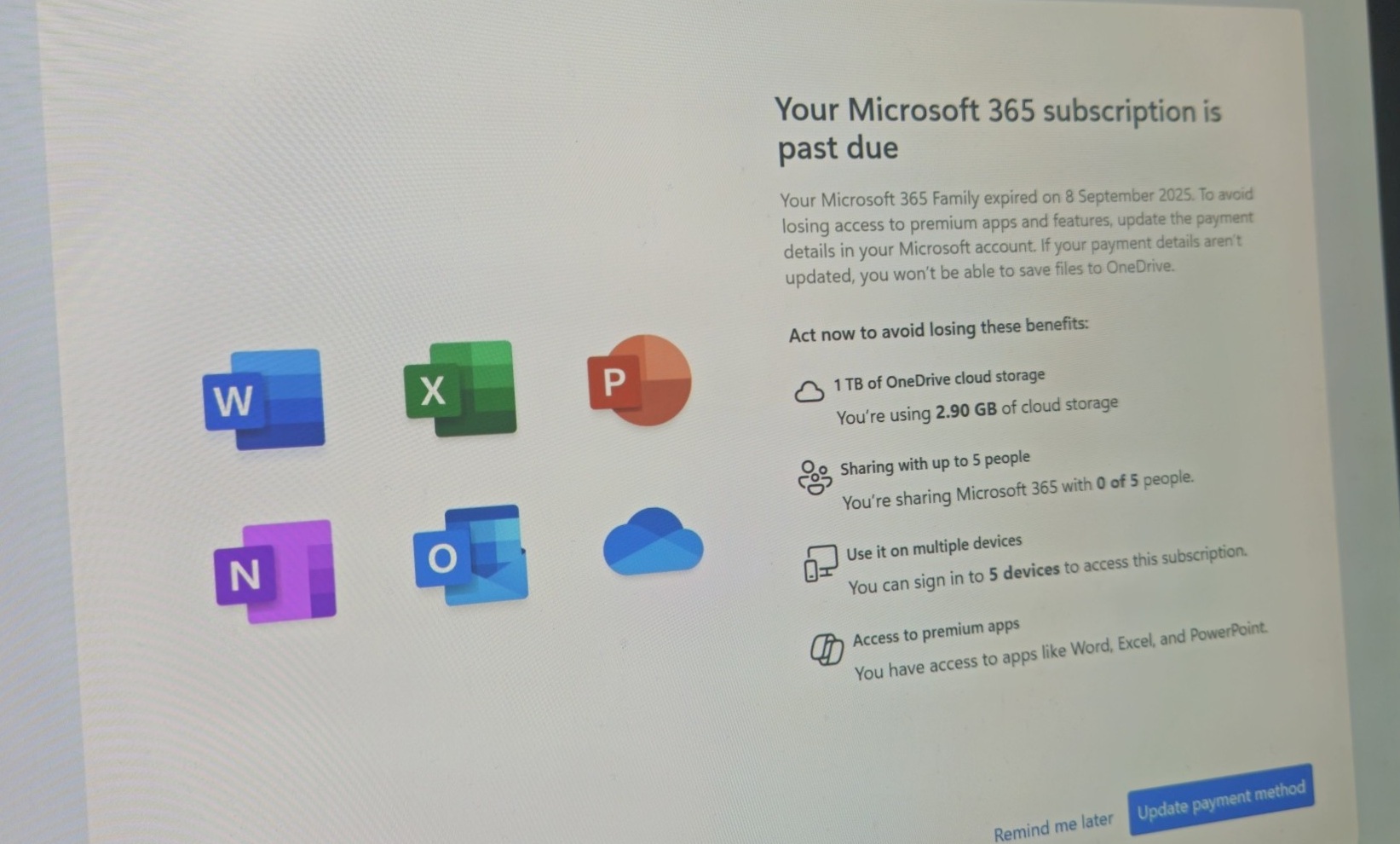
Windows 11 has too many full-screen pop-ups. There’s one for Microsoft Edge, one for Copilot, and also for OneDrive. But is that really enough? I believe it is, but Microsoft has some other ideas. It’s now testing a new feature called SCOOBE screen (Second Chance Out of Box Experience) to show full-screen Microsoft 365 expiry prompts.
Don’t get me wrong. I’m not against the idea of “reminders” or pop-ups with a positive intent. The problem is that these full-screen prompts look very similar to Windows 11’s out-of-the-box experience. It’s similar enough to scare users (non-tech-savvy) that their computer has been reset.
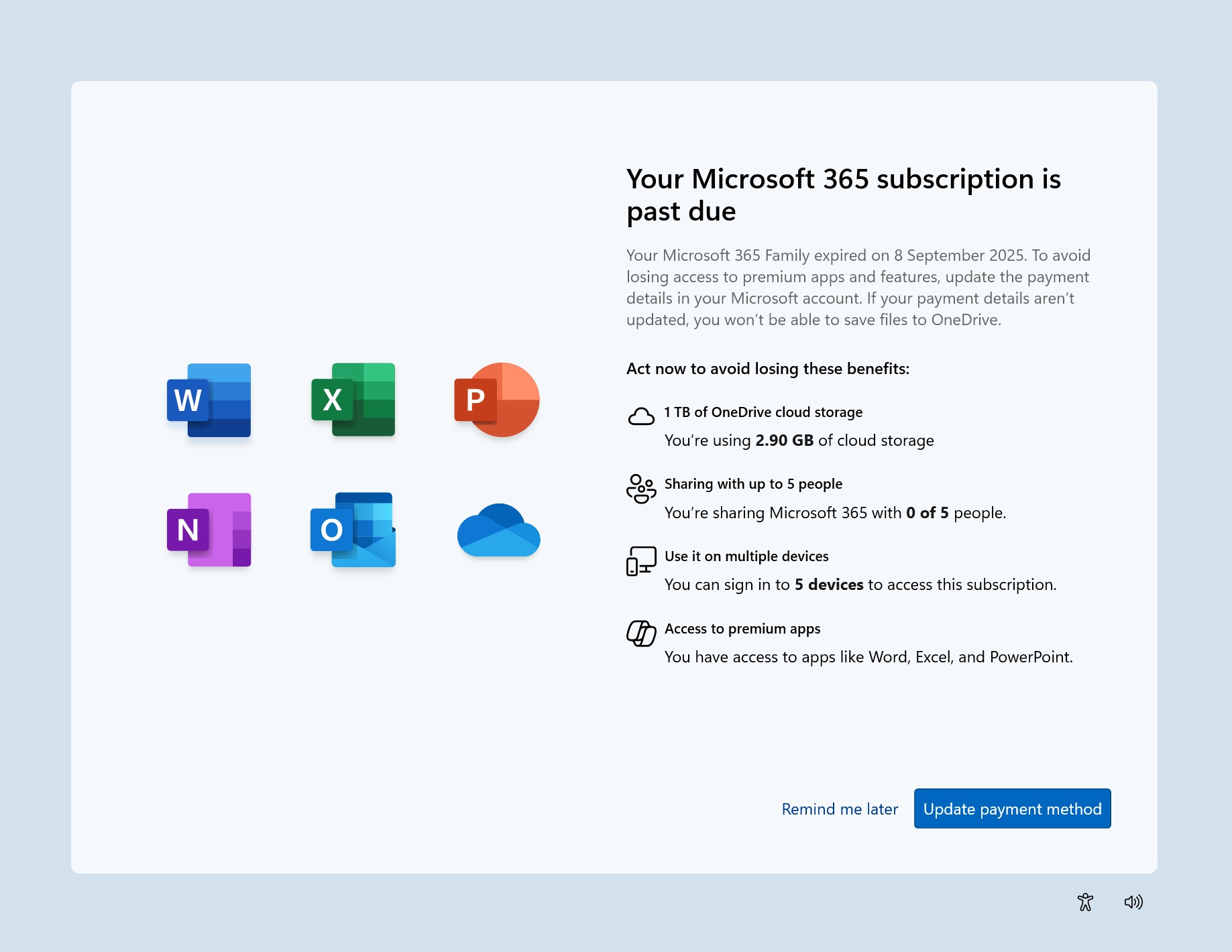
It’s also frustrating to avoid and skip all the promotional content. Turning off suggestions in Windows 11 Settings does not help. As you can see in the above screenshot, the SCOOBE screen (Second Chance Out of Box Experience) will show the details of the current subscription and even reminders to renew the payment, if required.
But how does that happen? Well, Microsoft now forces you to sign in to your Microsoft account in the OOBE setup, and you cannot proceed to set up without it.
Since your MS account contains all the data, including your subscription details, it’ll use it to load up the service and subscription stats before booting to the desktop. If your subscription is expiring soon, you can choose to renew it to continue using the services.
So, you’ll be able to take action before even booting to the desktop. While Microsoft is making this useful change to the SCOOBE setup, we would appreciate it if it eased up on the promotional stuff that delays the PC setup.

As I mentioned, Windows 11 has several other annoying alerts. For example, there’s a Let’s back up your files alert that reminds you to sync Windows 11 to OneDrive, but the catch is that these backups are too large and you’ll be asked to pay for a OneDrive paid plan. That’s the core idea behind these pop-ups, and why Microsoft wants you to use OneDrive.
Before this, the most effective OOBE change we liked was the ability to restore a PC from backup during the OOBE setup. After you enter your account credentials, you’ll see an option to restore from a previous backup.
If you use a single Microsoft account on multiple PCs, it gets a little confusing. But I’ve yet to find such a useful feature in any OS, if you’re comfortable sharing your data with the Microsoft cloud storage.
Restore also reinstalls all the Microsoft Store apps in one click, and prepares your desktop exactly like before.
New advanced settings page, emojis
In addition, there are several other improvements coming to Windows 11.
Windows Latest spotted a change in one of the settings pages a few months back. Microsoft was trying to rebrand the For developers page to “Advanced settings.”
It already had a toggle to reduce the limit on extra-long file names that would otherwise throw an error. This page was previously removed in the preview builds, but is available again with today’s update. And it’ll begin rolling out to everyone in the next few weeks.

There’s also support for Emoji 16, so you can express yourself better during social media chats and Teams calls.
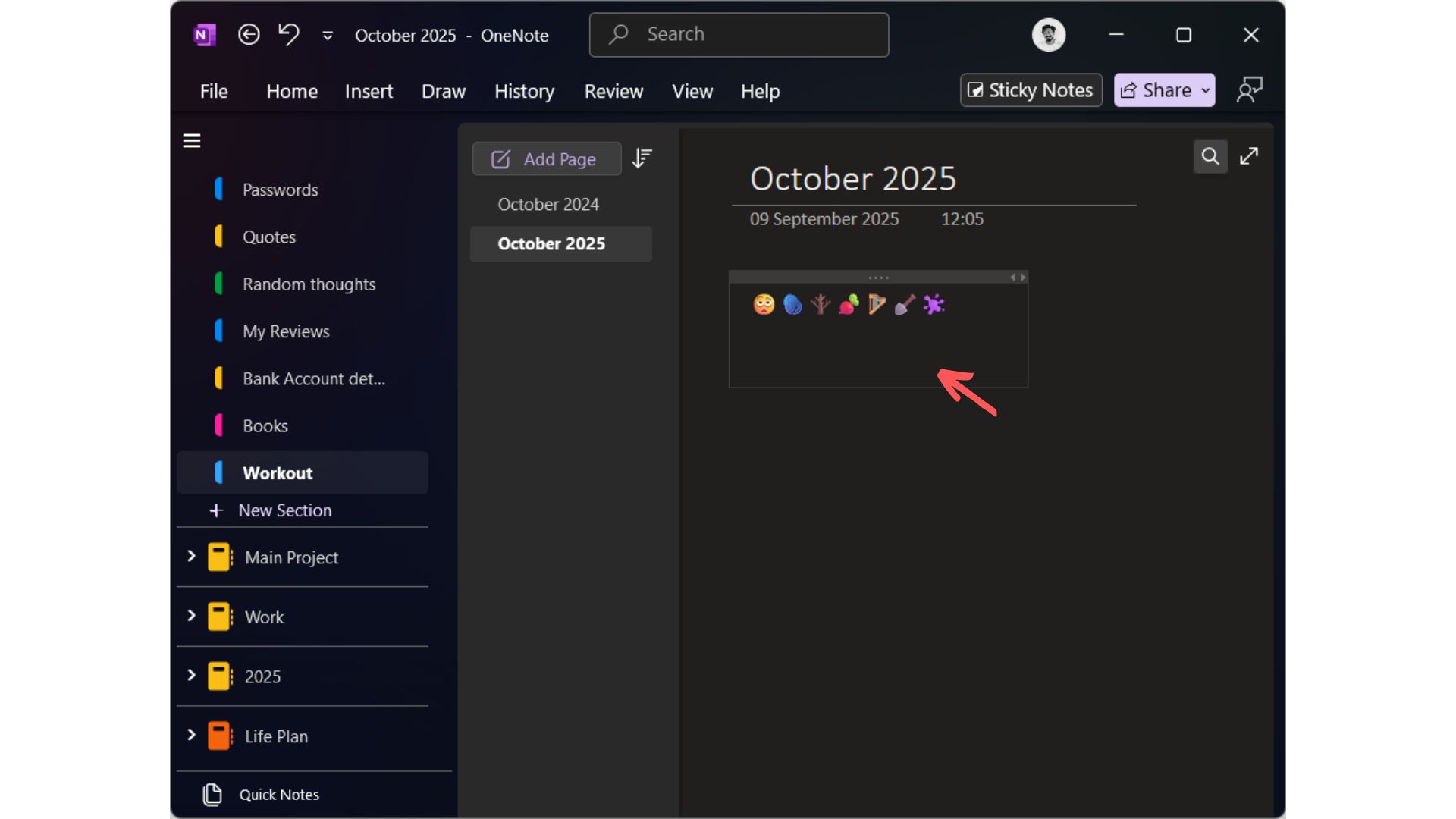
Here’s the list of the emojis:
- Face with Bags Under Eyes
- Fingerprint
- Root Vegetable
- Leafless Tree
- Harp
- Shovel
- Splatter
We understand the essence of some of these emojis, like showing exhaustion with bags under the eyes or a fingerprint. Some will be less useful, like the harp and leafless tree, but at least you have more options now.
The post Windows 11 to show full-screen alerts for Microsoft 365 subscription expiry appeared first on Windows Latest