Windows 10 is still getting Windows 11 features, but it’s only for developers
Microsoft's Craig Loewen confirmed WSL Container runs on Windows 10, not just Windows 11. We installed it on a Windows 10 PC, built a live system dashboard entirely inside a Linux container, tested GPU passthrough for local AI, and checked what this means for a machine already past end of support. The post Windows 10 is still getting Windows 11 features, but it’s only for developers appeared first on Windows Latest
 admin
admin

We recently installed WSL Containers on Windows 11 and built a custom Linux container from scratch to see how it held up without Docker Desktop. Microsoft has now confirmed that WSLc works on Windows 10 as well, opening it up to a significant group of daring PC users.
Windows 10 reached end of support on October 14, 2025, and as Windows Latest first reported, Microsoft has extended the consumer ESU program through October 12, 2027. Millions of Windows 10 PCs are going to be around for a while, and now WSL Containers is one more reason for them to continue using the 11-year-old OS.
WSL stands for Windows Subsystem for Linux, and it has been part of Windows since 2016. WSL 2 arrived in 2019 with a real Linux kernel running inside a lightweight VM, replacing the old translation layer, which is what made proper Docker support possible on Windows in the first place.
Unlike what some early Build 2026 headlines said, Microsoft hasn’t released WSL 3, and instead shipped WSL Containers. WSL Containers is a built-in way to create, run, and manage Linux containers directly from Windows, without installing Docker Desktop, Podman Desktop, or anything else. It runs through wslc.exe, a command-line tool with syntax that already feels familiar if you have used Docker before.

Does WSL Container work on Windows 10
Yes. Craig Loewen, the Microsoft product manager who leads WSL development, confirmed to us that WSLc does work on Windows 10, the same way it does on the newer OS.
“This works anywhere WSL is supported today which is the vast majority™️ of supported Windows versions. So yes this will work on Win10 too :)”
WSL needs Windows 10 version 2004 (Build 19041) or later, and WSL Containers installs as a WSL update instead of a Windows version-gated feature. If your Windows 10 PC already runs WSL 2, it will run WSL Containers too.
How to install WSL Container on Windows 10
As you’d expect, WSL Container needs WSL already running, and unlike Windows 11, Windows 10 may not have it. Also, Windows 10 doesn’t have Terminal pre-installed. PowerShell runs every command just fine, but the tabs in Terminal are a godsend. So, I recommend you install Terminal before proceeding:
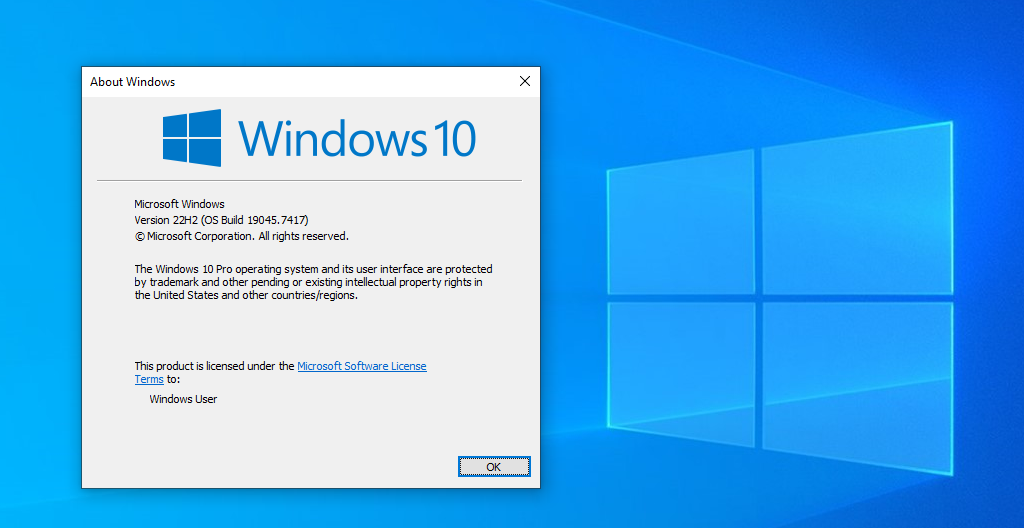
- Check your build. Press Win + R, type winver, hit Enter. You need version 2004 or Build 19041 or later. Update through Settings if yours is older.
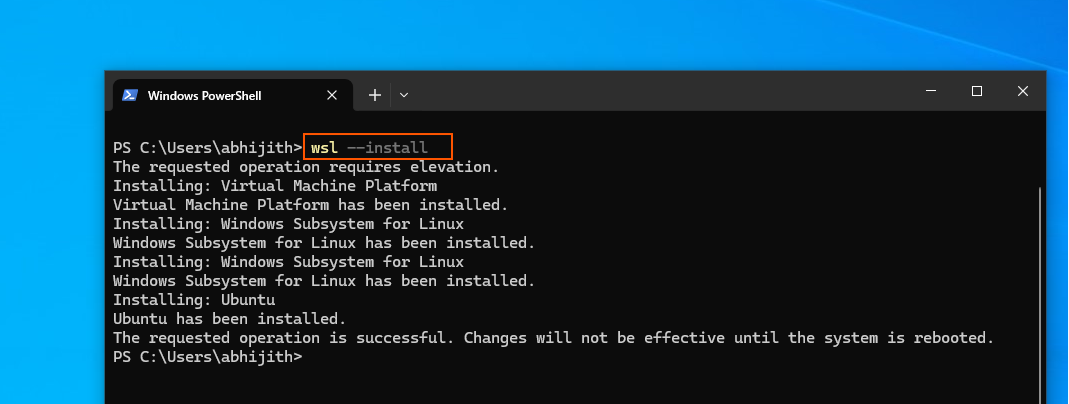
- Install WSL. Open Windows Terminal as an administrator and run wsl –install. It enables the required Windows features and installs Ubuntu as the default distro. Then restart your PC.
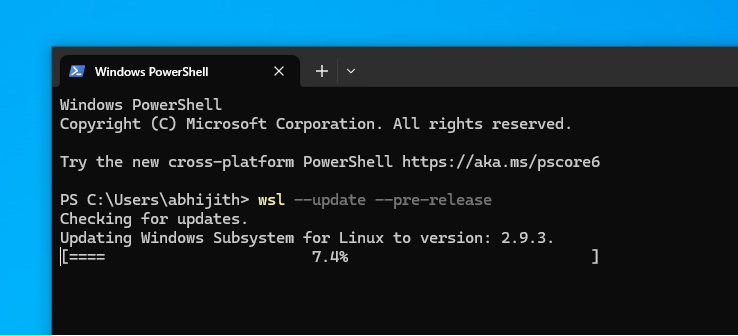
- Update to the container build. Run wsl –update –pre-release, then wsl –shutdown, close Terminal.
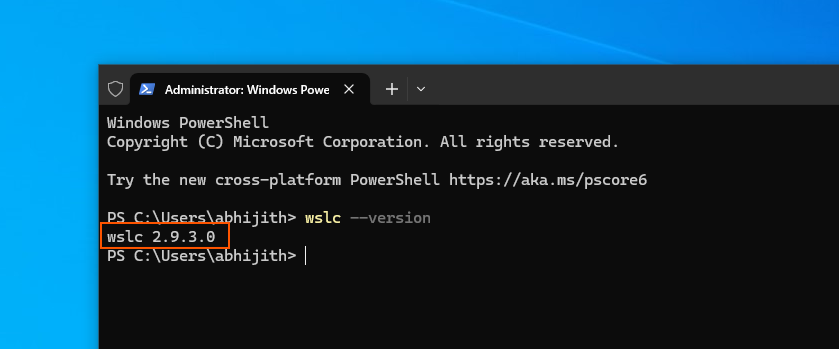
- Confirm the version. After a restart, run wslc –version. You should see wslc 2.9.3.0, which is the version that confirms WSL Container.
- Run a test. Run wslc –help to see the full command reference and confirm the binary is working.
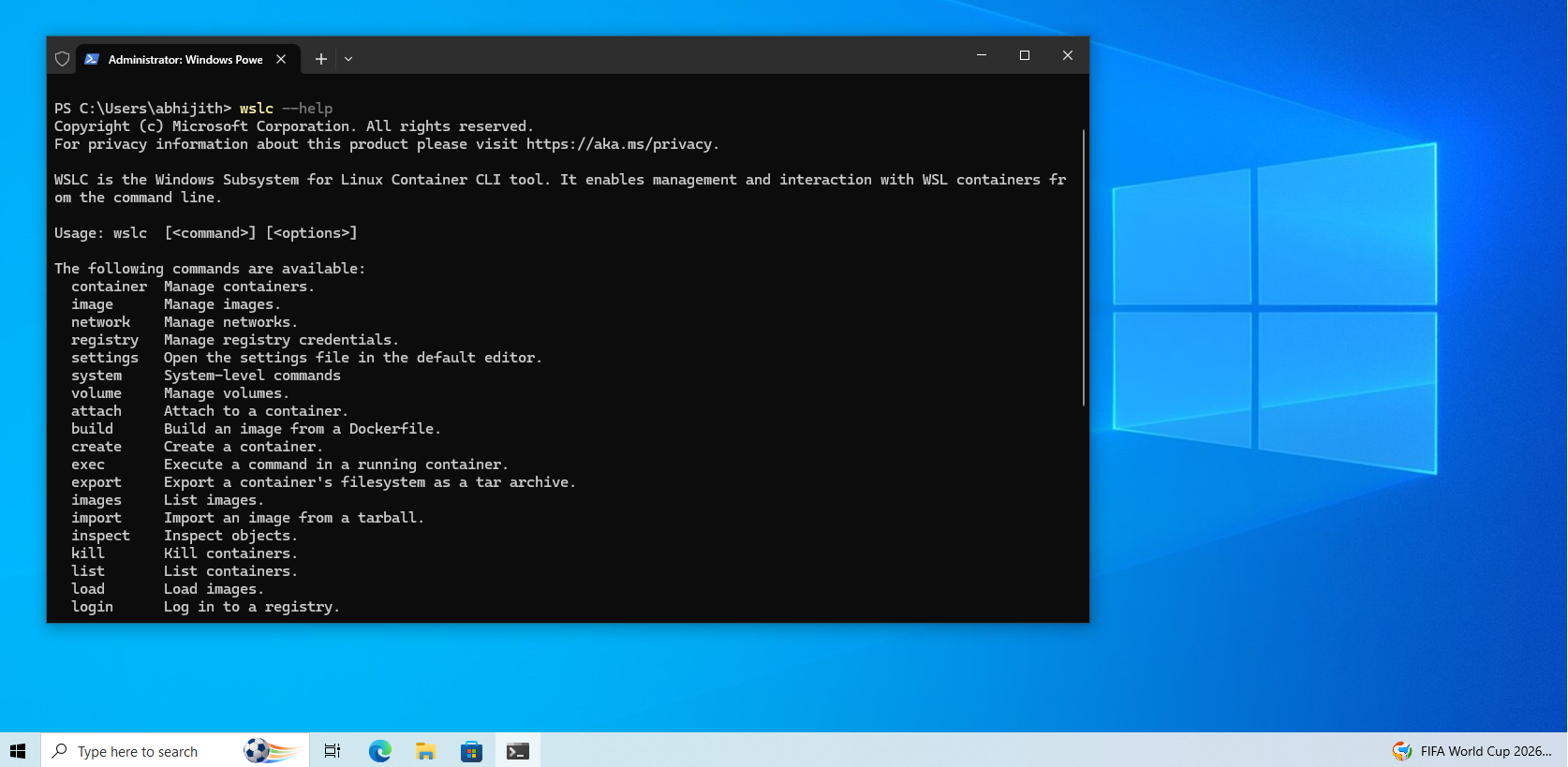
WSL Container is still a pre-release feature, so expect the occasional issues. A handful of users have run into a Catastrophic failure, Error code: E_UNEXPECTED message on their first container launch, and a full reboot has mostly fixed it.
We built a live dashboard with WSL Container in Windows 10
For the Windows 11 test, we kept things simple and built a bare Flask app that just printed file metadata to the screen. We wanted the result to look finished this time on an OS that has reached end of life. Ironic, I know!
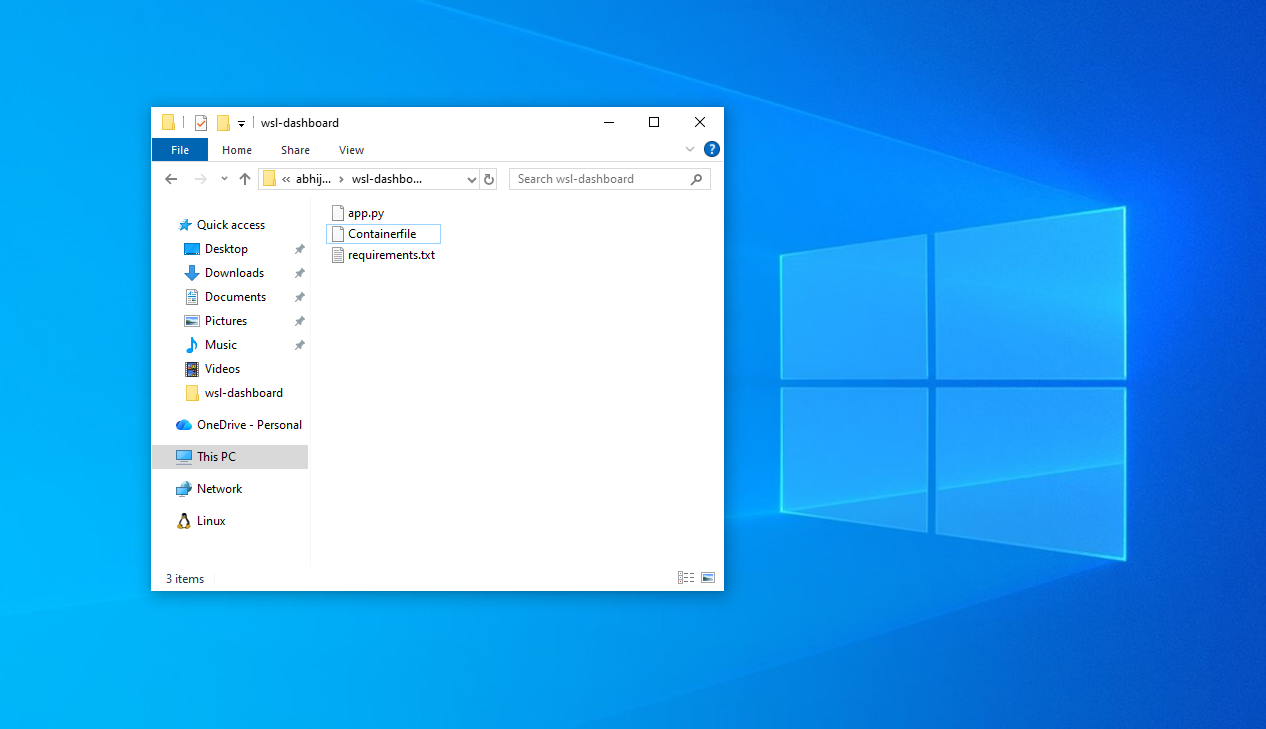
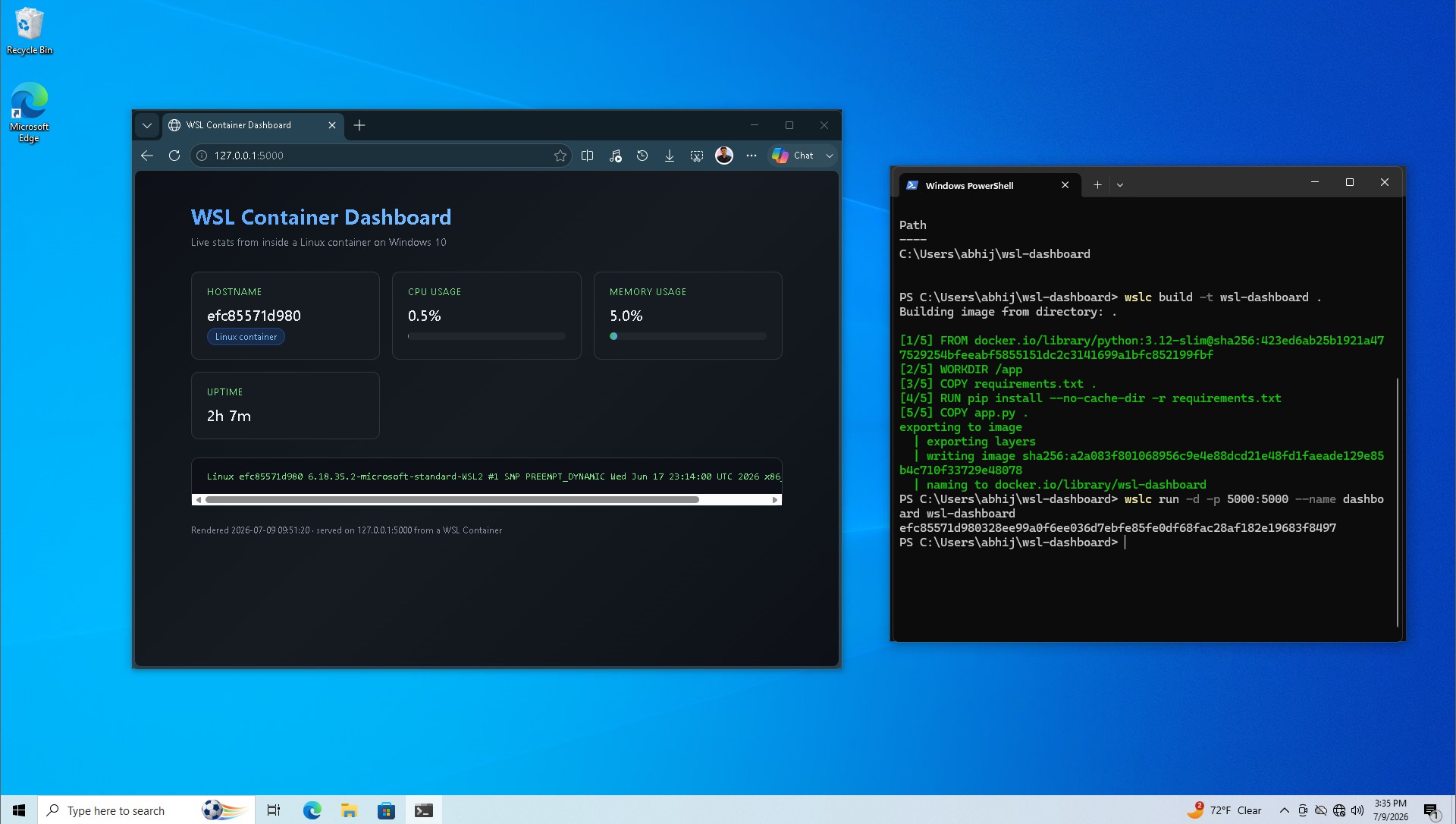
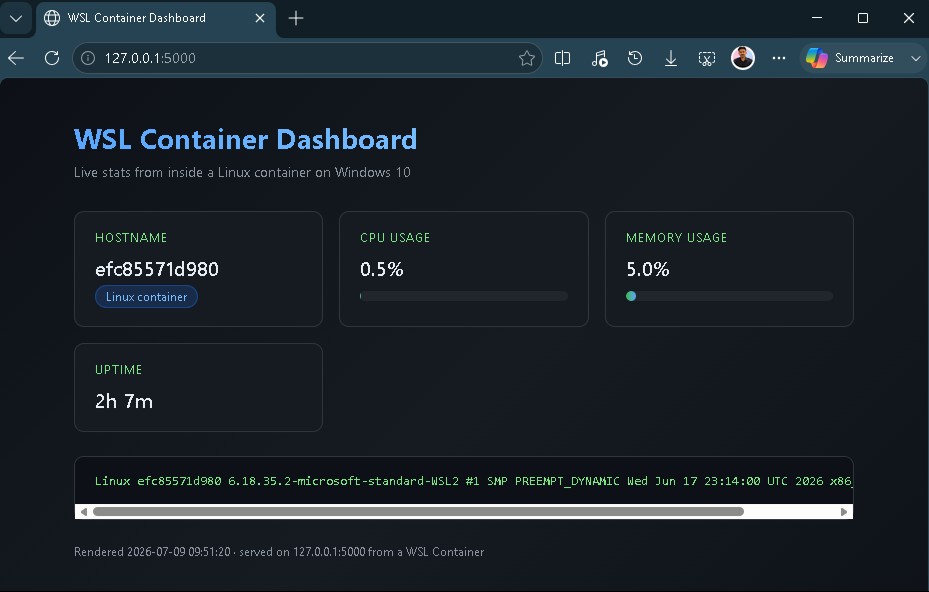
The container runs a small Flask app that pulls live numbers from inside the Linux environment, CPU load, memory usage, uptime, and the kernel string, then renders all of it on a dark dashboard with a gradient title, colored stat cards, and animated usage bars. A terminal-style panel at the bottom prints the raw kernel output, so it still unmistakably Linux.
All numbers on the dashboard, CPU load, memory usage, uptime, the kernel string, gets pulled from inside the container’s Linux environment using standard tools, psutil for the system stats, uname -a for the kernel line, then rendered as HTML and served over Flask on port 5000.
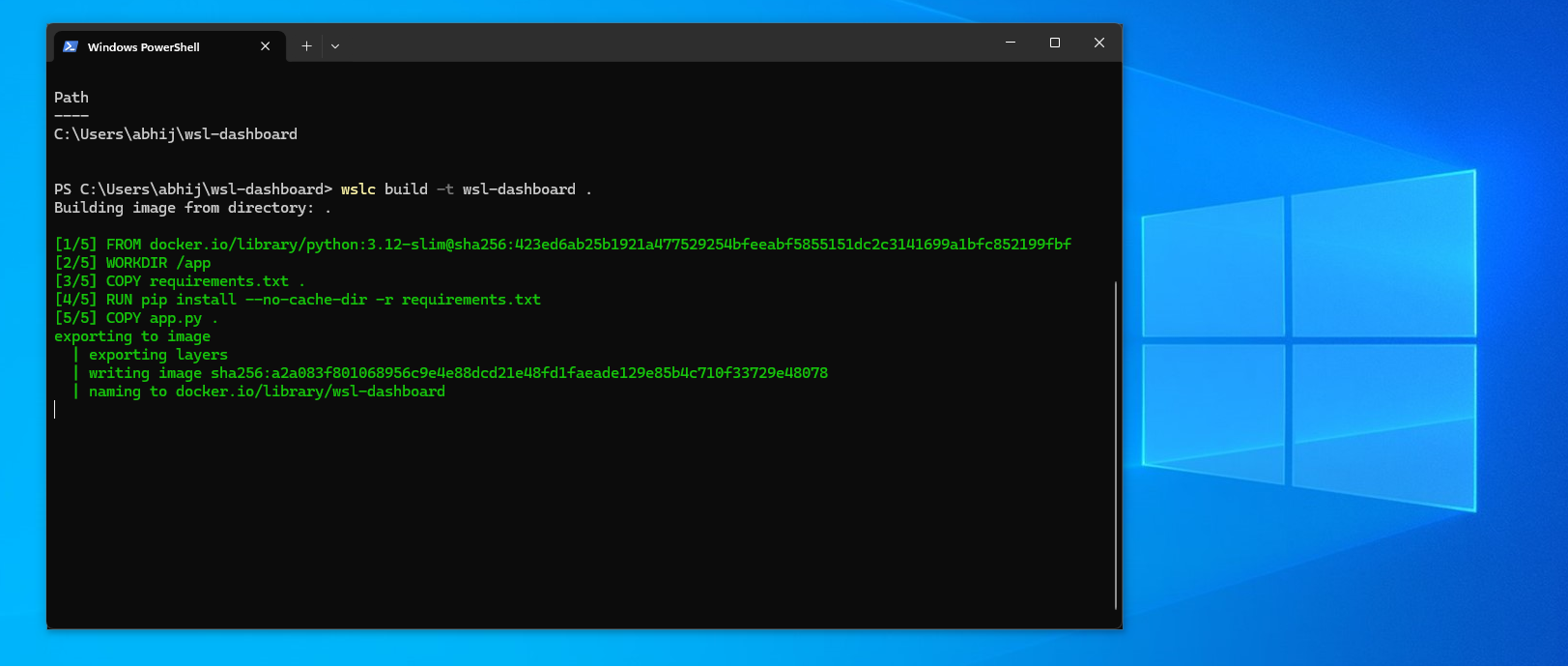
As expected, these pipelines don’t touch Docker Desktop, Docker Engine, or any Docker component. The image is built by wslc from a Containerfile using the same OCI image format Docker uses, but the tool doing the building, running, and networking here is WSL Container’s binary.
If you’ve been searching for ways to run Linux on Windows, you might’ve been routed through installing Docker Engine manually inside a WSL2 distro, since that has been the standard workaround for years as WSL had no first-party container tooling.
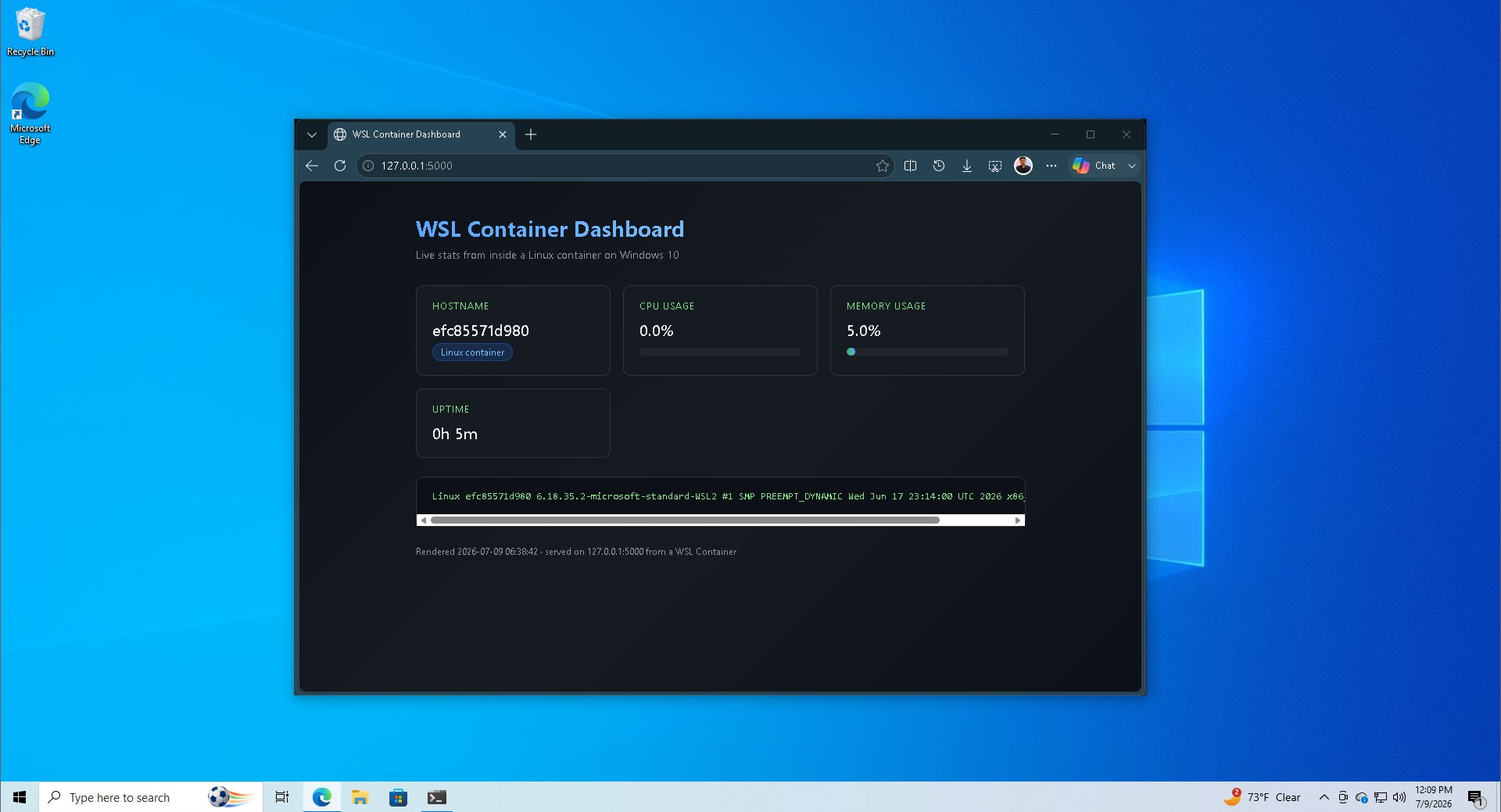
In our little dashboard here, wslc talks directly to the WSL service that already manages the Linux VM, and Moby, the container runtime doing the work, is the same open-source engine Docker is built on.
Getting there took one Containerfile pointing at a lightweight Python base image, with Flask and psutil installed on top and port 5000 exposed. Building it took just one command:
wslc build -t wsl-dashboard .
Running it with a port mapping and loading 127.0.0.1:5000 in Edge browser brought the dashboard, styled cards, live bars, and all, served from inside a Linux container with Docker Desktop nowhere in the picture.
The more I think about this, the more I’m excited about WSL Container’s future, speaking of which, it doesn’t have a GUI as you might have noticed. Docker is still needed for that.
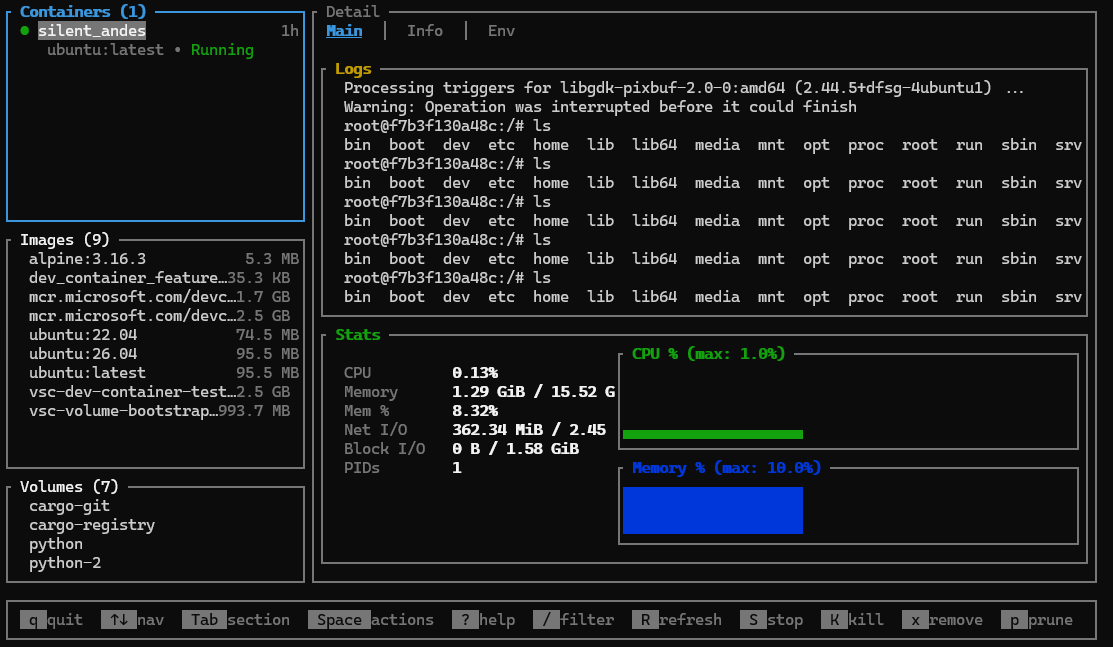
But for what it’s worth, Craig Loewen, head of WSL, has a Text based UI dashboard for managing WSL Containers. It’s called lazywslc.
GPU passthrough on Windows 10
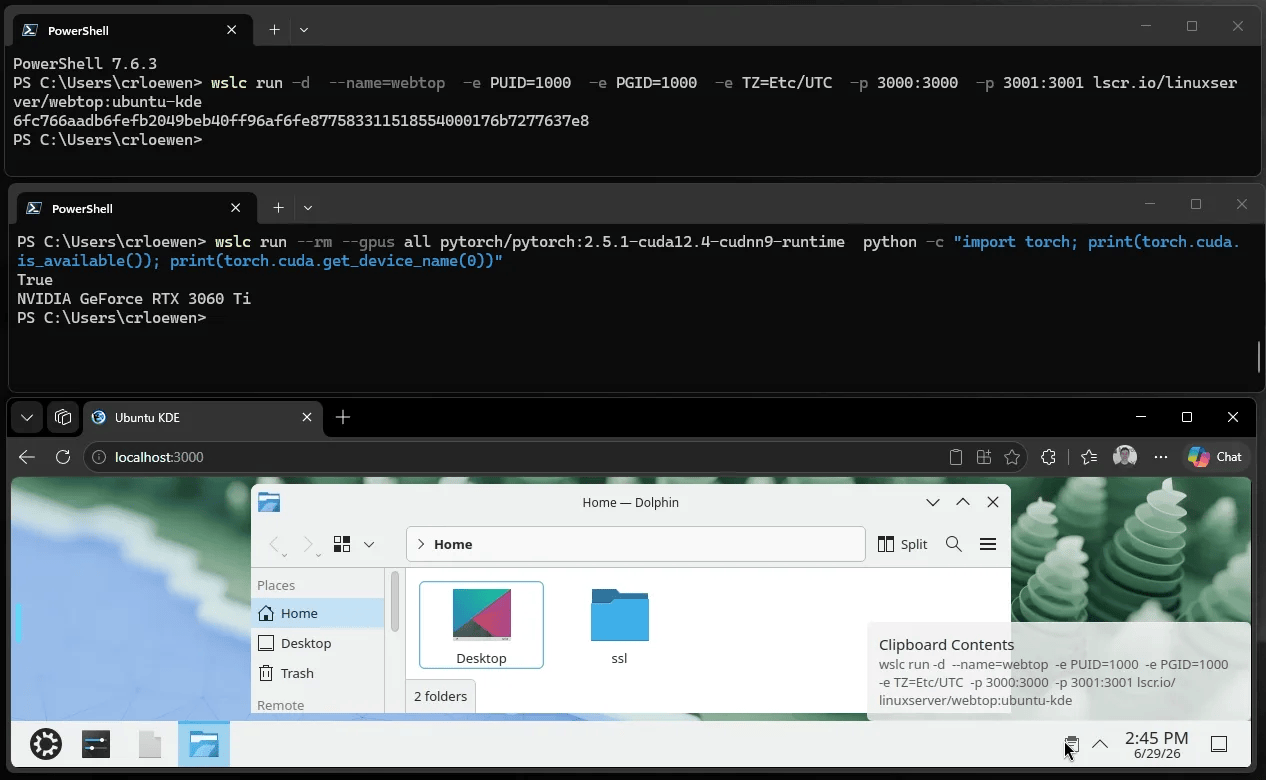
WSL Container supports GPU passthrough through a –gpus all flag on containers built for CUDA, and it works the same way on Windows 10 as it does on Windows 11, since the passthrough runs through the Windows NVIDIA driver.
Install the regular Windows NVIDIA driver, nothing extra inside the Linux side, and its CUDA libraries get exposed automatically to any container that requests GPU access.
wslc run –rm –gpus all pytorch/pytorch:2.5.1-cuda12.4-cudnn9-runtime \
python -c “import torch; print(torch.cuda.is_available())”
Running that check confirms a container can reach the GPU directly, and it opens up local AI work. PyTorch and TensorFlow both run inside a GPU-enabled WSL Container at close to native Linux speed, since WSL2’s GPU passthrough has been stable for a while now.
Fine-tuning a small model, running local inference through Ollama or llama.cpp, or testing CUDA code before deploying it to a Linux server are all realistic things to do with a container built this way on a Windows 10 machine that still has a dedicated GPU in it.
Should you bother if you are staying on Windows 10
If your PC is not moving off Windows 10 before the ESU window closes in October 2027, WSL Container gives you a legitimate reason to keep Linux tools on hand without installing anything extra to get there. As of writing, it is in pre-release, and single-container use like the dashboard built here is a better fit right now than anything that depends on multiple linked services. Treat it as something to experiment with, not something to build anything you depend on daily.
Credit where it’s due, Microsoft built WSLc to work identically on Windows 10 and Windows 11, instead of holding it back as a Windows 11 exclusive. But whether this support continues well into WSL Container’s development cycle with new features (like a GUI support) is a separate question. Either way, testing it costs nothing and needs nothing beyond what a Windows 10 PC already has.
The post Windows 10 is still getting Windows 11 features, but it’s only for developers appeared first on Windows Latest