Windows 11 KB5070773 emergency update out to fix Recovery failure in Windows 11 25H2 / 24H2
Windows 11 KB5070773 is rolling out as an out-of-band update to address a broken Windows Recovery Environment caused by KB5066835. The post Windows 11 KB5070773 emergency update out to fix Recovery failure in Windows 11 25H2 / 24H2 appeared first on Windows Latest
 admin
admin

Windows 11 KB5070773 is rolling out as an out-of-band update to address a broken Windows Recovery Environment (WinRE) caused by the October 2025 Patch Tuesday (KB5066835). Our tests confirmed that keyboard and mouse no longer work in WinRE, which renders the recovery process unusable.
On October 14, Microsoft issued Patch Tuesday security updates for all supported versions of Windows. For Windows 11 24H2/25H2, Microsoft released KB5066835, which installs automatically. But as soon as we installed the mandatory update, we noticed that localhost no longer connects.
Microsoft used server-side updates to quickly reverse changes that broke localhost, but the second problem, which breaks Windows Recovery Environment (WinRE), requires an out-of-band update. That’s why we’re getting Windows 11 KB5070773 (OOB) for all PCs using version 24H2 and 25H2.
This patch is titled “October 20, 2025—KB5070773 (OS Builds 26200.6901 and 26100.6901) Out-of-band,” and it shows up for download automatically, whether you want it or not. It does require a reboot to finish installing.
Should you install the out-of-band update? I would say yes. If you’re confident you’ll not run into BSOD or other major issues that require WinRE (Windows Recovery), you can skip the update. Otherwise, you should install it. It is also worth noting that the November 2025 Patch Tuesday, which releases on November 11, will include the WinRE patch.
Direct download links for Windows 11 KB5070773 (WinRE patch)
Direct download links for KB5070773: 64-bit (Update Catalog)
Tested: How Windows 11 KB5066835 broke Windows Recovery Environment and how the OOB patches it
We regularly test Windows updates across 100+ virtual machines and dozens of real hardware. While using Windows 11 KB5066835, our tests confirmed that this month’s update renders WinRE unusable with no access to keyboard and mouse.
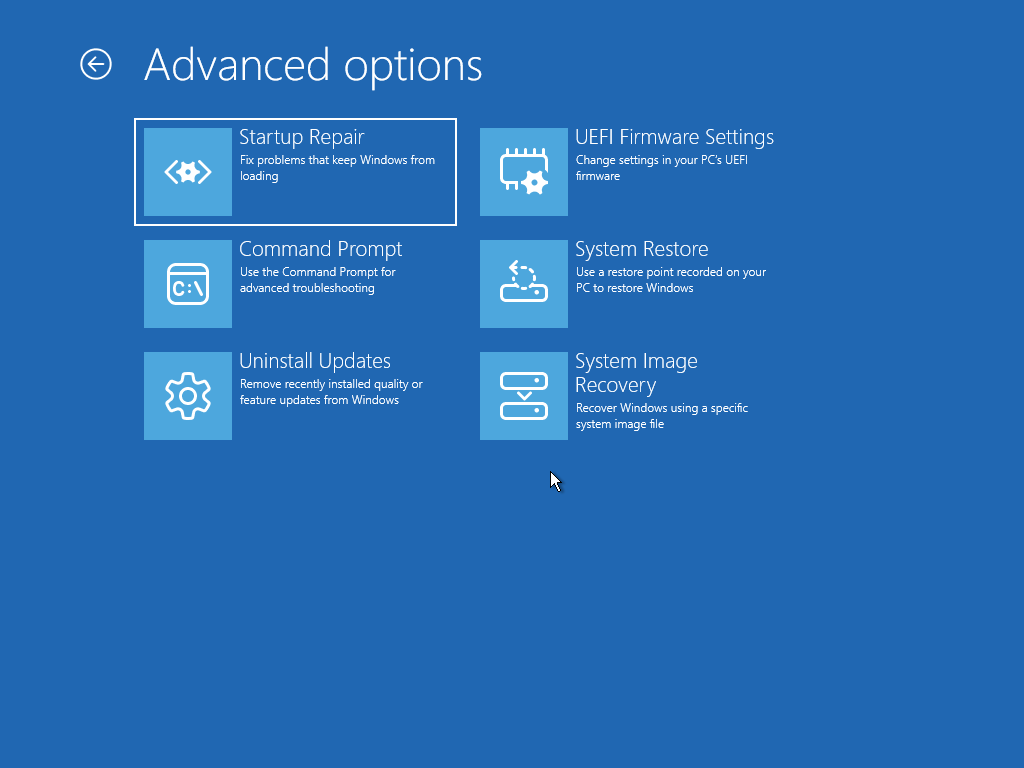
WinRE is one of the most important features of Windows even if you are not an advanced user. For example, when Windows crashes or hits a Blue/Black Screen of Death (BSOD), you’ll automatically boot to WinRE, which looks like the following screenshot:
You’re given options to reboot, troubleshoot, reset Windows, boot using USB, or if you made a change to the hardware, there’s also an option to boot directly to the BIOS menu and tweak settings. That’s the whole point of WinRE. Help you RECOVER Windows when nothing is working.
After the October 2025 Patch Tuesday, we noticed that the cursor doesn’t show up in the Windows Recovery Environment. But even worse, keyboard would not respond. Finally, I had to force reboot Windows to get back to the desktop.
If the mouse and keyboard don’t work in WinRE, the recovery tools are basically useless… you can’t click or type. What are you going to do? Your only chance might be an old PS/2 keyboard, but only if your PC still has a PS/2 port and it actually works. I wonder if that’s also botched up in a recent update.
The post Windows 11 KB5070773 emergency update out to fix Recovery failure in Windows 11 25H2 / 24H2 appeared first on Windows Latest