Microsoft is killing Edge’s Drop file sharing after Collections and Sidebar, all for Copilot AI takeover
Microsoft has confirmed it's removing the popular file-sharing feature Drop from Edge after dropping support for Sidebar and Collections. The post Microsoft is killing Edge’s Drop file sharing after Collections and Sidebar, all for Copilot AI takeover appeared first on Windows Latest
 admin
admin

Microsoft has confirmed it’s removing the popular file-sharing feature Drop from Edge after dropping support for Sidebar and Collections in Edge 149. The company is removing most of Edge’s exclusive and unique features to focus on Copilot and the AI takeover of its browser.
Microsoft Edge isn’t hugely popular, but those who use it really love it, and it’s largely because of the handy features you don’t find in Google Chrome or Firefox. One of the features I personally loved was Sidebar, which let you browse mini web apps while a website was already open in the primary tab.
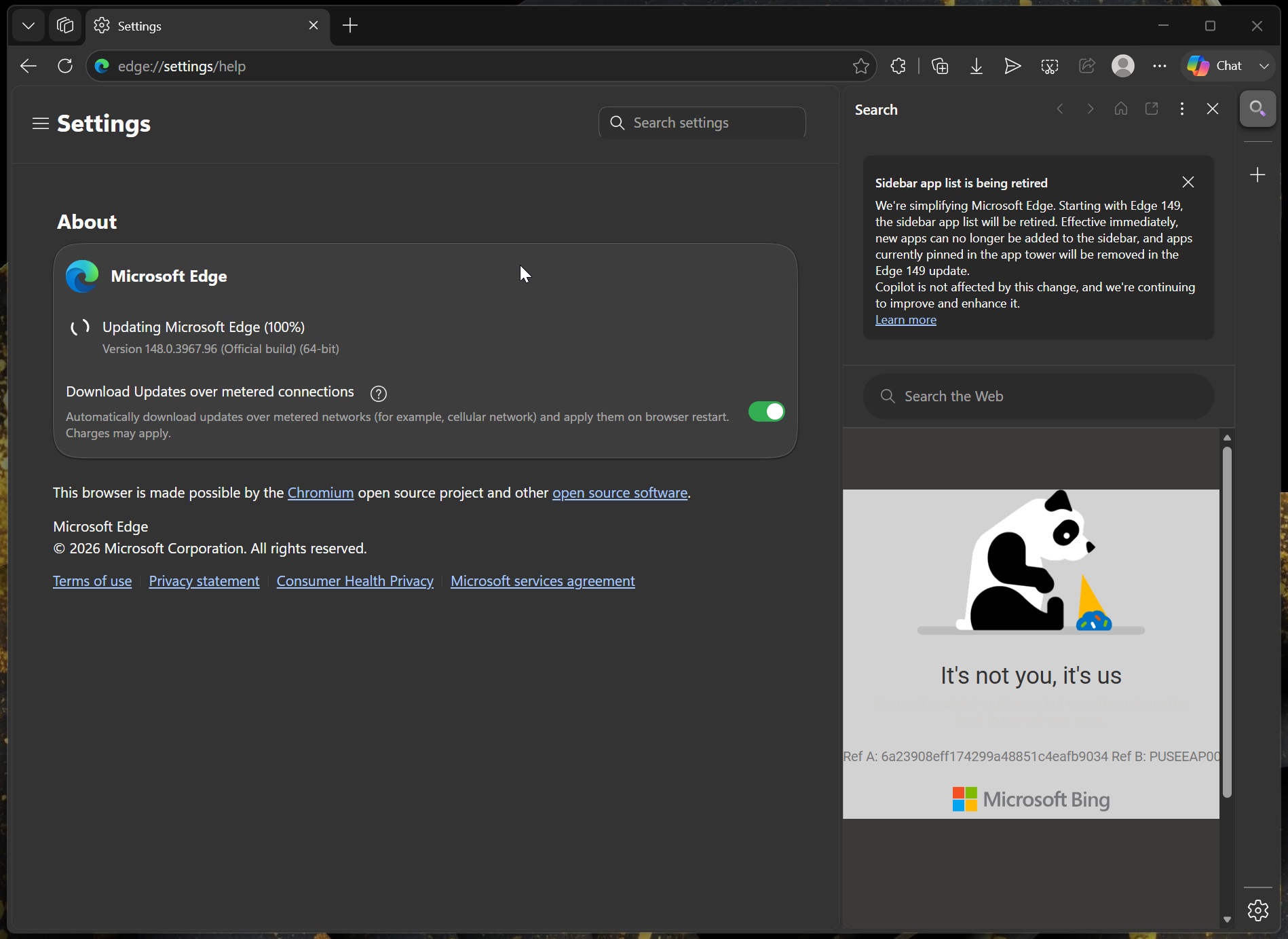
With Edge 149, Microsoft nuked Sidebar and said it made more sense for only Copilot to use the sidebar’s region. It also removed Collections, a feature Microsoft made a big deal out of when Chromium-based Edge was first shipped. And now, it’s pulling the plug on Edge’s Drop feature, which was one of the best ways to share files between devices.
For those unaware, Edge Drop lets you drag and drop files or text to share across devices, including Android and iOS.
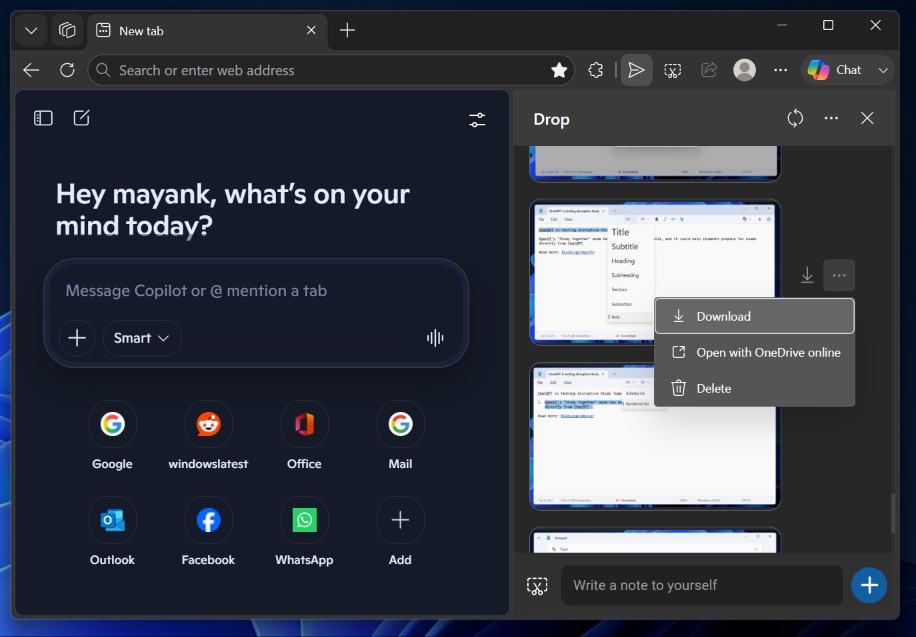
Edge’s Drop debuted as one of Microsoft’s unique and celebrated features. At that point, and even now, Microsoft’s support document lists several use cases for Drop, including sharing files and text across devices.
For example, if you were working on your PC and wanted to send a file to your phone, you didn’t have to bother pairing the devices using the Phone Link app or emailing yourself. Instead, you could just open Edge, click on the Drop button, and upload all your files. Finally, Edge’s Drop, which uses your OneDrive storage, would send an alert on your phone, and you could download the file.
Edge’s Drop would upload and download files instantly, and you could upload as large a file as you want. If you ran out of the free OneDrive storage, you could always purge the previously uploaded files and start uploading again.
More importantly, Microsoft said Drop is a secure feature because it’s powered by OneDrive and does not compress files or expose them to bad actors.
Also, unlike other “file sharing” tools, Edge Drop never deleted files on its own unless you specifically deleted them.
Unfortunately, Microsoft Edge’s Drop is being removed, and the company wants you to back up your text notes. While your files or images are synced to OneDrive and secure, Drop’s text notes are going to be deleted when Microsoft pulls support. This change was confirmed in a new update rolling out yesterday.
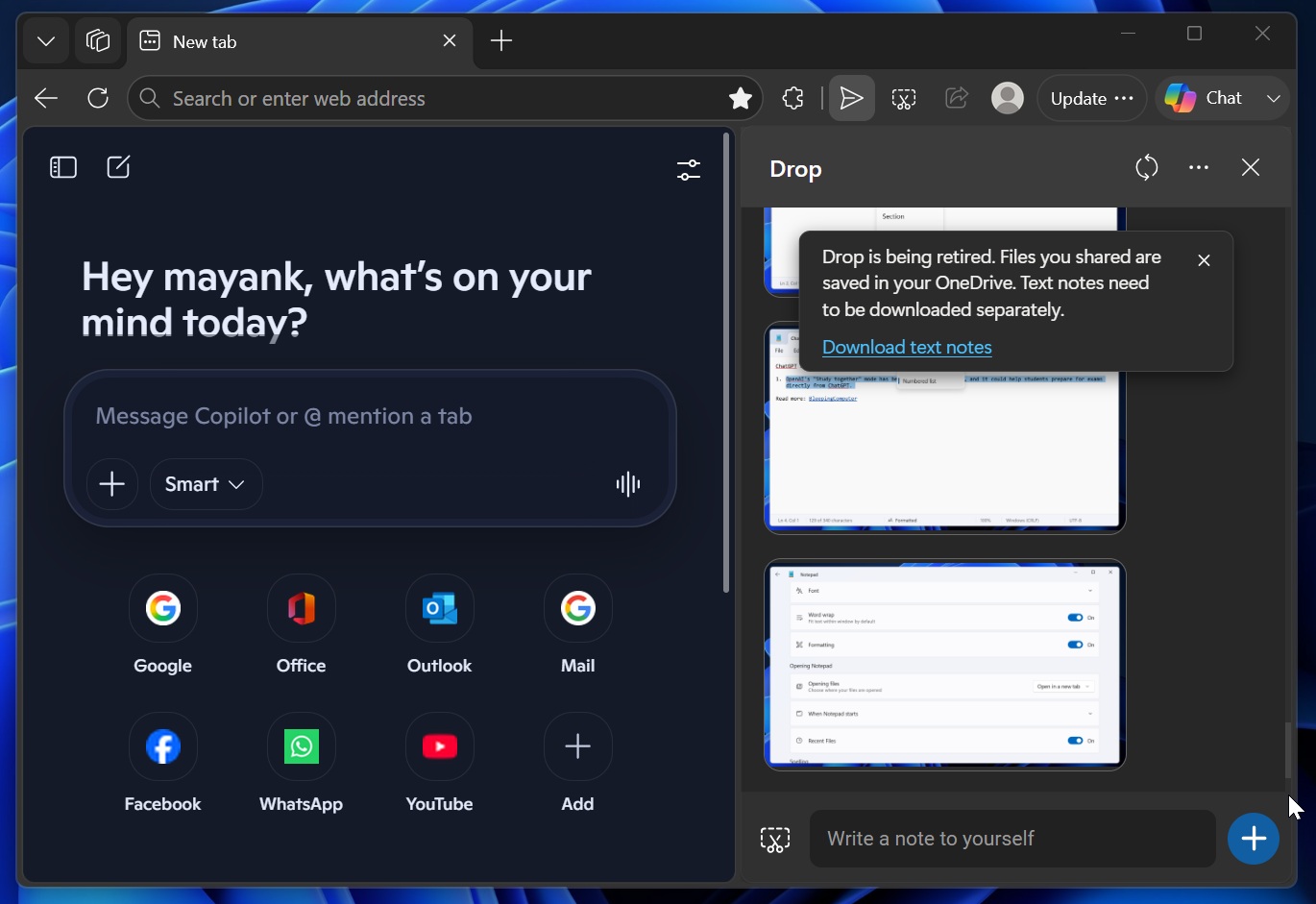
“Drop is being retired. Files you shared are saved in your OneDrive. Text notes need to be downloaded separately,” Microsoft Edge warns when you open Edge Canary.
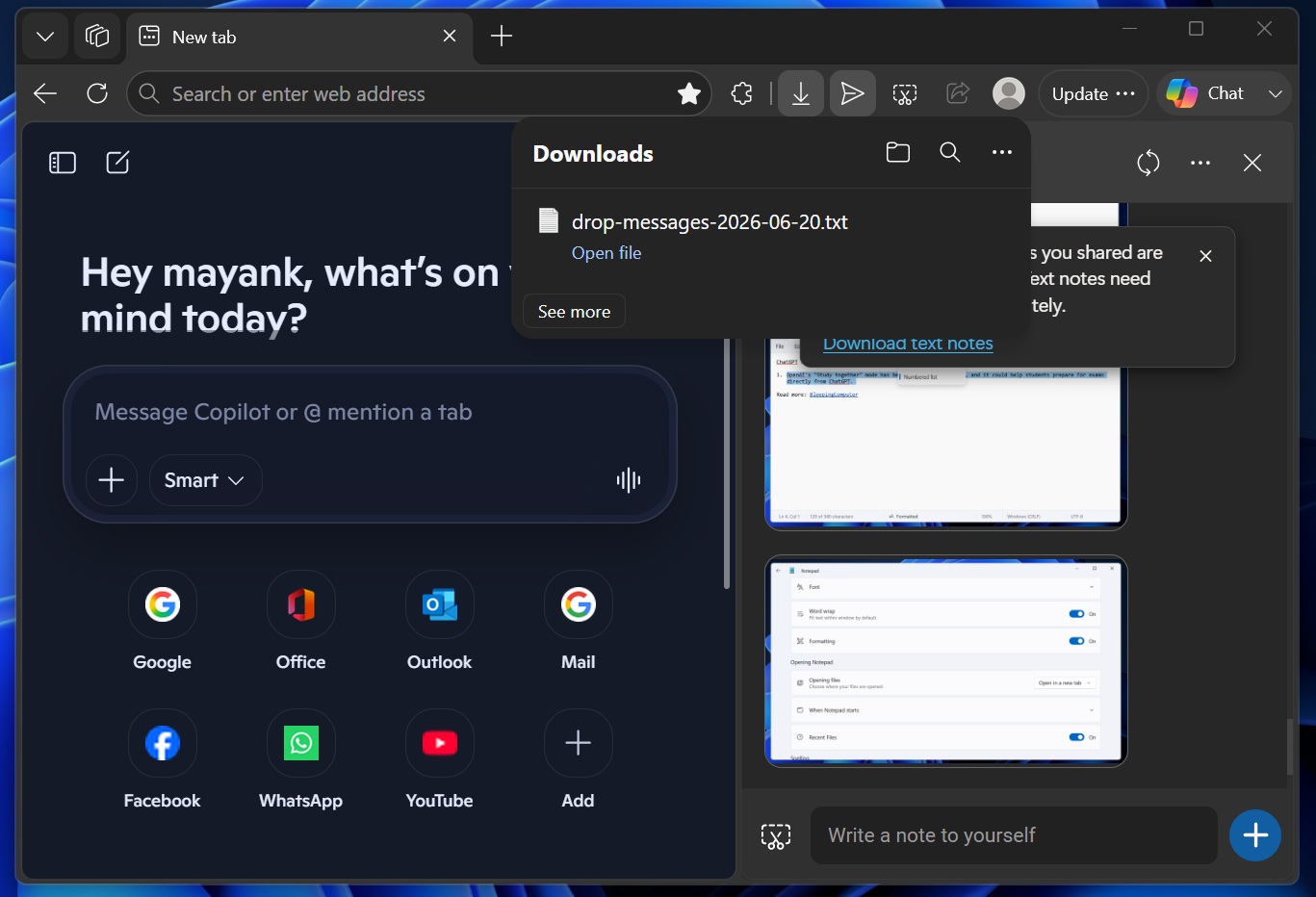
There’s also a Download text button, which saves all your clipboard content shared via Drop in a .txt file. You won’t be able to save text shared via Drop after the feature is removed.
Microsoft nuked Sidebar, Collections, and now Drop to focus on AI
Microsoft Edge is now under Microsoft AI, which is being spearheaded by the Copilot boss, and, unsurprisingly, the management only cares about adding AI. And it’s more than just “AI” features. Instead, Windows Latest has observed that Microsoft is redesigning Edge for the AI age.
For example, Microsoft recently confirmed that Edge and Copilot will bridge the gap, and the browser will look more like the Copilot app.
It’s a strategic decision because Copilot is now built using WebView, and Microsoft is trying to redesign Edge using Copilot’s design system, so it could reuse the browser’s design elements in the Copilot app or other AI products.
The post Microsoft is killing Edge’s Drop file sharing after Collections and Sidebar, all for Copilot AI takeover appeared first on Windows Latest