Microsoft: Don’t panic if you missed the Windows 11 Secure Boot update, we’re still rolling it out
Microsoft's July 2026 changelog confirms Windows 11 and Windows 10 PCs without the Secure Boot 2023 certificates will keep starting normally and receiving regular updates, with the newer certificates continuing to roll out through Windows Update over the coming months. The post Microsoft: Don’t panic if you missed the Windows 11 Secure Boot update, we’re still rolling it out appeared first on Windows Latest
 admin
admin
Microsoft used the July 14 Patch Tuesday changelog to reassure Windows 11 and Windows 10 users who still haven’t received the Secure Boot 2023 certificates. The company confirmed that PCs without the new certificates will continue to start normally, receive regular updates, and will keep getting the certificates pushed to them over the coming months.
The first Secure Boot certificate officially expired on June 24, 2026, and Microsoft has been replacing the aging 2011 certificates since 2024. The latest confirmation arrived on July 14 with KB5101650, which moved Windows 11 to OS builds 26200.8875 and 26100.8875 for version 25H2 and 24H2.
If your PC has already received the latest Secure Boot certificates, you can stop reading here. But if you or anyone you know is still using their PCs with the older 2011 certificates, we’ll tell you everything you need to know.
Microsoft confirms new Secure Boot 2023 certificates will keep coming for months
Microsoft added the confirmation under Announcements and messages in the KB5101650 release notes:
“Devices that haven’t received the newer certificates will continue to start, and standard Windows updates will continue to install. We will continue to install the newer certificates via Windows updates in the coming months.”
So, if you haven’t received the new Secure Boot certificates, rest assured that your PC will continue to function as it did. You may receive the new 2023 certificates with the upcoming Windows 11 and Windows 10 Patch Tuesday updates, unless your device is not eligible for them.
Why does your PC need Secure Boot in the first place?
Secure Boot is a UEFI firmware feature that checks the digital signature of every piece of software trying to load before Windows boots. It runs before the OS, which is what makes it useful against rootkits and bootkits.
These are stealthy malware that hide from antivirus tools by loading earlier in the startup process. If a bootloader’s signature doesn’t match what Secure Boot trusts, the firmware refuses to run it.
Reason to replace old Secure Boot certificates
Trust in this system is built on cryptographic certificates, and the ones backing Secure Boot since Windows 8 were issued in 2011. To avoid attackers from finding workarounds, certificates have expiration dates, and 15 years is a long time for any cryptographic key to stay in service!
As such, the 2011 certificates are being retired in three separate stages.
- Microsoft Corporation KEK CA 2011 expired June 24, 2026
- Microsoft UEFI CA 2011 expired June 27
- Microsoft Windows Production PCA 2011 expires October 19, 2026.
What does the 2023 Secure Boot certificates do?
The 2023 certificates replace all the above three using modern cryptographic standards. Once a device has them, its boot manager switches over automatically, and Microsoft can keep pushing DBX revocation updates, the blacklist of compromised bootloaders, without interruption.
A device stuck on the 2011 KEK can only receive DBX updates signed with that key, and the ability to sign on it ended June 24.
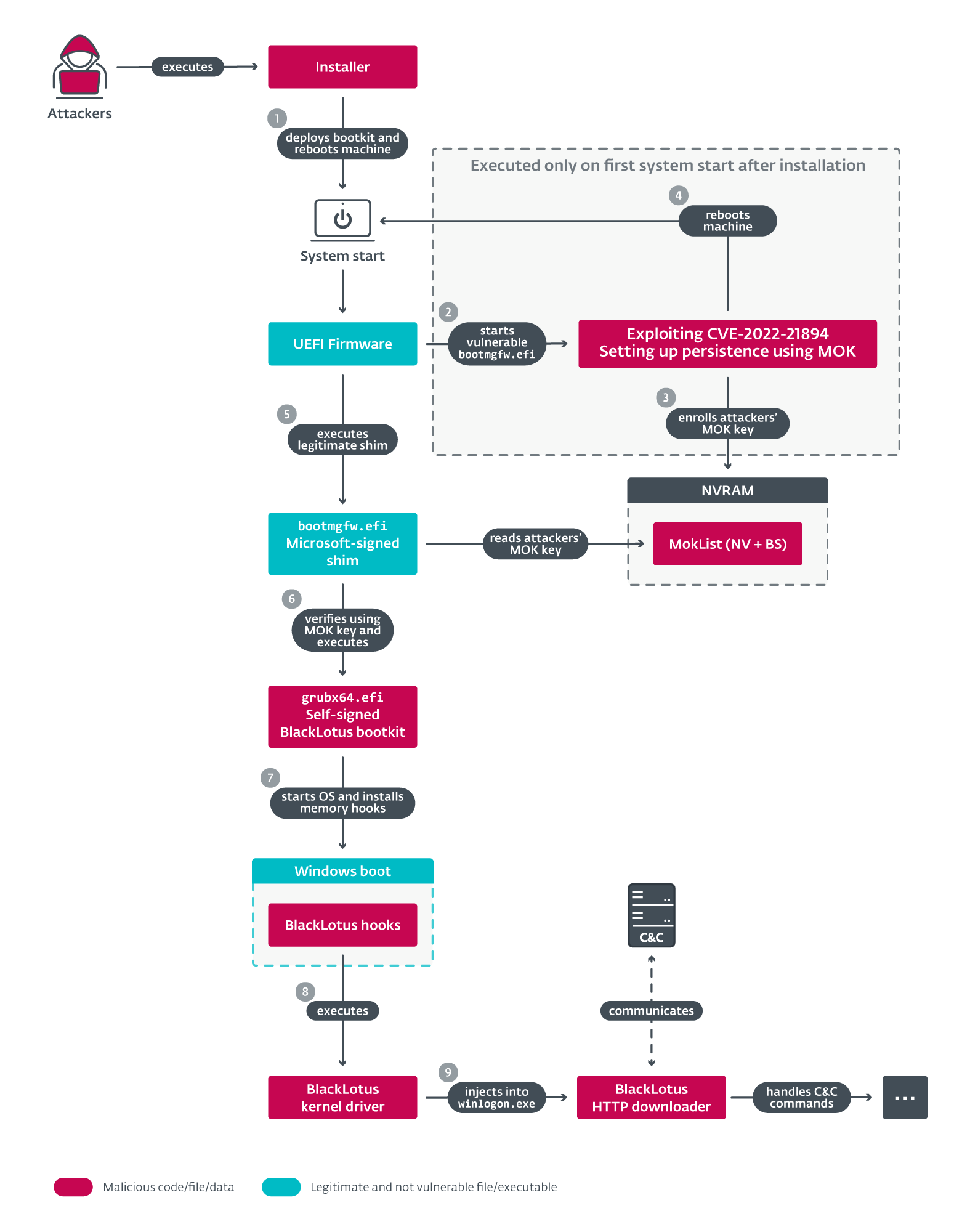
BlackLotus, a UEFI bootkit discovered in 2023, exploited older bootloader vulnerabilities to bypass Secure Boot on fully patched Windows 11 systems before Microsoft revoked the vulnerable signatures. Losing DBX updates means losing this kind of protection against whatever comes next.
Microsoft has to continue to install the newer certificates even after expiry
Redmond has spent close to two years rolling out the 2023 certificates, and the June 2026 update pushed most supported PCs into what it calls the high confidence category, where the certificate applies automatically.
However, a meaningful number of devices were still on a yellow or red status when the June deadline passed anyway, which is why Microsoft added this note to the July update changelog.
How to check your Secure Boot 2023 status right now
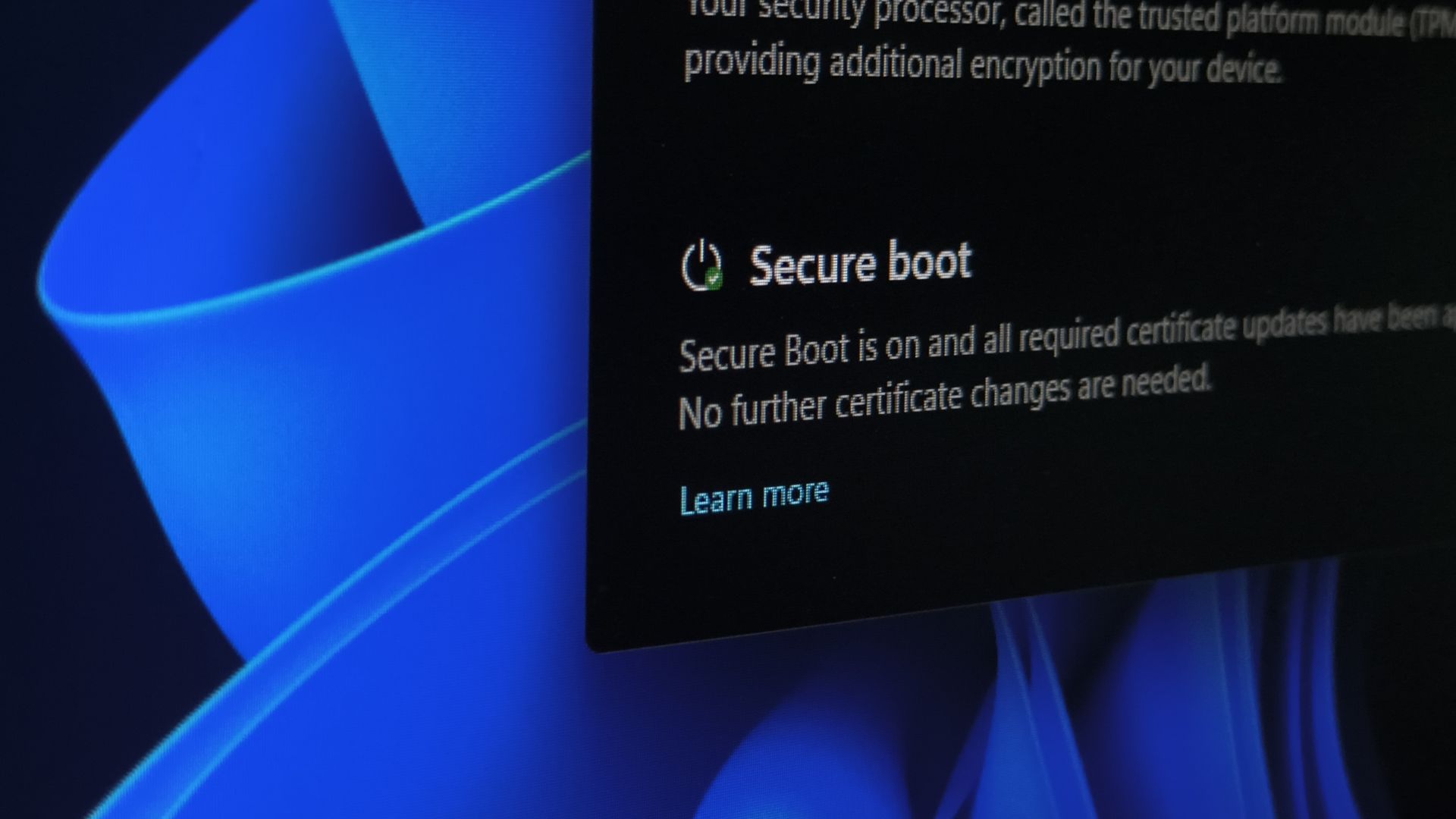
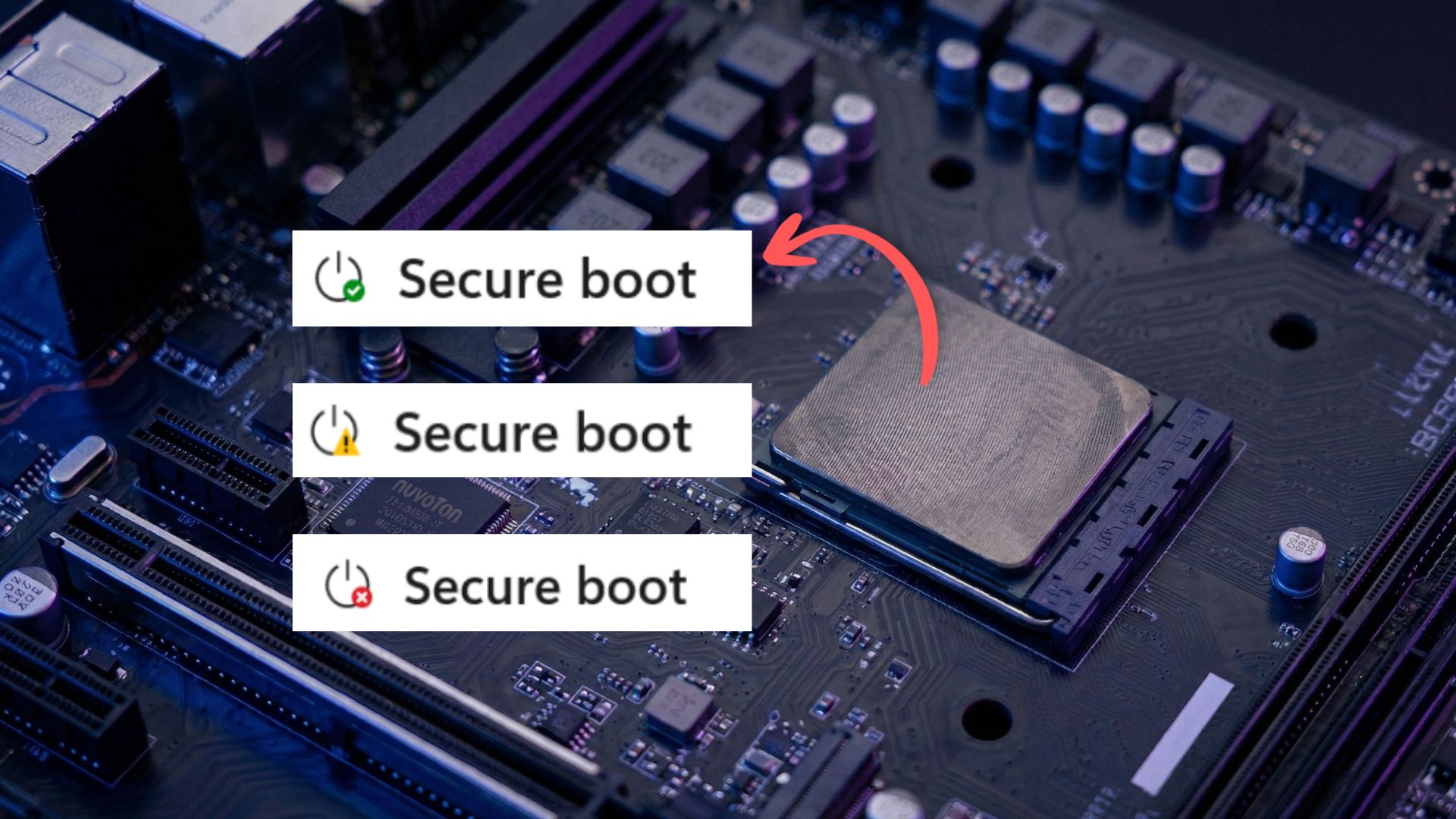
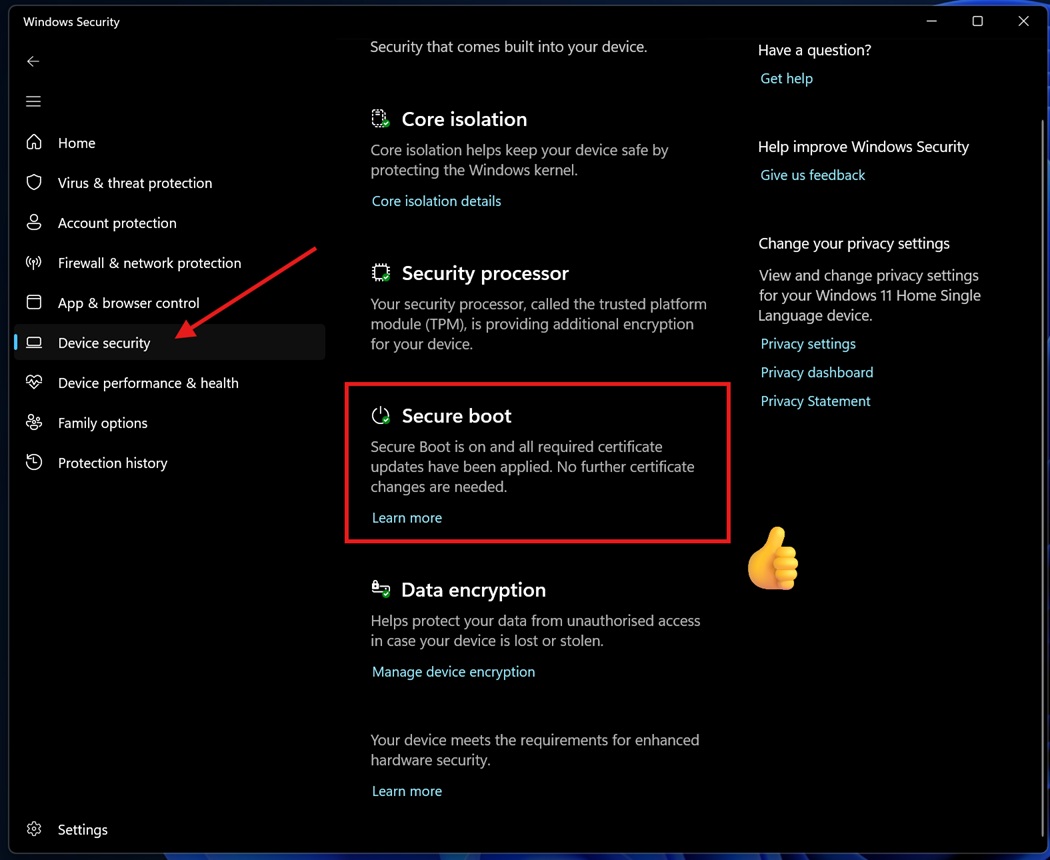
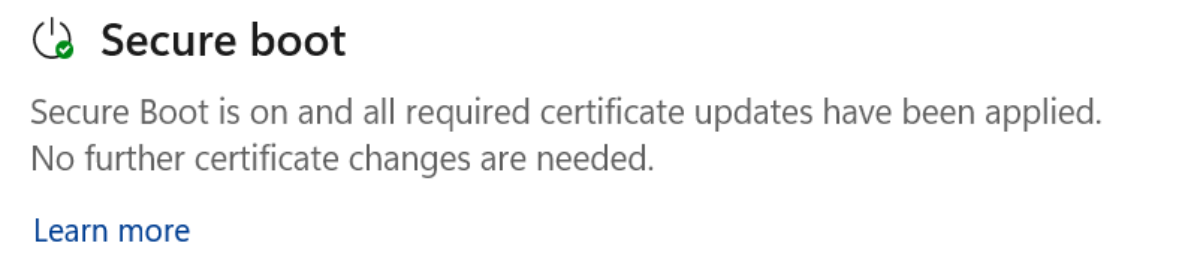
Open Windows Security > Device Security and scroll to Secure Boot.
A green checkmark means the certificates are already applied.
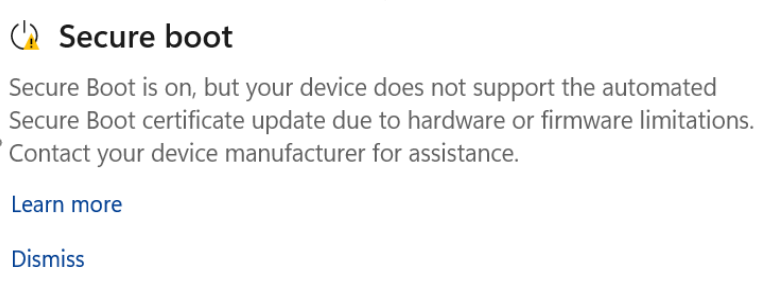
A yellow warning means Windows needs more compatibility data about your firmware before it proceeds.
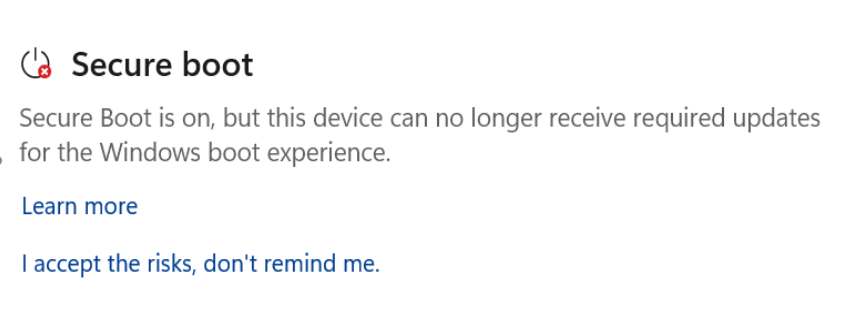
A red alert means a firmware incompatibility is blocking the update, and you need a BIOS update from your manufacturer.
If the Secure Boot section is missing, your PC has Secure Boot disabled in firmware, is running Legacy BIOS mode, or was set up using the registry bypass on unsupported hardware.
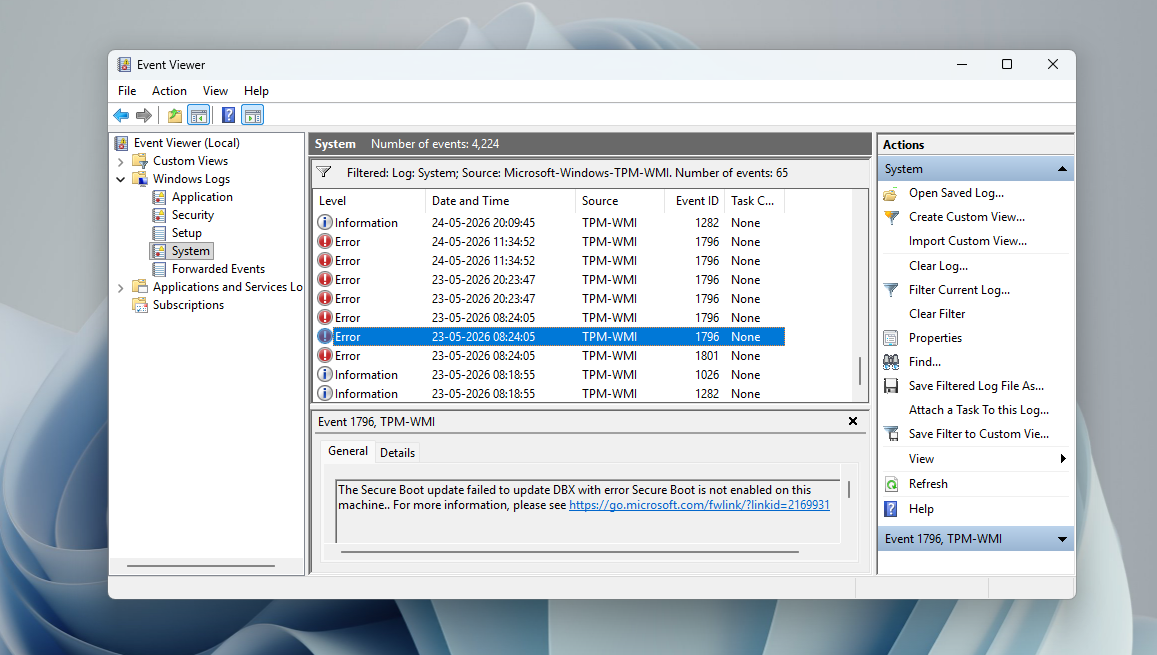
If you’re a power user, you might benefit from the PowerShell and Event Viewer method that goes a level deeper. Windows Latest published the most detailed article about Secure Boot 2023 verification method for your PC, including what Event IDs 1801, 1808, and 1034 mean in the System log.
Every Secure Boot update so far from Microsoft
The Windows Security app started showing Secure Boot status with the April 2026 update. Microsoft confirmed that there would be multiple PC reboots after installing monthly updates and was expected, since writing new certificates to firmware, applying the updated boot manager, and booting with the new chain each need a separate restart.
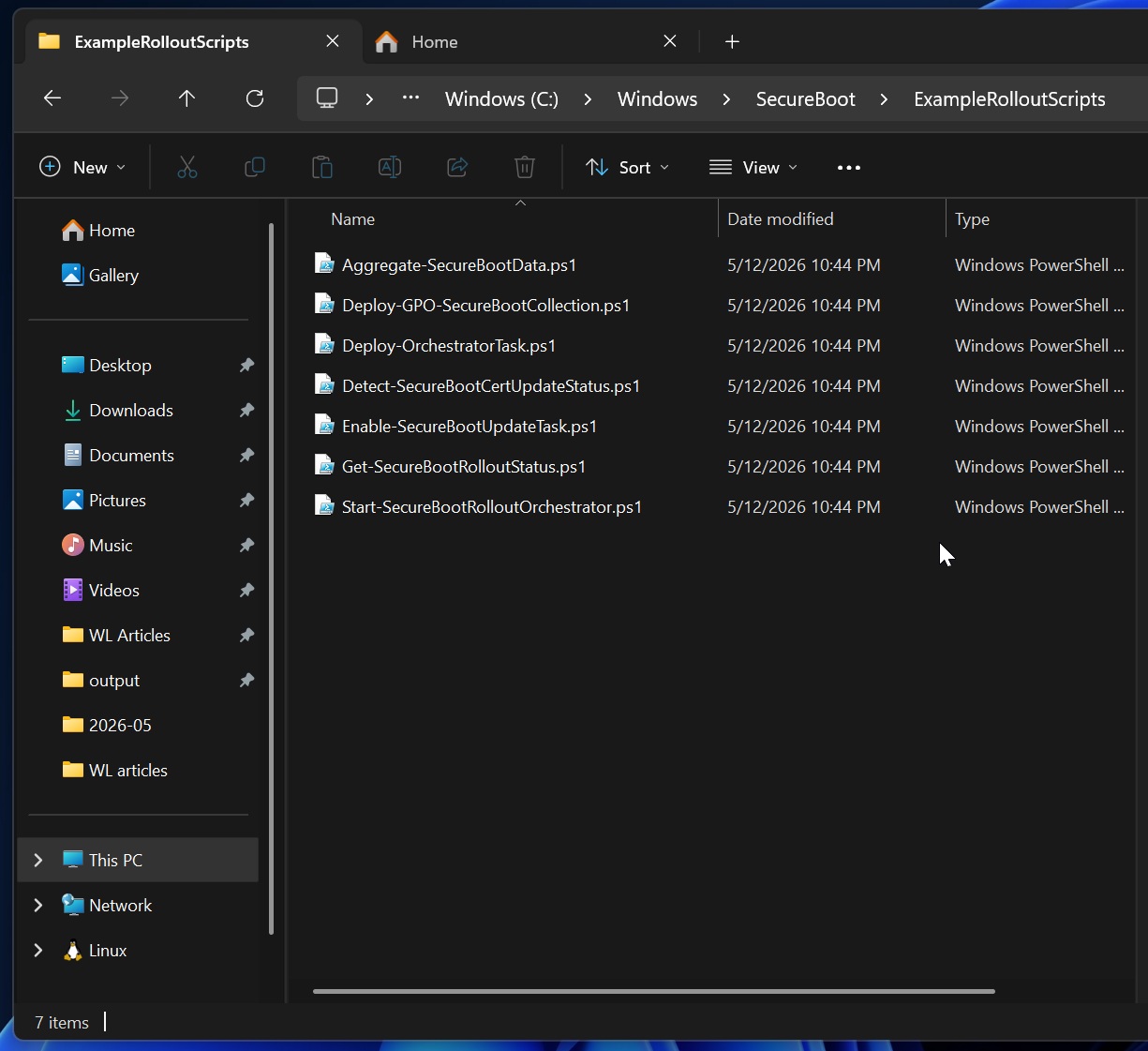
A new SecureBoot folder also appeared under C:\Windows on eligible devices that month. Microsoft confirmed it holds PowerShell scripts for IT admins and wasn’t a bug.
The June 2026 Patch Tuesday update (KB5094126) expanded the high confidence bucket, and Microsoft pushed the certificates to all eligible devices hours before the June 24 KEK expiry.
IT admins are the ones dealing with Secure Boot headaches
Two Ask Microsoft Anything sessions followed for IT administrators, where Microsoft engineers confirmed June 24 wasn’t a hard stop. Every previously signed update payload, including the manual registry key method, keeps working past that date. What stopped was Microsoft’s ability to sign new revocation updates with the expired key.
By the end of June, every major PC manufacturer, including ASUS, Dell, HP, Lenovo, MSI, Acer, Samsung, and LG, has already published an OEM Secure Boot transition guide listing which models are covered.
However, as Windows Latest’s original investigation in March found, Secure Boot 2023 updates failed across a meaningful number of PCs due to inconsistent firmware handling across the industry.
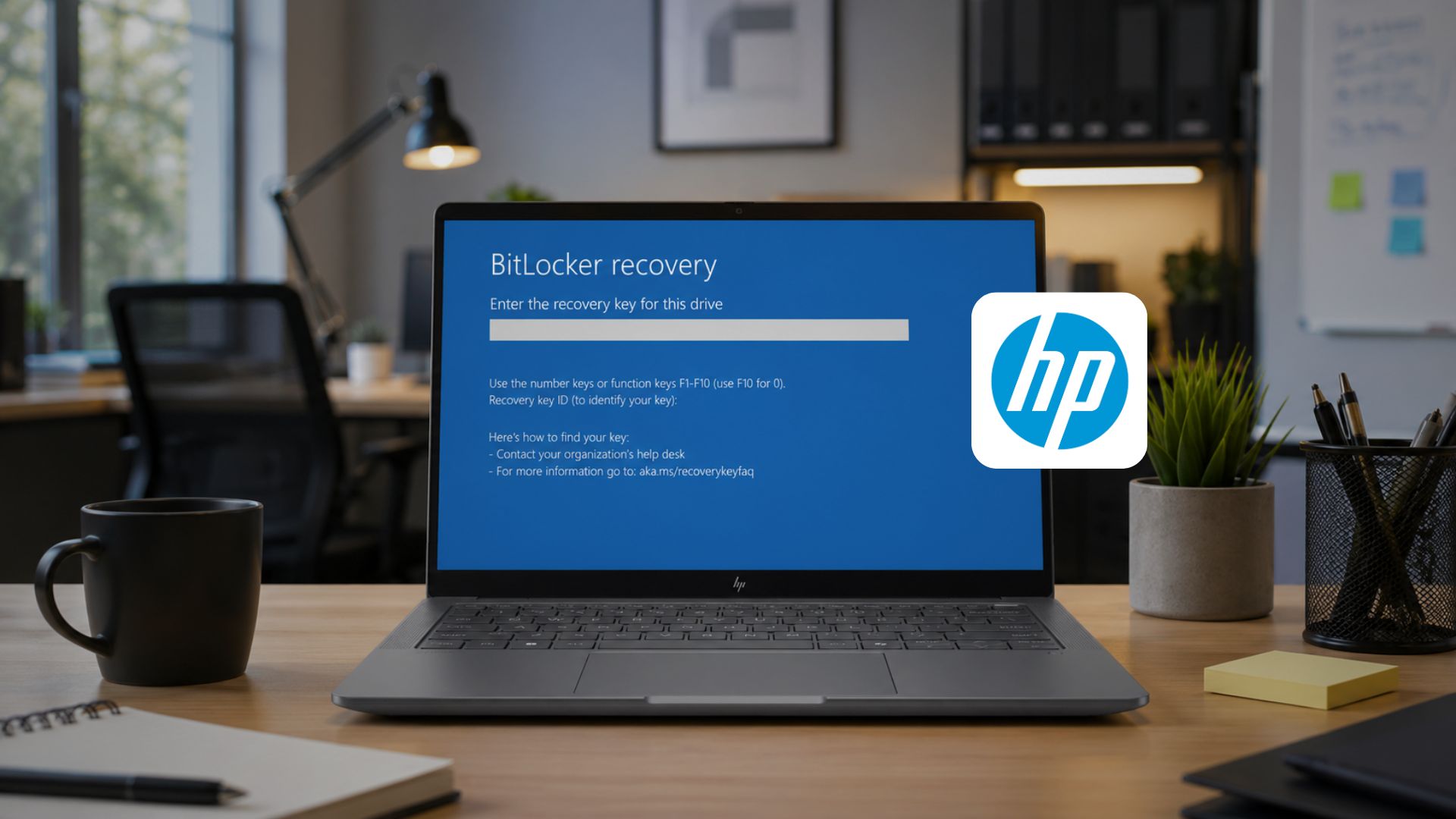
HP later admitted a batch of its BIOS updates from April 2026 were bricking Windows 11 PCs, trapping commercial laptops and workstations in BitLocker recovery loops.
Recently, Microsoft confirmed that they had identified specific device and firmware combinations where the update causes problems and began pausing the rollout on those combinations on purpose.
Again, since IT admins were still dealing with Secure Boot issues, Microsoft followed that up with the OEM Secure Boot Office Hours event on July 15, a live Tech Community session where engineers from Microsoft and OEMs including Dell, HP, Lenovo, and Surface answered questions from IT admins on confidence ratings, the AvailableUpdates registry key, and BitLocker recovery.
Not every question in that thread got a clean answer, though. Windows Latest’s follow-up coverage found HP’s BitLocker recovery loop still triggering even on the latest BIOS, an HP fleet stuck unable to update its KEK after weeks of troubleshooting, and at least two admins’ questions went unanswered by Dell and HP.
These PCs won’t get the Secure Boot 2023 certificates at all
OEMs have published firmware cutoffs by device age. Dell isn’t providing BIOS updates for platforms that reached end of service life before January 1, 2026. HP’s commercial cutoff excludes 2018-and-earlier commercial PCs. Lenovo applies similar end-of-service-life rules to its oldest hardware.
PCs running Legacy BIOS mode or with Secure Boot manually disabled are automatically skipped, since Microsoft’s update process can’t apply a certificate to firmware that isn’t running proper UEFI Secure Boot.
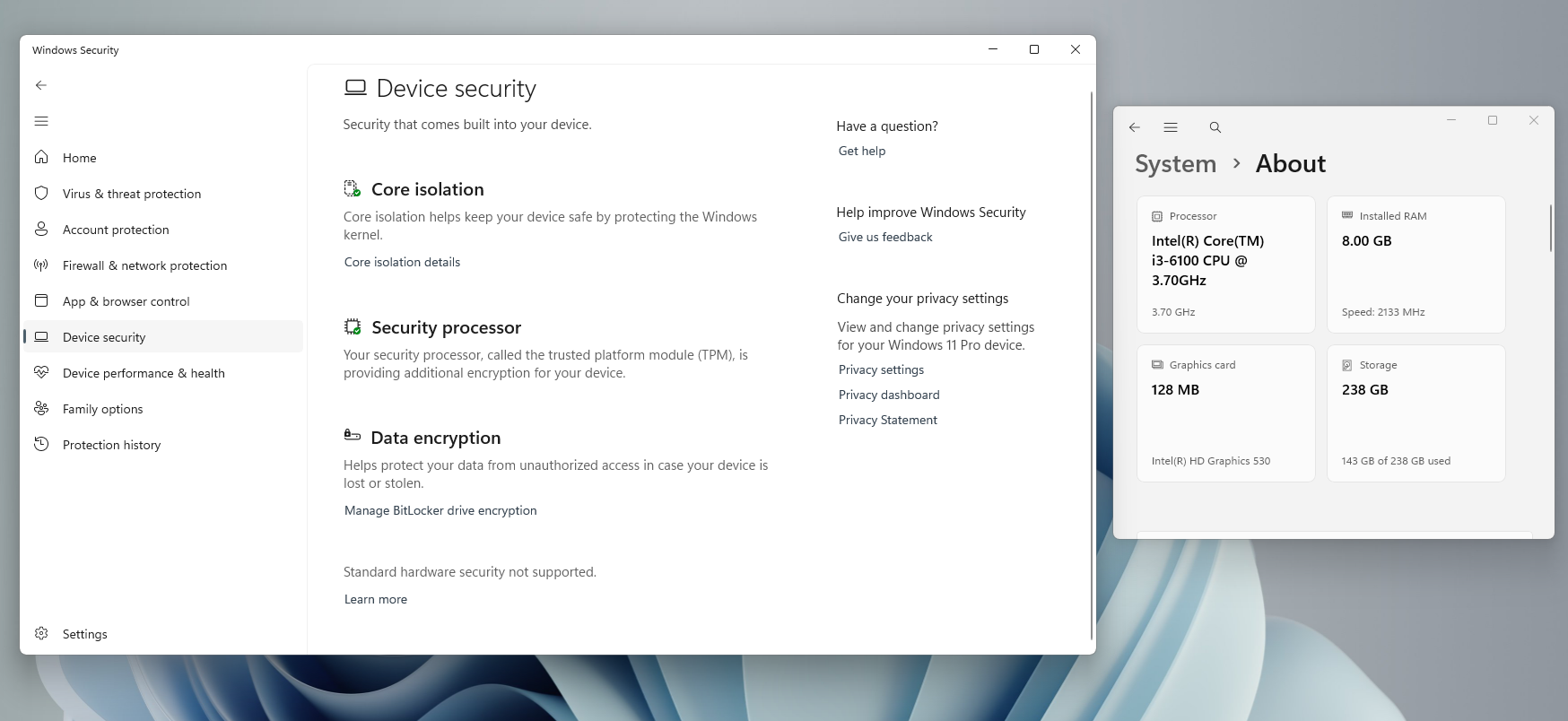
Windows 11 installed on unsupported hardware through the registry bypass, which skips TPM and CPU checks during setup, usually falls into this category too, since Secure Boot is usually disabled or misconfigured on those installs by default. So, if you have a very old PC, it will still boot, but won’t receive future DBX revocation updates.
Windows 10 gets Secure Boot 2023 update too, but only with ESU
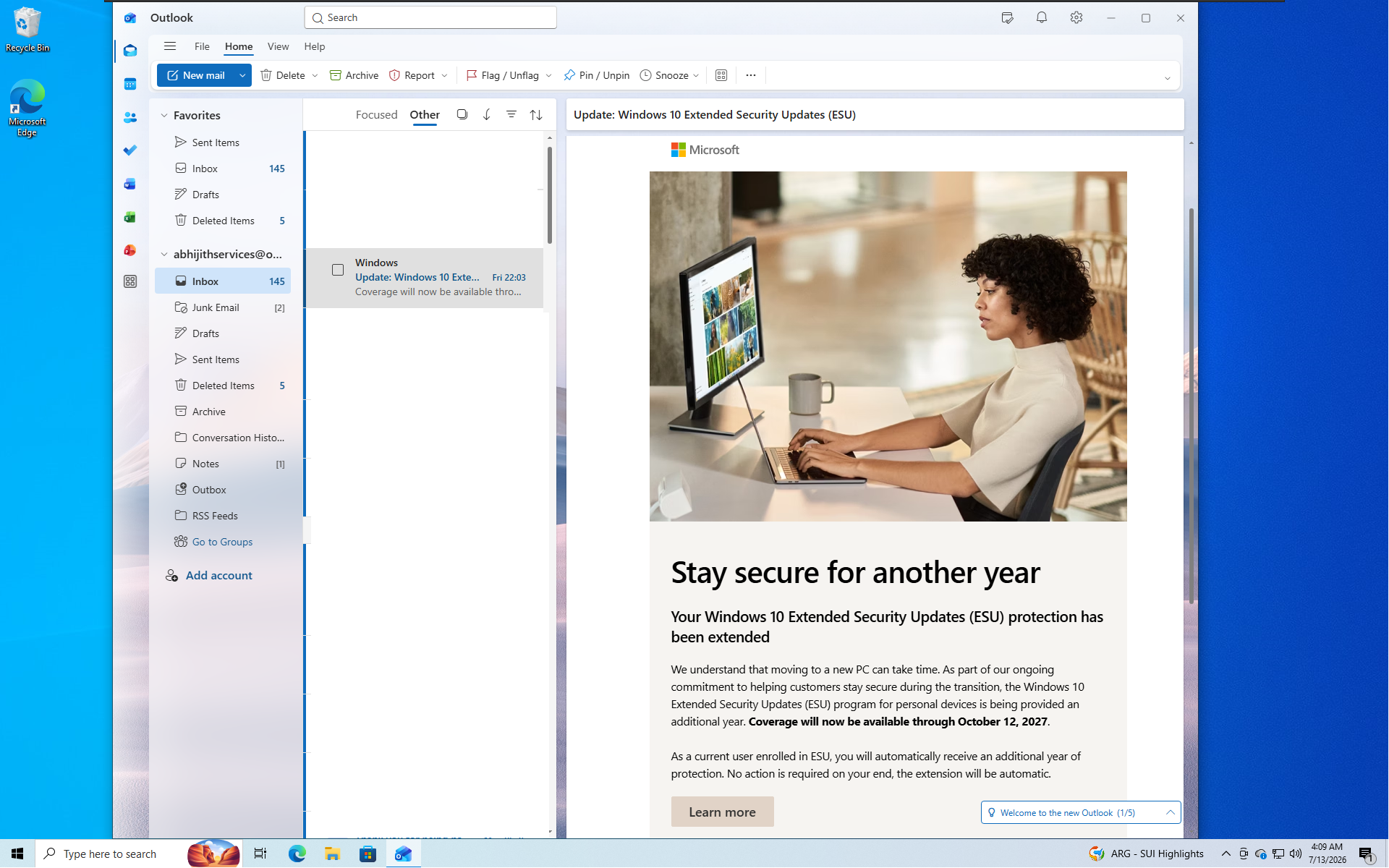
Windows 10 is past its support lifecycle, but Microsoft is still shipping it Secure Boot certificate updates using identical code to Windows 11. The May 2026 update, KB5087544, brought the same green, yellow, and red status to the Windows Security app on Windows 10.
Enrollment is the catch, though. Only Windows 10 PCs enrolled in Extended Security Updates keep receiving monthly updates, including this one. A Windows 10 PC that isn’t enrolled and has stopped getting updates will not receive the 2023 certificates, regardless of hardware age.
That said, Microsoft’s recent decision to extend Windows 10 ESU into October 2027 may be enough and more reason to enrol.
Windows 11 Secure Boot certificates will keep rolling out, here’s what to do
Unless you’re an IT admin with a large fleet of devices that hasn’t yet received Secure Boot updates, there is no urgent problem in your PC that needs to be fixed.
Check your status once through Windows Security > Device Security > Secure Boot. Act only if you see a red alert paired with a BIOS update available on your manufacturer’s site. Everyone else can leave Windows Update running and let the rollout finish on its own schedule over the coming months.
The post Microsoft: Don’t panic if you missed the Windows 11 Secure Boot update, we’re still rolling it out appeared first on Windows Latest